Workflows & Automation
How to Automate Workflows with Custom Objects in GoHighLevel
By Marnix Geerkens. Published 2025-11-03. Updated 2026-06-02.
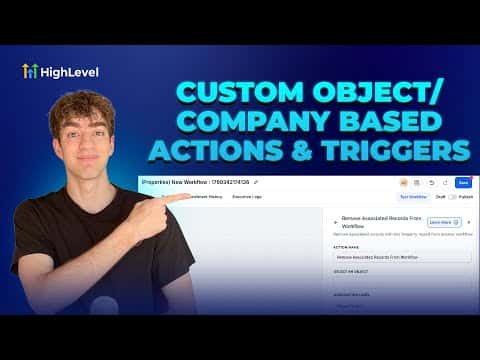
GoHighLevel custom object workflows let you build automations around things like properties, deals, cars, or projects, not just individual contacts. When a record changes, the workflow can automatically pull in all associated contacts, companies, or other custom objects and push them into a separate workflow for further action.
Watch it, then build it
Get the full platform free for 30 days
That walkthrough runs on GoHighLevel. Start it free through RocketLauncher and you get 30 days instead of the usual 14, the whole platform unlocked, plus our setup help and a community of thousands of builders in 47+ countries.
30 days, not 14Full platform, nothing held backFree community and setup help
We earn a referral commission if you keep GoHighLevel after the trial. It never changes your price.
Summary. Custom object and company-based workflows in GoHighLevel extend automation beyond single contacts to entire relationship structures. After creating a custom object in Settings, a matching workflow type becomes available in Automations. The key action is 'Add Associated Record to Workflow,' which enrolls related contacts, companies, or custom objects into another workflow when the triggering record changes. Filtering by association label makes the targeting precise.

Related tutorials
Watch it, then build it
Get the full platform free for 30 days
30 days, not 14Full platform, nothing held backFree community and setup help
Frequently asked questions
Where do you create a custom object in GoHighLevel?
Go to Settings, scroll to Objects, and create your custom object there.
What does 'Add Associated Record to Workflow' do?
It enrolls records linked to the current record into a separate workflow automatically.
Can you filter which associated records get enrolled?
Yes. Use association labels like buyer or account owner to target specific records.