RocketLauncher AI

AI & Voice Agents

How to Use Conversation AI to Read Images and Files in GoHighLevel Live Chat

By Marnix Geerkens. Published 2026-02-04. Updated 2026-06-02.

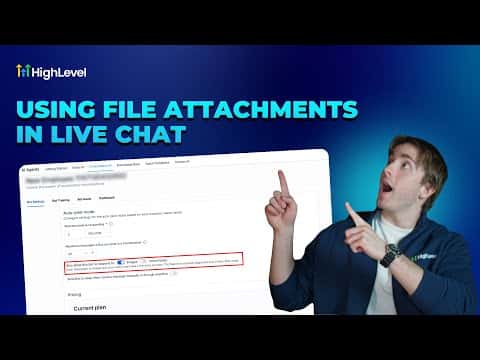
GoHighLevel's live chat widget accepts image and PDF file uploads from visitors by default, no setup required. When you pair live chat with a Conversation AI agent, you can turn on a single toggle that allows the bot to read those uploaded images and generate a reply based on what it sees. This makes the chat genuinely useful for support, quoting, and troubleshooting without a human in the loop.

Watch it, then build it

Get the full platform free for 30 days

That walkthrough runs on GoHighLevel. Start it free through RocketLauncher and you get 30 days instead of the usual 14, the whole platform unlocked, plus our setup help and a community of thousands of builders in 47+ countries.

30 days, not 14Full platform, nothing held backFree community and setup help

We earn a referral commission if you keep GoHighLevel after the trial. It never changes your price.

Summary. GoHighLevel live chat widgets support file uploads out of the box, letting contacts send images and PDFs directly in conversation. With a Conversation AI agent assigned to live chat, enabling the 'allow this bot to respond to images' toggle gives the AI the ability to read incoming images and craft contextual replies. A practical use case is customer support where a contact screenshots an issue and the bot responds with a solution.

Want the full picture? Read more about GoHighLevel Voice AI and GoHighLevel AI agents.

Related tutorials

Did You Know You Can Build a Full Landing Page From One Prompt in AI Studio?
Did You Know You Can Build a Full Landing Page From One Prompt in AI Studio?1:12 · AI & Voice Agents
How To Control Conversation AI Agent Access with HighLevel Permissions
How To Control Conversation AI Agent Access with HighLevel Permissions3:11 · AI & Voice Agents
How To Configure AI Bot Response Styles in HighLevel
How To Configure AI Bot Response Styles in HighLevel3:14 · AI & Voice Agents
How to use the Router Tool in HighLevel's Agent Studio for AI and Conditional Routing
How to use the Router Tool in HighLevel's Agent Studio for AI and Conditional Routing7:19 · AI & Voice Agents
Did You Know You Can Experiment in AI Studio Without Risking Your Live Page?
Did You Know You Can Experiment in AI Studio Without Risking Your Live Page?1:41 · AI & Voice Agents
How To Clone AI Studio Projects Across Sub Accounts in HighLevel
How To Clone AI Studio Projects Across Sub Accounts in HighLevel1:18 · AI & Voice Agents

Watch it, then build it

Get the full platform free for 30 days

30 days, not 14Full platform, nothing held backFree community and setup help

Frequently asked questions

Do I need to enable file uploads on my chat widget?

No, file uploads are active on all chat widgets by default.

Where do I turn on image reading for the Conversation AI bot?

In AI Agents, Conversation AI, select your agent, scroll down, and toggle on 'allow this bot to respond to images'.

What file types can contacts send in live chat?

Images and PDFs are supported in the live chat widget.

Back to all AI & Voice Agents tutorials