RocketLauncher AI

AI & Voice Agents

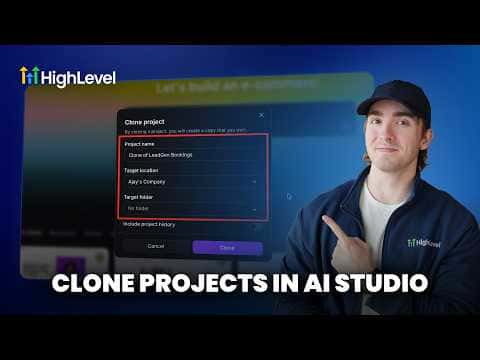
Clone AI Studio Projects Across Sub-Accounts in GoHighLevel

By Marnix Geerkens. Published 2026-05-14. Updated 2026-06-02.

GoHighLevel AI Studio projects can be duplicated from one sub-account to another without rebuilding from scratch. Once you have a landing page or site working well in one account, use the clone function to copy that project into a different sub-account. This is useful for agencies managing multiple clients who need the same page structure with different branding or content.

Watch it, then build it

Get the full platform free for 30 days

That walkthrough runs on GoHighLevel. Start it free through RocketLauncher and you get 30 days instead of the usual 14, the whole platform unlocked, plus our setup help and a community of thousands of builders in 47+ countries.

30 days, not 14Full platform, nothing held backFree community and setup help

We earn a referral commission if you keep GoHighLevel after the trial. It never changes your price.

Summary. The AI Studio clone feature in GoHighLevel lets you copy an entire page project from one sub-account and deploy it in another in a few clicks. The cloned project comes in as an editable draft so you can adjust colors, copy, and images to fit the new client before publishing. This removes the need to rebuild pages from a prompt each time you onboard a new account with a similar use case.
Want the full picture? Read more about GoHighLevel Voice AI and GoHighLevel AI agents.

Related tutorials

Did You Know You Can Experiment in AI Studio Without Risking Your Live Page?
Did You Know You Can Experiment in AI Studio Without Risking Your Live Page?1:41 · AI & Voice Agents
How To Enable Conversation AI Summaries in HighLevel
How To Enable Conversation AI Summaries in HighLevel3:32 · AI & Voice Agents
How To Control Conversation AI Agent Access with HighLevel Permissions
How To Control Conversation AI Agent Access with HighLevel Permissions3:11 · AI & Voice Agents
How To Leverage Conversation AI to Read and Respond to Images and Files in HighLevel Live Chat
How To Leverage Conversation AI to Read and Respond to Images and Files in HighLevel Live Chat2:02 · AI & Voice Agents
Did You Know You Can Build a Full Landing Page From One Prompt in AI Studio?
Did You Know You Can Build a Full Landing Page From One Prompt in AI Studio?1:12 · AI & Voice Agents
How To Configure AI Bot Response Styles in HighLevel
How To Configure AI Bot Response Styles in HighLevel3:14 · AI & Voice Agents

Watch it, then build it

Get the full platform free for 30 days

30 days, not 14Full platform, nothing held backFree community and setup help

Frequently asked questions

Does cloning copy the published version or the draft?

It copies the full project so you can edit it as a draft in the new account.

Can I clone a project from any sub-account to any other?

Yes, as long as both accounts are under your agency in GoHighLevel.

Do I need to reconnect calendars and forms after cloning?

Yes, calendar and form connections are account-specific and must be reconfigured.

Back to all AI & Voice Agents tutorials