RocketLauncher AI

AI & Voice Agents

How To Enable Conversation AI Summaries in GoHighLevel

By Marnix Geerkens. Published 2026-05-05. Updated 2026-06-02.

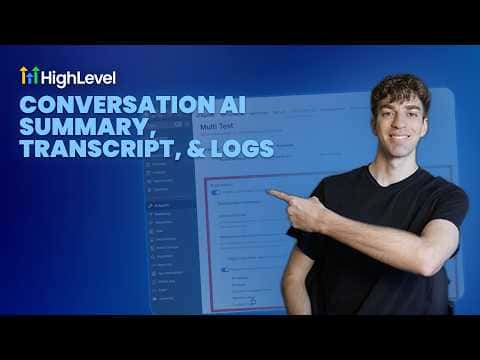
GoHighLevel's Conversation AI can generate a written summary after every chat or text interaction handled by a bot. Summaries capture what the contact asked, what the bot resolved, and any next steps, giving your team a quick read without scrolling through the full transcript. Enabling this is a per-bot setting inside the agent configuration.

Watch it, then build it

Get the full platform free for 30 days

That walkthrough runs on GoHighLevel. Start it free through RocketLauncher and you get 30 days instead of the usual 14, the whole platform unlocked, plus our setup help and a community of thousands of builders in 47+ countries.

30 days, not 14Full platform, nothing held backFree community and setup help

We earn a referral commission if you keep GoHighLevel after the trial. It never changes your price.

Summary. Conversation AI summaries in GoHighLevel produce a concise recap of each bot-handled conversation automatically, so team members can review what happened without reading the entire transcript. The summary is stored alongside the conversation record and is accessible from the contact timeline. Turning it on requires editing the agent configuration and enabling the summary option in the bot settings.
Want the full picture? Read more about GoHighLevel Voice AI and GoHighLevel AI agents.

Related tutorials

How To Clone AI Studio Projects Across Sub Accounts in HighLevel
How To Clone AI Studio Projects Across Sub Accounts in HighLevel1:18 · AI & Voice Agents
Did You Know You Can Experiment in AI Studio Without Risking Your Live Page?
Did You Know You Can Experiment in AI Studio Without Risking Your Live Page?1:41 · AI & Voice Agents
Did You Know You Can Turn a URL Into a Brand New Page in AI Studio?
Did You Know You Can Turn a URL Into a Brand New Page in AI Studio?1:20 · AI & Voice Agents
Did You Know You Can Sell AI Powered Services with HighLevel?
Did You Know You Can Sell AI Powered Services with HighLevel?2:38 · AI & Voice Agents
How To Control Conversation AI Agent Access with HighLevel Permissions
How To Control Conversation AI Agent Access with HighLevel Permissions3:11 · AI & Voice Agents
How To Leverage Conversation AI to Read and Respond to Images and Files in HighLevel Live Chat
How To Leverage Conversation AI to Read and Respond to Images and Files in HighLevel Live Chat2:02 · AI & Voice Agents

Watch it, then build it

Get the full platform free for 30 days

30 days, not 14Full platform, nothing held backFree community and setup help

Frequently asked questions

Where do I enable summaries for a Conversation AI bot?

Open the bot in Conversation AI settings and toggle on conversation summaries.

Where do summaries appear after a conversation ends?

They appear in the conversation record and the contact's activity timeline.

Are summaries generated for every conversation or only some?

Every conversation handled by that bot gets a summary once the feature is enabled.

Back to all AI & Voice Agents tutorials