RocketLauncher AI

AI & Voice Agents

How to Build AI Agents in GoHighLevel Workflows

By Marnix Geerkens. Published 2026-05-13. Updated 2026-06-02.

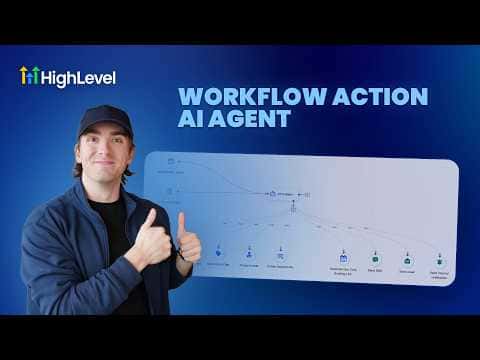
The AI Agent workflow action in GoHighLevel lets you add an autonomous AI step to any automation. You give it a plain-language instruction, attach tools like Send Email, Send SMS, or Create Opportunity, and the agent decides at runtime which tool to use. This removes the need for rigidly branched logic when the right action depends on context.

Watch it, then build it

Get the full platform free for 30 days

That walkthrough runs on GoHighLevel. Start it free through RocketLauncher and you get 30 days instead of the usual 14, the whole platform unlocked, plus our setup help and a community of thousands of builders in 47+ countries.

30 days, not 14Full platform, nothing held backFree community and setup help

We earn a referral commission if you keep GoHighLevel after the trial. It never changes your price.

Summary. GoHighLevel's AI Agent workflow action accepts a prompt and a set of tool attachments, then decides autonomously which tools to invoke when the workflow runs. Built-in templates cover common use cases such as form lead follow-up, and each template highlights which values need customizing, including tags, users, pipelines, and stages. Execution logs, token usage, and step-by-step traces are available for monitoring after publish.

Want the full picture? Read more about GoHighLevel Voice AI and GoHighLevel AI agents.

Related tutorials

How To Use Ask AI in HighLevel to Automate Tasks
How To Use Ask AI in HighLevel to Automate Tasks3:04 · AI & Voice Agents
How To Activate Image Analysis in HighLevel AI Bots
How To Activate Image Analysis in HighLevel AI Bots4:07 · AI & Voice Agents
How To Use HighLevel's Conversation AI to Automate Voice Message Replies
How To Use HighLevel's Conversation AI to Automate Voice Message Replies3:50 · AI & Voice Agents
How To Build an AI Powered Email Campaign with HighLevel
How To Build an AI Powered Email Campaign with HighLevel5:03 · AI & Voice Agents
How To Configure Agent Studio Triggers in HighLevel
How To Configure Agent Studio Triggers in HighLevel5:32 · AI & Voice Agents
Did You Know You Can Create an Infinite Growth Flywheel Using AI Agent and Automated Messaging?
Did You Know You Can Create an Infinite Growth Flywheel Using AI Agent and Automated Messaging?5:46 · AI & Voice Agents

Watch it, then build it

Get the full platform free for 30 days

30 days, not 14Full platform, nothing held backFree community and setup help

Frequently asked questions

How many tools can an AI Agent action use?

Over a hundred tools are available, covering most standard workflow actions.

Can I use pre-built templates with the AI Agent action?

Yes, HighLevel provides templates that pre-fill the prompt and tool configuration.

Which AI models are available for the agent?

Several OpenAI options are selectable from the model dropdown in the action settings.

Back to all AI & Voice Agents tutorials