SaaS Mode & Agency
How to Implement Usage-Based Pricing in the GoHighLevel App Marketplace
By Marnix Geerkens. Published 2025-10-06. Updated 2026-06-02.
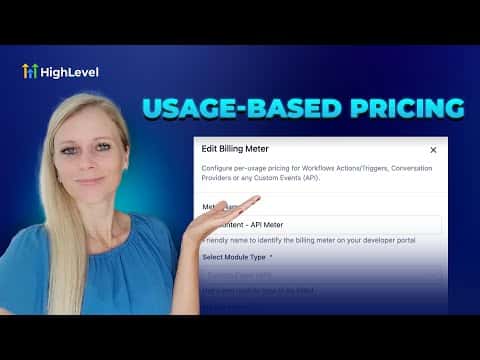
GoHighLevel's usage-based pricing lets app developers charge sub-accounts per action, per message, or per API event rather than a flat subscription fee. Three modules are covered: marketplace workflow actions and triggers, conversation provider messages with custom inbound and outbound rates, and custom API events billed through the GoHighLevel marketplace billing API.
Watch it, then build it
Get the full platform free for 30 days
That walkthrough runs on GoHighLevel. Start it free through RocketLauncher and you get 30 days instead of the usual 14, the whole platform unlocked, plus our setup help and a community of thousands of builders in 47+ countries.
30 days, not 14Full platform, nothing held backFree community and setup help
We earn a referral commission if you keep GoHighLevel after the trial. It never changes your price.
Summary. This tutorial explains how usage-based pricing works for apps listed in the GoHighLevel App Marketplace. Developers can set per-use rates for workflow triggers and actions, per-message rates for conversation providers, and custom event-level rates using the marketplace billing API. It also covers where charges are deducted, either from a sub-account wallet if rebilling is on, or from the agency directly if not.
Want the full picture? Read more about GoHighLevel SaaS Mode.
Related tutorials
Watch it, then build it
Get the full platform free for 30 days
30 days, not 14Full platform, nothing held backFree community and setup help
Frequently asked questions
Which modules support usage-based pricing in the GoHighLevel marketplace?
Marketplace workflow actions and triggers, conversation providers, and custom API events.
Where are usage-based charges deducted from?
From the sub-account wallet if agency rebilling is on; from the agency if rebilling is off.
Where can users see an app's usage-based pricing?
On the app's listing in the marketplace, and under the Discovery tab in Workflows.