RocketLauncher AI

SaaS Mode & Agency

How to Configure Affiliate Payout Methods in GoHighLevel

By Marnix Geerkens. Published 2025-09-30. Updated 2026-06-02.

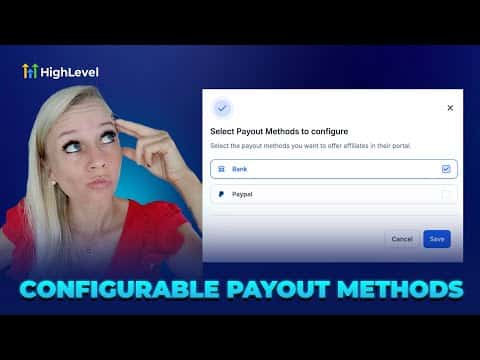
GoHighLevel's Affiliate Manager lets you control which payout methods, bank transfer or PayPal, your affiliates can see when they log in to the client portal. Turning a method off hides it from affiliates entirely. The setting is found under Affiliate Manager, then Settings, then Affiliate Portal Settings, and takes about a minute to update.

Watch it, then build it

Get the full platform free for 30 days

That walkthrough runs on GoHighLevel. Start it free through RocketLauncher and you get 30 days instead of the usual 14, the whole platform unlocked, plus our setup help and a community of thousands of builders in 47+ countries.

30 days, not 14Full platform, nothing held backFree community and setup help

We earn a referral commission if you keep GoHighLevel after the trial. It never changes your price.

Summary. This tutorial shows how to enable or disable payout methods for affiliates inside GoHighLevel's Affiliate Manager. By toggling bank account and PayPal options in Affiliate Portal Settings, you control exactly what affiliates see when they visit the payout methods section of the client portal. Changes take effect immediately after saving.

Steps

  1. Open Affiliate Portal Settings

    Go to Marketing on the left, select Affiliate Manager, click Settings at the top, then choose Affiliate Portal Settings.

  2. Toggle payout methods on or off

    Turn on the main switch to enable payout method control. Check or uncheck Bank Account and PayPal to decide which options your affiliates can use. Unticking PayPal, for example, removes it from the affiliate's view.

  3. Save and verify

    Click Save. Log in to the client portal as an affiliate to confirm only the selected payout methods appear under Payout Methods.
Want the full picture? Read more about GoHighLevel SaaS Mode.

Related tutorials

Did You Know You Can Run Your Agency from the HighLevel Mobile App?
Did You Know You Can Run Your Agency from the HighLevel Mobile App?1:34 · SaaS Mode & Agency
Did You Know You Can Clone Entire Client Setups Using HighLevel Snapshots?
Did You Know You Can Clone Entire Client Setups Using HighLevel Snapshots?1:34 · SaaS Mode & Agency
How to Implement Usage-Based Pricing in the App Marketplaces
How to Implement Usage-Based Pricing in the App Marketplaces1:47 · SaaS Mode & Agency
How to Create Snapshots with Custom Objects in HighLevel
How to Create Snapshots with Custom Objects in HighLevel3:04 · SaaS Mode & Agency
Did You Know You Can Easily Connect with Leads on the HighLevel Mobile App?
Did You Know You Can Easily Connect with Leads on the HighLevel Mobile App?2:33 · SaaS Mode & Agency
Did You Know You Can Monetize Your Expertise With Digital Products in HighLevel?
Did You Know You Can Monetize Your Expertise With Digital Products in HighLevel?1:01 · SaaS Mode & Agency

Watch it, then build it

Get the full platform free for 30 days

30 days, not 14Full platform, nothing held backFree community and setup help

Frequently asked questions

Where do affiliates see the payout methods you configure?

Under Payout Methods in the GoHighLevel client portal after logging in.

Can I offer both PayPal and bank transfer at the same time?

Yes, simply check both options in Affiliate Portal Settings and save.

Do changes to payout methods take effect immediately?

Yes, affiliates see the updated options as soon as they refresh the portal.

Back to all SaaS Mode & Agency tutorials