RocketLauncher AI

Getting Started & General

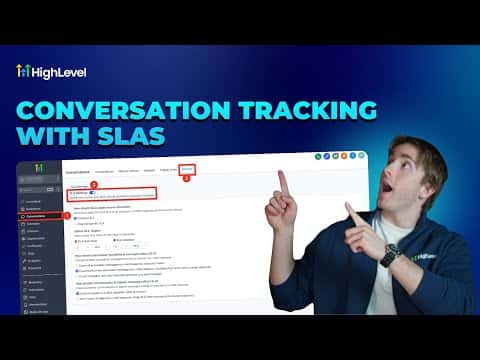
How to Set Up Conversation SLAs in GoHighLevel

By Marnix Geerkens. Published 2026-01-28. Updated 2026-06-02.

GoHighLevel conversation SLAs (service level agreements) add a visible countdown timer to each inbox conversation so your team knows when a reply is overdue. Set them in Conversations > Settings, choose a common timer for all channels or different timers per channel, and GoHighLevel will color-code conversations as they approach or pass the deadline.

Watch it, then build it

Get the full platform free for 30 days

That walkthrough runs on GoHighLevel. Start it free through RocketLauncher and you get 30 days instead of the usual 14, the whole platform unlocked, plus our setup help and a community of thousands of builders in 47+ countries.

30 days, not 14Full platform, nothing held backFree community and setup help

We earn a referral commission if you keep GoHighLevel after the trial. It never changes your price.

Summary. GoHighLevel's conversation SLA feature places a countdown timer on each active conversation, turning orange when a response deadline is approaching and red when it passes. SLAs can be configured channel by channel, so SMS might have a 3-minute target while email allows 30 minutes. Additional settings control whether automated workflow messages or AI agent replies count as a valid response, pausing the timer.

Related tutorials

How To Use Tables in HighLevel for AI Knowledge Bases
How To Use Tables in HighLevel for AI Knowledge Bases3:41 · Getting Started & General
How to Send Gift Cards
How to Send Gift Cards5:35 · Getting Started & General
Did You Know You Can Build a Marketing Scorecard in HighLevel
Did You Know You Can Build a Marketing Scorecard in HighLevel3:44 · Getting Started & General
Did You Know You Can Run a Referral Program in HighLevel?
Did You Know You Can Run a Referral Program in HighLevel?2:56 · Getting Started & General
How To Ensure AI Outbound Calling Compliance in HighLevel
How To Ensure AI Outbound Calling Compliance in HighLevel10:48 · Getting Started & General
Did You Know You Can Sell Gift Cards in HighLevel?
Did You Know You Can Sell Gift Cards in HighLevel?4:19 · Getting Started & General

Watch it, then build it

Get the full platform free for 30 days

30 days, not 14Full platform, nothing held backFree community and setup help

Frequently asked questions

Where do I set up conversation SLAs in GoHighLevel?

Conversations > Settings (top right), then toggle on SLAs.

Can I set different response times for SMS versus email?

Yes. Choose 'Channel Specific SLA' to set separate timers per channel.

Do automated workflow replies count as meeting an SLA?

Only if you configure that option. You can count automation replies, AI replies, both, or neither.

Back to all Getting Started & General tutorials