Getting Started & General
Associate Notes with Custom Objects in GoHighLevel
By Marnix Geerkens. Published 2026-05-09. Updated 2026-06-02.
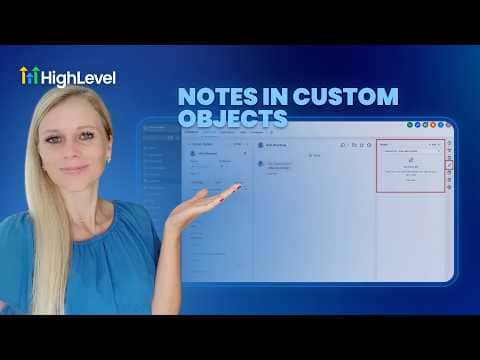
GoHighLevel lets you attach notes directly to custom object records, not just contacts or opportunities. A vet practice can add notes to an animal record, a real estate agency can note visit details on a property, and an insurance firm can log renewal status on a policy object. Notes created on a contact or opportunity can also be linked to a related custom object so the same note appears in both places.
Watch it, then build it
Get the full platform free for 30 days
That walkthrough runs on GoHighLevel. Start it free through RocketLauncher and you get 30 days instead of the usual 14, the whole platform unlocked, plus our setup help and a community of thousands of builders in 47+ countries.
30 days, not 14Full platform, nothing held backFree community and setup help
We earn a referral commission if you keep GoHighLevel after the trial. It never changes your price.
Summary. GoHighLevel's Notes feature works inside Custom Objects, letting you add, search, filter, and sort notes on any custom record type. You can also associate notes created on a Contact or Opportunity to a linked custom object, so the same context is visible wherever the record is referenced across the CRM.
Steps
Add a note to a custom object record
Navigate to Custom Objects on the left sidebar, open the relevant object type, select a record, and click Notes on the right panel. Click Add Note, type your content, and hit Create.
Search and filter notes
Use the search bar inside the Notes panel to find notes by keyword. Apply filters and sort by date created to manage longer note histories on busy records.
Associate a contact note to a custom object
Open a Contact, go to Notes, and create or open a note. Scroll to the Associate To section, choose your custom object type, select the specific record, and save. The note now appears on both the contact and the linked custom object.

Related tutorials
Watch it, then build it
Get the full platform free for 30 days
30 days, not 14Full platform, nothing held backFree community and setup help
Frequently asked questions
Can I add notes to any custom object type in GoHighLevel?
Yes, notes are available on all custom object records you create in the CRM.
Can I add a color or attachment to a note?
Yes, the note editor supports color labels and file attachments.
What happens when I associate a note to a custom object?
The same note appears on both the original record and the linked custom object record.