RocketLauncher AI

Funnels & Websites

How to Optimize Image Sizes in GoHighLevel for Mobile and Desktop

By Marnix Geerkens. Published 2024-12-26. Updated 2026-06-02.

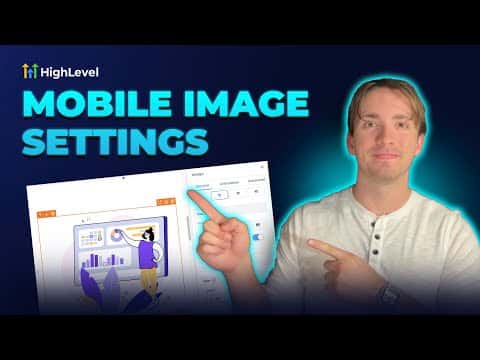
Images that look fine on desktop can slow down or crop badly on mobile if their dimensions and file size are not tuned for both views. GoHighLevel's page builder lets you set different image display sizes per breakpoint so you can control how an image appears on each device type without uploading separate files.

Watch it, then build it

Get the full platform free for 30 days

That walkthrough runs on GoHighLevel. Start it free through RocketLauncher and you get 30 days instead of the usual 14, the whole platform unlocked, plus our setup help and a community of thousands of builders in 47+ countries.

30 days, not 14Full platform, nothing held backFree community and setup help

We earn a referral commission if you keep GoHighLevel after the trial. It never changes your price.

Summary. GoHighLevel's funnel and website builder includes breakpoint controls that let you adjust how images display on desktop versus mobile. Setting appropriate dimensions and keeping file sizes reasonable keeps pages loading quickly and images presenting cleanly on every screen size. This is a quick configuration step inside the image element settings.

Want the full picture? Read more about the GoHighLevel funnel builder.

Related tutorials

How To Access the Media Library
How To Access the Media Library3:04 · Funnels & Websites
How to Save Drafts and Publish in the Website & Funnel Page Builder
How to Save Drafts and Publish in the Website & Funnel Page Builder3:11 · Funnels & Websites
How to Clone a WordPress Website Using GoHighLevel
How to Clone a WordPress Website Using GoHighLevel2:31 · Funnels & Websites
How To Track Form Submissions in HighLevel from External Websites
How To Track Form Submissions in HighLevel from External Websites4:21 · Funnels & Websites
How to Set Up the All-In-One Chat Feature for Your Website or Funnel
How to Set Up the All-In-One Chat Feature for Your Website or Funnel7:38 · Funnels & Websites
How to Integrate and Use LeadConnector on Your WordPress Site
How to Integrate and Use LeadConnector on Your WordPress Site2:04 · Funnels & Websites

Watch it, then build it

Get the full platform free for 30 days

30 days, not 14Full platform, nothing held backFree community and setup help

Frequently asked questions

Can I set different image sizes for desktop and mobile in GoHighLevel?

Yes. The page builder has per-breakpoint controls so desktop and mobile can show different dimensions.

What image formats does GoHighLevel support for funnels?

PNG, JPEG, WebP, SVG, ICO, GIF, and TIFF are all supported.

Is there a file size limit for images in GoHighLevel?

The media library allows up to 100 MB per image file for funnels and websites.

Back to all Funnels & Websites tutorials