Funnels & Websites
How to Track Form Submissions from External Websites in GoHighLevel
By Marnix Geerkens. Published 2026-01-22. Updated 2026-06-02.
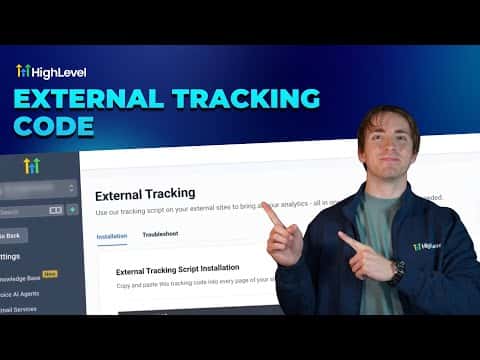
GoHighLevel can capture leads from forms on third-party websites and funnels using a small tracking script you paste into those pages. Once installed, form submissions flow into your GoHighLevel sub-account as contacts, and page views are recorded too. You do not need to rebuild your existing forms inside the platform.
Watch it, then build it
Get the full platform free for 30 days
That walkthrough runs on GoHighLevel. Start it free through RocketLauncher and you get 30 days instead of the usual 14, the whole platform unlocked, plus our setup help and a community of thousands of builders in 47+ countries.
30 days, not 14Full platform, nothing held backFree community and setup help
We earn a referral commission if you keep GoHighLevel after the trial. It never changes your price.
Summary. The external tracking feature in GoHighLevel generates a sub-account-specific script you paste before the closing body tag on any external site. After installation, form submissions and page views from that site appear inside GoHighLevel alongside your native form data. A troubleshooting tab helps diagnose common setup issues.
Steps
Copy the external tracking script
Go to Settings in your sub-account, scroll down, and click External Tracking. Click 'Copy Script' to copy the tracking code unique to that sub-account.
Paste the script into your external site
Paste the code into every page of the external site, immediately before the closing body tag. The exact location in your site settings varies by website builder. Look for 'tracking code', 'head and body scripts', or similar options.
Confirm installation
Right-click any page on the external site, choose Inspect, and check that the tracking code appears near the bottom of the HTML just before the closing body tag.
View form submissions and page views
Back in GoHighLevel under External Tracking, you can see recorded page views and a link to the external form submissions page. Filter form submissions by selecting External Forms to see only submissions from outside the platform.

Want the full picture? Read more about the GoHighLevel funnel builder.
Related tutorials
Watch it, then build it
Get the full platform free for 30 days
30 days, not 14Full platform, nothing held backFree community and setup help
Frequently asked questions
Does the external tracking script also record page views?
Yes. Page views from pages carrying the script are tracked alongside form submissions.
What HTML requirements does the external form need to meet?
The form must use proper HTML form tags, include an email input field, use a standard submit button, and avoid iframes.
Where do I see external form submissions in GoHighLevel?
Under Settings, External Tracking, there is a link to the external form submissions page where you can filter by source.