RocketLauncher AI

Funnels & Websites

How to Integrate LeadConnector on Your WordPress Site

By Marnix Geerkens. Published 2025-09-12. Updated 2026-06-02.

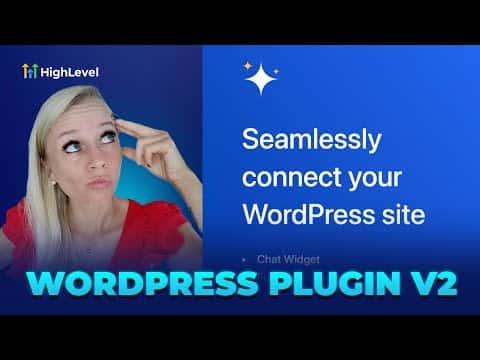
The LeadConnector WordPress plugin connects your GoHighLevel sub-account directly to your WordPress site. Once installed and connected, you can manage chat widgets, funnels, forms, phone numbers, and email settings from inside WordPress without switching between platforms.

Watch it, then build it

Get the full platform free for 30 days

That walkthrough runs on GoHighLevel. Start it free through RocketLauncher and you get 30 days instead of the usual 14, the whole platform unlocked, plus our setup help and a community of thousands of builders in 47+ countries.

30 days, not 14Full platform, nothing held backFree community and setup help

We earn a referral commission if you keep GoHighLevel after the trial. It never changes your price.

Summary. LeadConnector is a free WordPress plugin that bridges your GoHighLevel account and your WordPress site. After installing and activating it, you authorize the connection using OAuth, and a dashboard inside WordPress gives you access to your GoHighLevel funnels, forms, chat widgets, SMTP settings, and phone numbers. Adding or editing these items can be done from either platform.

Steps

  1. Install the plugin

    Log into your WordPress admin, go to Plugins, click Add New Plugin, search for LeadConnector, then install and activate it.

  2. Connect to your GoHighLevel account

    After activation, click LeadConnector in the left sidebar, then click Connect Now. Select your GoHighLevel sub-account to authorize the connection via OAuth.

  3. Use the LeadConnector dashboard

    The dashboard shows your chat widgets, funnels, forms, SMTP settings, and phone numbers. Click any section to view, edit, or configure those items without leaving WordPress.

Want the full picture? Read more about the GoHighLevel funnel builder.

Related tutorials

How to Set Up the All-In-One Chat Feature for Your Website or Funnel
How to Set Up the All-In-One Chat Feature for Your Website or Funnel7:38 · Funnels & Websites
How To Track Form Submissions in HighLevel from External Websites
How To Track Form Submissions in HighLevel from External Websites4:21 · Funnels & Websites
Create Blog Posts with AI Live!
Create Blog Posts with AI Live!3:25 · Funnels & Websites
Add Schema Markup Inside HighLevel Funnels and Websites Now Available
Add Schema Markup Inside HighLevel Funnels and Websites Now Available2:46 · Funnels & Websites
How To Upload Custom HTML Pages in WordPress with HighLevel
How To Upload Custom HTML Pages in WordPress with HighLevel1:41 · Funnels & Websites
Did You Know Funnel AI Can Edit Your Pages with Simple Commands?
Did You Know Funnel AI Can Edit Your Pages with Simple Commands?1:27 · Funnels & Websites

Watch it, then build it

Get the full platform free for 30 days

30 days, not 14Full platform, nothing held backFree community and setup help

Frequently asked questions

Is the LeadConnector plugin free?

Yes. The plugin itself is free to install from the WordPress plugin directory.

Does LeadConnector still use API key authentication?

No. It uses OAuth for a more secure connection. Existing API key connections continue to work.

What can I manage from WordPress using LeadConnector?

Chat widgets, funnels, forms, SMTP email service, and phone numbers connected to your GoHighLevel account.

Back to all Funnels & Websites tutorials