RocketLauncher AI

Funnels & Websites

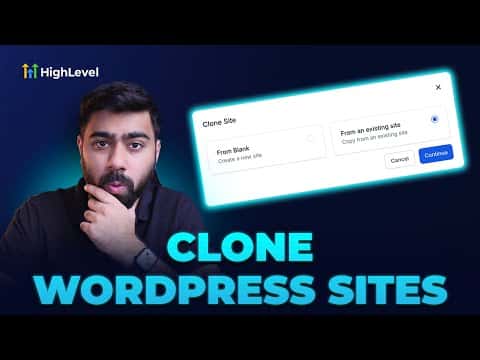
How to Clone a WordPress Website in GoHighLevel

By Marnix Geerkens. Published 2024-12-20. Updated 2026-06-02.

If you already have a WordPress site hosted inside GoHighLevel and want to duplicate it for a new project, the clone option copies all the major components in one step. Posts, pages, themes, plugins, media uploads, and the database are all replicated. It saves significant setup time compared to building from scratch.

Watch it, then build it

Get the full platform free for 30 days

That walkthrough runs on GoHighLevel. Start it free through RocketLauncher and you get 30 days instead of the usual 14, the whole platform unlocked, plus our setup help and a community of thousands of builders in 47+ countries.

30 days, not 14Full platform, nothing held backFree community and setup help

We earn a referral commission if you keep GoHighLevel after the trial. It never changes your price.

Summary. GoHighLevel's WordPress hosting includes a built-in clone option that duplicates an existing site's posts, pages, themes, plugins, media, and database into a new site. You select the source site, give the new one a name, and the platform handles the copy. The cloned site appears in your WordPress dashboard within a couple of minutes.


Want the full picture? Read more about the GoHighLevel funnel builder.

Related tutorials

How to Optimize Image Sizes on HighLevel for Mobile and Desktop
How to Optimize Image Sizes on HighLevel for Mobile and Desktop1:54 · Funnels & Websites
How To Access the Media Library
How To Access the Media Library3:04 · Funnels & Websites
How to Save Drafts and Publish in the Website & Funnel Page Builder
How to Save Drafts and Publish in the Website & Funnel Page Builder3:11 · Funnels & Websites
How To Setup Split Testing In Funnels
How To Setup Split Testing In Funnels3:00 · Funnels & Websites
How To Track Form Submissions in HighLevel from External Websites
How To Track Form Submissions in HighLevel from External Websites4:21 · Funnels & Websites
How to Set Up the All-In-One Chat Feature for Your Website or Funnel
How to Set Up the All-In-One Chat Feature for Your Website or Funnel7:38 · Funnels & Websites

Watch it, then build it

Get the full platform free for 30 days

30 days, not 14Full platform, nothing held backFree community and setup help

Frequently asked questions

What gets copied when you clone a WordPress site in GoHighLevel?

Posts, pages, themes, plugins, media uploads, and the database are all replicated.

How long does the cloning process take?

Usually one to two minutes. A notification confirms when the clone is ready.

Where do I find the clone option?

Go to Sites, click WordPress, open the site menu with the three dots, and choose Complete Setup, then select the existing site option.

Back to all Funnels & Websites tutorials