Funnels & Websites

How to Clone a WordPress Website in GoHighLevel

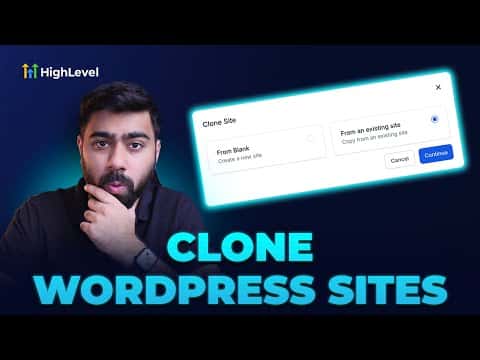
If you already have a WordPress site hosted inside GoHighLevel and want to duplicate it for a new project, the clone option copies all the major components in one step. Posts, pages, themes, plugins, media uploads, and the database are all replicated. It saves significant setup time compared to building from scratch.

Actualizado el 2 de junio de 2026

2:31

Resumen. GoHighLevel's WordPress hosting includes a built-in clone option that duplicates an existing site's posts, pages, themes, plugins, media, and database into a new site. You select the source site, give the new one a name, and the platform handles the copy. The cloned site appears in your WordPress dashboard within a couple of minutes.


Preguntas frecuentes

What gets copied when you clone a WordPress site in GoHighLevel?

Posts, pages, themes, plugins, media uploads, and the database are all replicated.

How long does the cloning process take?

Usually one to two minutes. A notification confirms when the clone is ready.

Where do I find the clone option?

Go to Sites, click WordPress, open the site menu with the three dots, and choose Complete Setup, then select the existing site option.

Constrúyelo con gente que ya lo hizo.

Únete a la comunidad gratis: llamadas en vivo cada semana, un curso para empezar y gente que construye en tu idioma.

Únete gratis en Skool