How to Use Smart Send to Optimize Email Timing in GoHighLevel
By Marnix Geerkens. Published 2025-12-09. Updated 2026-06-02.
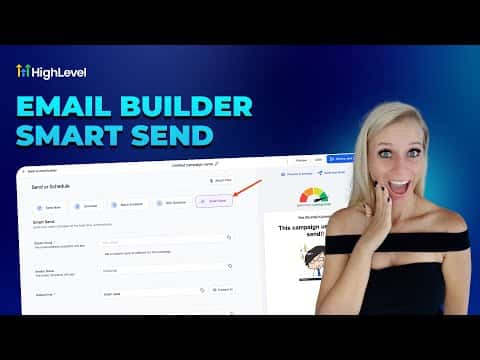
Smart Send is a GoHighLevel feature that analyzes your past email engagement data and recommends the best day and time to send your next campaign. It requires at least 1,000 emails sent in the last 60 days. When you schedule a campaign, select Smart Send instead of a manual time, pick your contacts, and click Get Suggestion. GoHighLevel returns a specific date and time based on when your audience has historically opened emails most.
Watch it, then build it
Get the full platform free for 30 days
That walkthrough runs on GoHighLevel. Start it free through RocketLauncher and you get 30 days instead of the usual 14, the whole platform unlocked, plus our setup help and a community of thousands of builders in 47+ countries.
30 days, not 14Full platform, nothing held backFree community and setup help
We earn a referral commission if you keep GoHighLevel after the trial. It never changes your price.
Summary. Smart Send removes the guesswork from email scheduling by using your account's historical open and click data to surface the highest-engagement send window. The feature is available on the Send or Schedule screen for any email campaign. If the suggested time does not work, you can request another suggestion or override it with a manual date. After sending, open the Summaries section under Emails to see the Smart Send Impact report showing the effect on open rate and click rate.

Related tutorials
Watch it, then build it
Get the full platform free for 30 days
30 days, not 14Full platform, nothing held backFree community and setup help
Frequently asked questions
How many emails do I need to have sent before Smart Send becomes available?
At least 1,000 emails sent in the previous 60 days from the sub-account.
Can I reject the suggested time and pick a different one?
Yes, click Get Suggestion again for another option, or use the calendar to choose manually.
Where do I check whether Smart Send improved my open rate?
Go to Marketing > Emails > Summaries and look for the Smart Send Impact section.