RocketLauncher AI

CRM, Contacts & Lead Gen

How to Export Company Data to CSV in GoHighLevel

By Marnix Geerkens. Published 2026-03-30. Updated 2026-06-02.

GoHighLevel lets you export your entire company list, or a filtered subset, to a CSV file in one click. Every company field and any custom fields you have added are included in the download. This makes it straightforward to share company records with stakeholders, run offline analysis, or keep a backup outside the platform.

Watch it, then build it

Get the full platform free for 30 days

That walkthrough runs on GoHighLevel. Start it free through RocketLauncher and you get 30 days instead of the usual 14, the whole platform unlocked, plus our setup help and a community of thousands of builders in 47+ countries.

30 days, not 14Full platform, nothing held backFree community and setup help

We earn a referral commission if you keep GoHighLevel after the trial. It never changes your price.

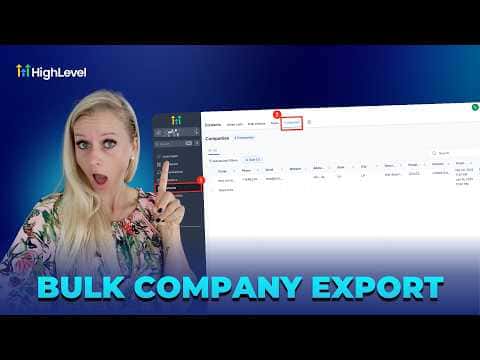
Summary. From the Companies view inside Contacts, you can select all records at once or pick specific ones individually, then export using the Export button or the three-dot menu. A progress bar shows download status. If a team member cannot see the export option, a role permission for company access or CSV download is likely turned off.

Related tutorials

How To Tag Contacts from Campaign Statistics in HighLevel
How To Tag Contacts from Campaign Statistics in HighLevel4:43 · CRM, Contacts & Lead Gen
How to Navigate the Contact Manager on Mobile
How to Navigate the Contact Manager on Mobile2:06 · CRM, Contacts & Lead Gen
How To Import FirstPromoter Campaigns Into HighLevel
How To Import FirstPromoter Campaigns Into HighLevel3:57 · CRM, Contacts & Lead Gen
Did You Know You Can Use Smart Lists to Save Time Throughout HighLevel?
Did You Know You Can Use Smart Lists to Save Time Throughout HighLevel?1:48 · CRM, Contacts & Lead Gen
How To Boost Your GoKollab Community Engagement Through Affiliate Programs
How To Boost Your GoKollab Community Engagement Through Affiliate Programs5:01 · CRM, Contacts & Lead Gen
How To Manage Pipeline Permissions in HighLevel
How To Manage Pipeline Permissions in HighLevel3:20 · CRM, Contacts & Lead Gen

Watch it, then build it

Get the full platform free for 30 days

30 days, not 14Full platform, nothing held backFree community and setup help

Frequently asked questions

Are custom company fields included in the CSV export?

Yes. All standard and custom fields are exported together in the same file.

Why can't a team member see the Export button?

Their role likely lacks permission for company access or CSV download activities.

Can I export just a few companies instead of all of them?

Yes. Use the search box or advanced filters to narrow the list, then check specific records before exporting.

Back to all CRM, Contacts & Lead Gen tutorials