RocketLauncher AI

CRM, Contacts & Lead Gen

How to Manage Pipeline Permissions in GoHighLevel

By Marnix Geerkens. Published 2026-01-08. Updated 2026-06-02.

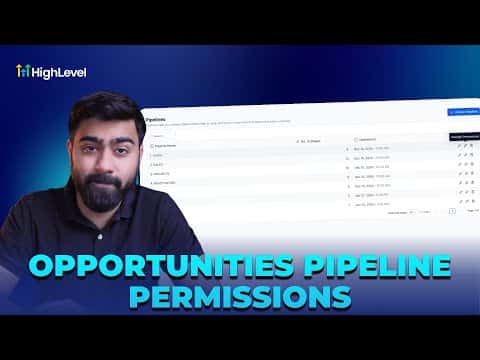
Pipeline permissions let you control who on your team can view, edit, or be excluded from each pipeline. You can set a default access level for all users, share a pipeline with a specific group, or block certain people entirely. Changes take effect on both the web app and the mobile app, and every permission edit is logged in audit trails.

Watch it, then build it

Get the full platform free for 30 days

That walkthrough runs on GoHighLevel. Start it free through RocketLauncher and you get 30 days instead of the usual 14, the whole platform unlocked, plus our setup help and a community of thousands of builders in 47+ countries.

30 days, not 14Full platform, nothing held backFree community and setup help

We earn a referral commission if you keep GoHighLevel after the trial. It never changes your price.

Summary. GoHighLevel gives you three access levels for each pipeline: view-only, edit, and no access. You can apply one level to all users or pick individuals to include or exclude. Any permission change is recorded in the audit log so you always know who adjusted what and when.

Related tutorials

How To Customize Group Tabs in HighLevel for Community Engagement
How To Customize Group Tabs in HighLevel for Community Engagement2:08 · CRM, Contacts & Lead Gen
How To Boost Your GoKollab Community Engagement Through Affiliate Programs
How To Boost Your GoKollab Community Engagement Through Affiliate Programs5:01 · CRM, Contacts & Lead Gen
Did You Know You Can Color Code Your Pipeline with Smart Tags & Opportunities in HighLevel
Did You Know You Can Color Code Your Pipeline with Smart Tags & Opportunities in HighLevel3:15 · CRM, Contacts & Lead Gen
Did You Know You Can Use Smart Lists to Save Time Throughout HighLevel?
Did You Know You Can Use Smart Lists to Save Time Throughout HighLevel?1:48 · CRM, Contacts & Lead Gen
How To Import FirstPromoter Campaigns Into HighLevel
How To Import FirstPromoter Campaigns Into HighLevel3:57 · CRM, Contacts & Lead Gen
How to Navigate the Contact Manager on Mobile
How to Navigate the Contact Manager on Mobile2:06 · CRM, Contacts & Lead Gen

Watch it, then build it

Get the full platform free for 30 days

30 days, not 14Full platform, nothing held backFree community and setup help

Frequently asked questions

What does view-only access allow in a pipeline?

Users can see the pipeline and move opportunities between stages, but cannot rename stages or reorder them.

Do pipeline permissions carry over to the mobile app?

Yes. If a user loses access on the web, they lose it on mobile too.

Where do I find the audit log for pipeline changes?

Go to Settings, scroll to Audit Logs, and filter by the pipeline module.

Back to all CRM, Contacts & Lead Gen tutorials