CRM, Contacts & Lead Gen
How to Customize Group Tabs in GoHighLevel Communities
By Marnix Geerkens. Published 2026-04-10. Updated 2026-06-02.
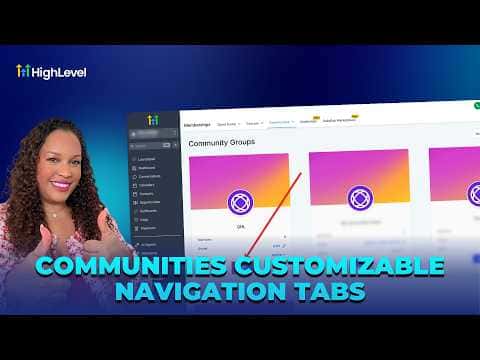
GoHighLevel community groups show several tabs by default: Discussion, Learning, Events, Leaderboard, Members, and About. Sub-account admins can hide any tab except Discussion and About, which stay on permanently. This means you can remove tabs that do not fit your community's purpose and give members a cleaner, more focused experience.
Watch it, then build it
Get the full platform free for 30 days
That walkthrough runs on GoHighLevel. Start it free through RocketLauncher and you get 30 days instead of the usual 14, the whole platform unlocked, plus our setup help and a community of thousands of builders in 47+ countries.
30 days, not 14Full platform, nothing held backFree community and setup help
We earn a referral commission if you keep GoHighLevel after the trial. It never changes your price.
Summary. The tab visibility settings for a community group live inside that group's Settings page under Show or Hide Tabs. Discussion stays on to keep members engaged, and About stays on for discoverability. The remaining tabs, Learning, Events, Leaderboard, and Members, can each be toggled independently. If Members is disabled, admins can still see it even though regular members cannot. Changes take effect immediately after saving.
Steps
Navigate to your community group
From the sub-account, click Memberships on the left, then Communities at the top, then scroll to Groups and open the group you want to edit.
Open group settings
Click Settings inside the community group.
Toggle tabs on or off
Scroll to Show or Hide Tabs. Toggle Learning, Events, Leaderboard, and Members based on what your community actually uses. Discussion and About cannot be disabled.
Save and verify
Click Save Settings, then close the panel. The group header now reflects only the tabs you enabled.
Related tutorials
Watch it, then build it
Get the full platform free for 30 days
30 days, not 14Full platform, nothing held backFree community and setup help
Frequently asked questions
Can I hide the Discussion tab?
No. Discussion always stays on to encourage member participation.
If I disable the Members tab, can admins still see it?
Yes. Admins always have access to the Members tab even when it is hidden from regular members.