Workflows & Automation
How to Trigger GoHighLevel Workflows from Video Watch Progress
By Marnix Geerkens. Published 2024-02-05. Updated 2026-06-02.
GoHighLevel's video progress tracking fires a workflow automation when a contact watches a defined percentage of a video or webinar on your funnel page. Combined with a form-gating step for unregistered visitors, this lets you capture contact info and follow up based on actual viewing behavior rather than just a page visit.
Watch it, then build it
Get the full platform free for 30 days
That walkthrough runs on GoHighLevel. Start it free through RocketLauncher and you get 30 days instead of the usual 14, the whole platform unlocked, plus our setup help and a community of thousands of builders in 47+ countries.
30 days, not 14Full platform, nothing held backFree community and setup help
We earn a referral commission if you keep GoHighLevel after the trial. It never changes your price.
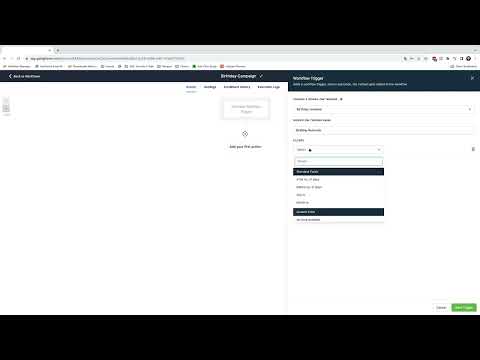
Summary. The video progress tracking feature attaches a watch-percentage trigger to any video element on a GoHighLevel funnel page. When a visitor hits the threshold you set, such as 10% or 25% watched, a workflow fires automatically. For unknown visitors, you can redirect them to a form page first so you capture their details before the tracking begins.
Related tutorials
Watch it, then build it
Get the full platform free for 30 days
30 days, not 14Full platform, nothing held backFree community and setup help
Frequently asked questions
What is the video progress tracking trigger based on?
The percentage of the video watched, not the number of seconds.
What happens if GoHighLevel does not have the visitor's contact information?
Redirect unregistered visitors to a form page inside the same funnel to capture their details first.
Why should the progress bar be disabled on the video element?
Disabling it prevents contacts from scrubbing back and forth, which keeps the watch-percentage reading accurate.