 8:45
8:45Summary. GoHighLevel's Facebook Ad Manager brings campaign creation, lead forms, placements, budgeting, and performance reporting into a single dashboard inside the platform. Agencies can choose between a pay-as-you-go model with a markup on ad spend or a fixed monthly subscription for unlimited campaigns across all sub-accounts. The interface is built to be more approachable than Meta's native Ads Manager while still supporting lead generation and website traffic objectives.
What you will learn
- Choose between the two Ad Manager billing plans based on your campaign volume
- Connect a Facebook Page and ad account to a GoHighLevel sub-account
- Create a lead generation or website traffic campaign from scratch
- Build or attach a Facebook lead form directly inside GoHighLevel
- Set ad placements, budget, and audience without leaving the platform
- Use workflows to track ad performance and trigger follow-up sequences
Steps
Enable Ad Manager at the agency level
Go to the agency dashboard, open Reselling, and scroll to Ad Manager. You will see two plan options. The default plan charges 10% of ad spend after your markup (0 to 15%). The Connect Your Own Business Manager plan charges a flat $97 per month or $970 per year for unlimited campaigns. Pick the plan that fits your volume, check the box, and save. This is a one-time choice.
Access Ad Manager inside a sub-account
The Ad Manager tab appears automatically under Marketing in every sub-account once you have enabled it at the agency level. Open any sub-account and click Marketing, then Ad Manager to reach the dashboard.
Connect your Facebook Page
If no Facebook Page is connected yet, click Connect Facebook and follow the authorization steps. Select the specific ad account and the Facebook Page you want to use for this sub-account, then click Connect.
Create a new campaign
Click Get Started or Create Campaign. Choose your objective: Lead Generation uses a Facebook lead form, while Website Traffic sends visitors to a URL. If you choose Lead Generation and do not have a form yet, click Create Facebook Form to build one on the spot.
Configure ad content and placements
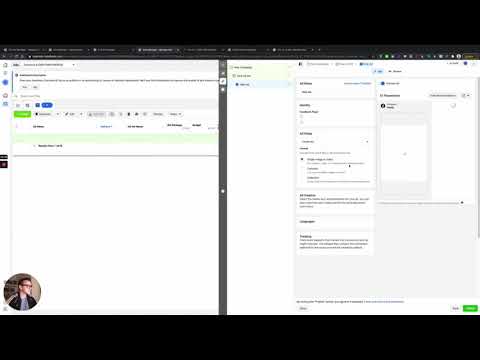
Upload your creative assets, write your ad copy, and select the ad placements such as Facebook Feed, Instagram Feed, or Stories. GoHighLevel surfaces these options in a cleaner layout than Meta's native interface.
Set your budget and audience
Enter a daily or lifetime budget, define your target audience by location, demographics, and interests, and set the campaign dates. Review the summary, then publish.
Connect a workflow for follow-up
Inside GoHighLevel workflows, add a Facebook Lead Form Submitted trigger tied to your campaign's form. Build out the follow-up sequence (SMS, email, or tasks) so leads receive an immediate response without any manual step.
Tips
- If the Ad Manager tab does not appear in a sub-account, check that you have saved the reselling plan at the agency level and that the feature is not toggled off in sub-account settings.
- The default plan is usually more cost-effective for accounts with low monthly spend. The flat-fee plan saves money once a sub-account consistently spends over a few hundred dollars per month.
- Create your Facebook lead form before building the campaign to avoid interrupting the setup flow.