SaaS Mode & Agency
GoHighLevel Solar Snapshot: Free Solar Quote Funnel Overview
By Marnix Geerkens. Published 2019-12-05. Updated 2026-06-02.
The GoHighLevel solar snapshot is a pre-built funnel designed for solar lead generation campaigns. It pairs a landing page advertising a free solar quote with a multi-step survey delivered as a popup, then routes qualified leads to a booking page. After importing, a setup guide walks you through the customizations needed to go live.
Watch it, then build it
Get the full platform free for 30 days
That walkthrough runs on GoHighLevel. Start it free through RocketLauncher and you get 30 days instead of the usual 14, the whole platform unlocked, plus our setup help and a community of thousands of builders in 47+ countries.
30 days, not 14Full platform, nothing held backFree community and setup help
We earn a referral commission if you keep GoHighLevel after the trial. It never changes your price.
Summary. The solar snapshot gives solar agencies and lead generators a ready-to-use funnel without building from scratch. It includes a landing page focused on a free solar quote offer, a popup-based survey that collects lead information, and an optional appointment booking step. The setup guide included in the snapshot explains what to update after import.
What you will learn
- Understand the solar snapshot funnel structure
- See how the popup survey replaces an embedded form
- Decide whether to include or skip the book-a-call step
- Know what to customize after importing the snapshot
Steps
Import the solar snapshot
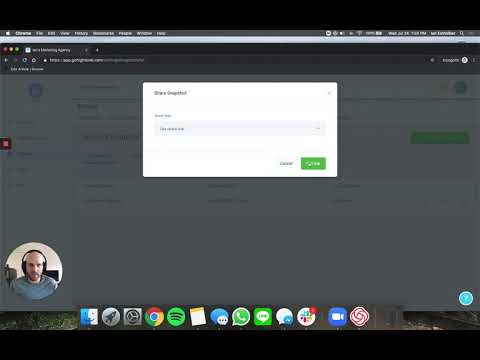
Load the solar snapshot into the sub-account where you will run the campaign. Use the Load Snapshot flow from the Manage Client menu at the agency level.
Review the landing page
Open the funnel inside the sub-account. The landing page advertises a free solar quote and invites visitors to take a short survey. All buttons on the page trigger the same survey popup.
Check the popup survey
Open the survey builder to review the questions. The popup design keeps the landing page layout clean. Edit questions to match your campaign target.
Decide on the booking step
The funnel includes a second step for booking a call. Keep this step if you are qualifying and closing leads yourself. Remove it and redirect to a thank-you page instead if you are sending leads directly to a buyer or lead aggregator.
Follow the setup guide
Open the setup guide included in the snapshot. It lists every element that needs updating before the funnel goes live, such as phone numbers, calendar connections, and notification emails.
Want the full picture? Read more about GoHighLevel SaaS Mode.
Related tutorials
Watch it, then build it
Get the full platform free for 30 days
30 days, not 14Full platform, nothing held backFree community and setup help
Frequently asked questions
Who is this solar snapshot designed for?
Solar agencies, lead generators, and local service providers running paid solar campaigns.
Does the snapshot include automations for lead follow-up?
Check the snapshot contents after import. Automations may be included but will load as drafts.
Why use a popup survey instead of an embedded form?
Popups allow a cleaner landing page design and keep attention on the headline before the survey appears.
Can I remove the booking step and send leads straight to a thank-you page?
Yes. Delete the booking step and update the funnel flow to go directly to your thank-you page.