RocketLauncher AI

SaaS Mode & Agency

How to Set Up Branded Domains for GoHighLevel Sub-Accounts

By Marnix Geerkens. Published 2024-03-25. Updated 2026-06-02.

By default, invoices, forms, and calendar links in a GoHighLevel sub-account appear under your agency domain. Branded domains let you replace that with a custom domain per sub-account, so each client's materials carry their own URL. You set it up in the sub-account's Business Profile by entering a domain and adding one CNAME record.

Watch it, then build it

Get the full platform free for 30 days

That walkthrough runs on GoHighLevel. Start it free through RocketLauncher and you get 30 days instead of the usual 14, the whole platform unlocked, plus our setup help and a community of thousands of builders in 47+ countries.

30 days, not 14Full platform, nothing held backFree community and setup help

We earn a referral commission if you keep GoHighLevel after the trial. It never changes your price.

Summary. Branded domains in sub-accounts make every client-facing link, from invoices to booking pages, appear under a domain that belongs to that client rather than your agency. This tutorial covers finding the branded domain setting, adding the domain, handling automatic versus manual CNAME configuration depending on the registrar, and confirming the result across invoices, forms, and calendar links.

What you will learn

  • Find the Branded Domain field in Business Profile settings
  • Add a sub-account domain and trigger CNAME creation
  • Authorize automatic DNS updates for supported registrars
  • Manually add a CNAME record for other domain providers
  • Verify the branded domain appears on invoices, forms, and calendar links

Steps

  1. Open the sub-account Business Profile

    Switch into the sub-account, go to Settings, and open Business Profile. Scroll down to the Branded Domain section.

  2. Enter the branded domain

    Type the domain in the format link.clientdomain.com. The link prefix is required because CNAME records only work on subdomains. Click Add Domain.

  3. Authorize automatic DNS (supported registrars)

    If the domain is registered with Google Domains, GoDaddy, or another supported provider, GoHighLevel prompts you to authorize it. Click Yes, Connect and then close the dialog. The CNAME record pointing to link.messagesender.io is added automatically.

  4. Add the CNAME manually (all other providers)

    For Cloudflare, Squarespace, or other registrars, copy the target shown in the dialog (link.messagesender.io). Log into your domain registrar, open DNS settings, create a new CNAME record with host set to link and value set to link.messagesender.io, and save.

  5. Verify the branded domain is active

    Create a test invoice, open a form, and check a calendar booking link. All three should now display link.clientdomain.com instead of your agency domain.

Tips

  • Set up a branded domain for every client sub-account, even if they share the same agency umbrella. It matters most for client-facing documents like invoices.
  • If you do not set a branded domain, the agency domain appears on all client-facing links by default.
  • DNS propagation for manual CNAME records can take a few minutes to an hour depending on the registrar's TTL settings.

Want the full picture? Read more about GoHighLevel SaaS Mode.

Related tutorials

Solar Snapshot - Free Solar Quote - Overview
Solar Snapshot - Free Solar Quote - Overview1:29 · SaaS Mode & Agency
How To Add a User (Sub Account)
How To Add a User (Sub Account)3:08 · SaaS Mode & Agency
Run Your Own Affiliate Program For Your White-Labeled SaaS Using FirstPromoter
Run Your Own Affiliate Program For Your White-Labeled SaaS Using FirstPromoter6:05 · SaaS Mode & Agency
How to Monetize Snapshots in the GoHighLevel App Marketplace
How to Monetize Snapshots in the GoHighLevel App Marketplace7:01 · SaaS Mode & Agency
How To Configure A Custom Mobile App
How To Configure A Custom Mobile App3:15 · SaaS Mode & Agency
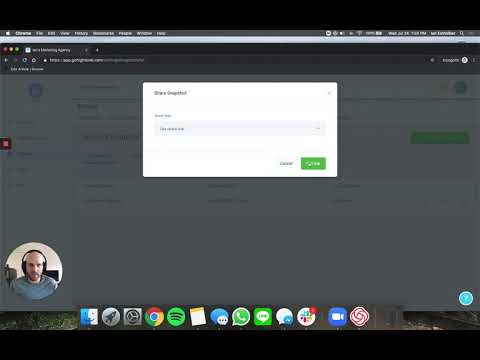
How to Share Snapshots with Other Agency Accounts
How to Share Snapshots with Other Agency Accounts2:39 · SaaS Mode & Agency

Watch it, then build it

Get the full platform free for 30 days

30 days, not 14Full platform, nothing held backFree community and setup help

Frequently asked questions

Why do I need to use link as the subdomain prefix?

CNAME records cannot be set on root domains. A subdomain prefix is required.

What is the CNAME target for GoHighLevel branded domains?

Point your CNAME to link.messagesender.io.

Does each sub-account need its own unique domain?

Yes. Each sub-account can have one branded domain, which should be specific to that client.

Will existing invoices update to show the new branded domain?

New documents use the branded domain. Previously created links retain the old URL.

Does a branded domain affect email sending?

No. Email sending domains are configured separately through the email settings.

Back to all SaaS Mode & Agency tutorials