RocketLauncher AI

SaaS Mode & Agency

How to Find Your Agency Relationship Number in GoHighLevel

By Marnix Geerkens. Published 2025-04-24. Updated 2026-06-02.

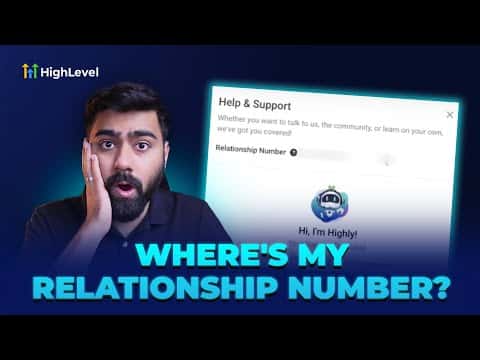
Your GoHighLevel relationship number is a seven-digit code that uniquely identifies your agency account. Support and customer success teams ask for it so they can pull up your account instantly. You can find it in two places: the question mark icon in the top-right corner of the platform, or under Agency Settings, then Company. Only agency admins and owners can see it.

Watch it, then build it

Get the full platform free for 30 days

That walkthrough runs on GoHighLevel. Start it free through RocketLauncher and you get 30 days instead of the usual 14, the whole platform unlocked, plus our setup help and a community of thousands of builders in 47+ countries.

30 days, not 14Full platform, nothing held backFree community and setup help

We earn a referral commission if you keep GoHighLevel after the trial. It never changes your price.

Summary. This tutorial covers two quick methods for locating the seven-digit relationship number tied to a GoHighLevel agency account. The number is required when contacting GoHighLevel support or customer success so they can identify and assist your account efficiently. Access is limited to agency admins and owners; users with standard account access cannot view it.

What you will learn

  • What the relationship number is and why GoHighLevel support needs it
  • How to find the number via the question mark icon in the top-right corner
  • How to find it through Agency Settings under Company
  • Which user roles can see the relationship number

Steps

  1. Method 1: Use the question mark icon

    While logged in to your agency account, look for the question mark icon in the top-right corner of the screen and click it. Your seven-digit relationship number appears directly in the panel that opens.

  2. Method 2: Go through Agency Settings

    Switch to the agency view using the dropdown at the top of the platform. Navigate to Settings, then select Company from the left menu. Scroll through the right-hand side of the page to find your relationship number.

  3. Copy and share with support

    Copy the number and paste it when a GoHighLevel support or customer success representative asks for it. This lets them pull up your account without you needing to verify additional details.

Tips

  • Only agency admins and owners can view the relationship number. If you are on a user-level account, switch to agency view or ask your admin.
  • Keep the number handy before opening a support ticket so the conversation moves faster.
Want the full picture? Read more about GoHighLevel SaaS Mode.

Related tutorials

How To Configure A Custom Mobile App
How To Configure A Custom Mobile App3:15 · SaaS Mode & Agency
How to Monetize Snapshots in the GoHighLevel App Marketplace
How to Monetize Snapshots in the GoHighLevel App Marketplace7:01 · SaaS Mode & Agency
How to Use the Improved Affiliate Campaign Creation Flow
How to Use the Improved Affiliate Campaign Creation Flow3:27 · SaaS Mode & Agency
How To Whitelabel Your Desktop App
How To Whitelabel Your Desktop App3:54 · SaaS Mode & Agency
How To Add a User (Sub Account)
How To Add a User (Sub Account)3:08 · SaaS Mode & Agency
How to Use the New Affiliate Manager Flow
How to Use the New Affiliate Manager Flow2:31 · SaaS Mode & Agency

Watch it, then build it

Get the full platform free for 30 days

30 days, not 14Full platform, nothing held backFree community and setup help

Frequently asked questions

What is the GoHighLevel relationship number?

A seven-digit code that uniquely identifies your agency account to GoHighLevel.

Why does support ask for the relationship number?

It lets them find and verify your account quickly without extra back-and-forth.

Can sub-account users see the relationship number?

No. Only agency admins and agency owners have access to it.

Where exactly in Company settings is the number shown?

On the right side of the Company settings page inside Agency Settings.

Is the relationship number the same as my account ID?

It serves the same purpose but is the specific identifier GoHighLevel support uses.

Back to all SaaS Mode & Agency tutorials