Getting Started & General
How to Enable Auto Refresh for Knowledge Base Links in GoHighLevel
By Marnix Geerkens. Published 2026-03-09. Updated 2026-06-02.
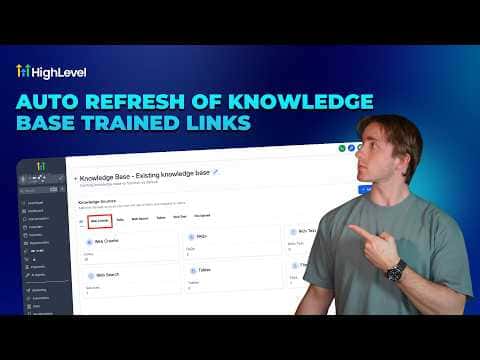
If your AI agent's knowledge base pulls from live URLs like websites or funnels, those pages can change over time and leave your agent working from stale information. Auto Refresh fixes this by re-crawling your linked URLs on a schedule you set. Turn it on inside your knowledge base under Web Crawler, pick daily, weekly, or monthly, and save. No extra credits are charged because refreshes count toward your existing Conversation AI usage.
Watch it, then build it
Get the full platform free for 30 days
That walkthrough runs on GoHighLevel. Start it free through RocketLauncher and you get 30 days instead of the usual 14, the whole platform unlocked, plus our setup help and a community of thousands of builders in 47+ countries.
30 days, not 14Full platform, nothing held backFree community and setup help
We earn a referral commission if you keep GoHighLevel after the trial. It never changes your price.
Summary. GoHighLevel AI agents can be trained on live web pages, but those pages change. The Auto Refresh setting inside the Web Crawler section of a knowledge base automatically re-crawls all linked URLs at a chosen interval, keeping the agent's information current without any manual work. For small sites with just a few pages, daily works well. For knowledge bases with hundreds or thousands of links, monthly is a more practical choice. If a page goes offline during a refresh, its data is removed from the knowledge base automatically.
Steps
Open your knowledge base
In your GoHighLevel account, go to AI Agents, then Knowledge Bases, and click Edit on the knowledge base you want to update.
Enable Auto Refresh
Under the Web Crawler section, find the Auto Refresh toggle and turn it on.
Choose a refresh frequency
Select Daily, Weekly, or Monthly. Pick based on how often your source pages change and how many links the knowledge base contains.
Save the setting
Click Save. The system will now re-crawl all URLs in that knowledge base on the schedule you chose, with no manual intervention required.

Related tutorials
Watch it, then build it
Get the full platform free for 30 days
30 days, not 14Full platform, nothing held backFree community and setup help
Frequently asked questions
Does Auto Refresh cost extra credits?
No. Refreshes are included in your Conversation AI usage at no additional cost.
What happens if a URL goes offline during a refresh?
Its data is removed from the knowledge base on that refresh cycle.
How often should I refresh a large knowledge base?
Monthly is recommended for knowledge bases with many hundreds of links.