Getting Started & General
Track Your Best Prospecting Sources in GoHighLevel
By Marnix Geerkens. Published 2025-09-09. Updated 2026-06-02.
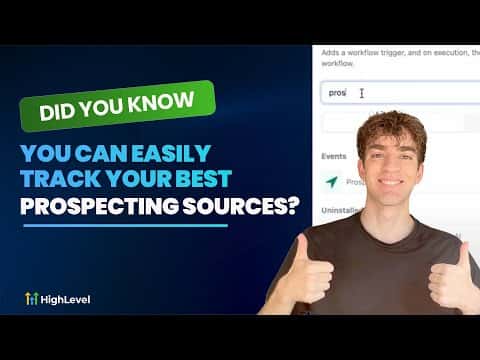
GoHighLevel's prospecting tool shows you where each lead came from, whether that is your website widget, Prospect AI, a manual import, or a data migration. Open Marketing, go to Prospecting, and use the Source filter to see only the leads from a specific channel. You can also trigger automated workflows based on the source, so the right follow-up fires the moment a lead comes in.
Watch it, then build it
Get the full platform free for 30 days
That walkthrough runs on GoHighLevel. Start it free through RocketLauncher and you get 30 days instead of the usual 14, the whole platform unlocked, plus our setup help and a community of thousands of builders in 47+ countries.
30 days, not 14Full platform, nothing held backFree community and setup help
We earn a referral commission if you keep GoHighLevel after the trial. It never changes your price.
Summary. The Prospecting section in GoHighLevel records the source of every lead it captures and lets you filter your prospect list by that source with a single click. Pair this with the Prospect Generated workflow trigger and a source filter to automate tagging, SMS, or email follow-ups that match each channel. Segmenting leads by origin makes every message more relevant and gives you a clear picture of which acquisition channels are actually working.
Steps
Open the Prospecting section
In your sub-account, go to Marketing in the left menu, then select Prospecting.
Filter by source
Click the Source dropdown at the top of the prospect list and choose one or more sources: Prospecting Widget, Prospect AI, Manual, or Migrated. Click Apply to update the list.
Set up a source-based workflow
Go to Automation and create a new workflow. Add the Prospect Generated trigger, then add a filter so the trigger only fires for the specific source you want. Add actions such as tagging the contact, sending an SMS, or notifying your team.
Related tutorials
Watch it, then build it
Get the full platform free for 30 days
30 days, not 14Full platform, nothing held backFree community and setup help
Frequently asked questions
What sources can I filter by in the GoHighLevel prospecting tool?
You can filter by Prospecting Widget, Prospect AI, Manual entry, and Migrated data.
Can I automate different follow-ups for different prospecting sources?
Yes. Use the Prospect Generated trigger with a source filter in your workflow.
Does filtering the prospect list delete or move any leads?
No. Filtering only changes what you see on screen, nothing is moved or deleted.