RocketLauncher AI

Getting Started & General

Add and Track Product Cost, Price, and Margins in GoHighLevel

By Marnix Geerkens. Published 2026-03-03. Updated 2026-06-02.

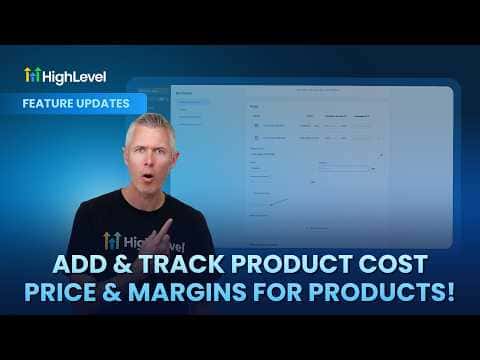
GoHighLevel now lets you record the cost of each product alongside its sale price so you can see your actual margin at the product and variant level. Open a product in the Products module, click Add Margin, and enter the cost. You can enter values as a dollar amount or a percentage. Once costs are recorded, GoHighLevel can surface margin data in reporting so you know exactly how much each sale puts in your pocket.

Watch it, then build it

Get the full platform free for 30 days

That walkthrough runs on GoHighLevel. Start it free through RocketLauncher and you get 30 days instead of the usual 14, the whole platform unlocked, plus our setup help and a community of thousands of builders in 47+ countries.

30 days, not 14Full platform, nothing held backFree community and setup help

We earn a referral commission if you keep GoHighLevel after the trial. It never changes your price.

Summary. The cost and margin tracking feature in GoHighLevel's Products module lets you attach a cost figure to every product and product variant you sell. Enter costs as amounts or percentages depending on what is easiest for your business. With cost data in place, margin figures become available for reporting, giving you a clear view of profitability across your catalog rather than having to calculate it manually in a spreadsheet.


Related tutorials

How To Set Up ACH Transfers with NMI in HighLevel
How To Set Up ACH Transfers with NMI in HighLevel2:37 · Getting Started & General
Did You Know You Can Host Paid Communities Directly in HighLevel?
Did You Know You Can Host Paid Communities Directly in HighLevel?1:57 · Getting Started & General
How To Make Manual Code Edits in HighLevel's Vibe Code Editor
How To Make Manual Code Edits in HighLevel's Vibe Code Editor2:34 · Getting Started & General
How To Add Taxes to Rentals in HighLevel Easily
How To Add Taxes to Rentals in HighLevel Easily2:09 · Getting Started & General
How To Use Basecamp and HighLevel Together for Seamless Project Management
How To Use Basecamp and HighLevel Together for Seamless Project Management4:45 · Getting Started & General
How To Filter Media by File Type in HighLevel
How To Filter Media by File Type in HighLevel1:22 · Getting Started & General

Watch it, then build it

Get the full platform free for 30 days

30 days, not 14Full platform, nothing held backFree community and setup help

Frequently asked questions

Where do I add cost and margin data for a product in GoHighLevel?

Open the product in the Products module and click the Add Margin option.

Can I enter costs as a percentage instead of a dollar amount?

Yes. GoHighLevel accepts both dollar amounts and percentages for cost entry.

Does this work at the variant level, or only for the whole product?

Cost and margin tracking works at both the product level and the individual variant level.

Back to all Getting Started & General tutorials