RocketLauncher AI

Email

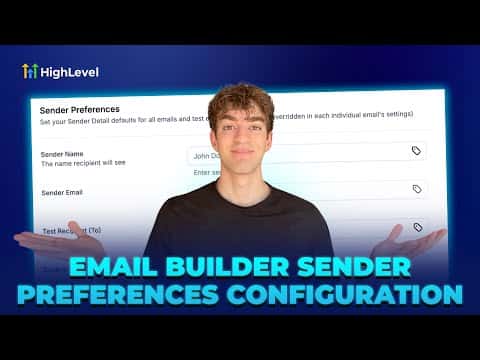
How to Set Up Sender Preferences in GoHighLevel Email Builder

By Marnix Geerkens. Published 2025-08-29. Updated 2026-06-02.

Sender Preferences in GoHighLevel let you save a default From Name, From Email, Reply-To address, and test recipient so they populate automatically every time you create a new email or campaign. You configure them once inside Marketing > Emails > Settings and they apply to all new sends from that point forward, reducing setup time and preventing sender name typos.

Watch it, then build it

Get the full platform free for 30 days

That walkthrough runs on GoHighLevel. Start it free through RocketLauncher and you get 30 days instead of the usual 14, the whole platform unlocked, plus our setup help and a community of thousands of builders in 47+ countries.

30 days, not 14Full platform, nothing held backFree community and setup help

We earn a referral commission if you keep GoHighLevel after the trial. It never changes your price.

Summary. The Sender Preferences setting in GoHighLevel's email builder stores your default sending identity so you never have to type it in again when creating a campaign. Once saved, new emails and test sends pre-fill with these details. You can still override them for specific campaigns. Note that sender preferences apply only to new campaigns and emails, not to existing drafts, and they do not affect transactional emails.

Related tutorials

How To Optimize Your Email Campaigns with HighLevel s Smart Send Feature
How To Optimize Your Email Campaigns with HighLevel s Smart Send Feature2:25 · Email
Did You Know You Can Build Automated Email List Segmentation to Get HIGH Open Rates?
Did You Know You Can Build Automated Email List Segmentation to Get HIGH Open Rates?8:13 · Email
How to Deliver Client Value through Detailed Marketing Audit Reports for Sub-Accounts
How to Deliver Client Value through Detailed Marketing Audit Reports for Sub-Accounts4:53 · Email
Did You Know One HighLevel Workflow Can Unlock 3 Better Email ROI
Did You Know One HighLevel Workflow Can Unlock 3 Better Email ROI3:11 · Email
How To Use Inbound Email Trigger in HighLevel CRM
How To Use Inbound Email Trigger in HighLevel CRM6:57 · Email
Did You Know You Can Auto Reply to Emails with AI?
Did You Know You Can Auto Reply to Emails with AI?2:30 · Email

Watch it, then build it

Get the full platform free for 30 days

30 days, not 14Full platform, nothing held backFree community and setup help

Frequently asked questions

Where exactly do I find Sender Preferences in GoHighLevel?

Marketing > Emails > Settings button (top right) > Sender Preferences section.

Will changing Sender Preferences update existing email drafts?

No, they only apply to new campaigns and emails created after saving.

Do Sender Preferences affect transactional emails sent by GoHighLevel?

No, transactional emails use separate settings and are not affected.

Back to all Email tutorials