 5:39
5:39Summary. GoHighLevel's inbound webhook workflow trigger generates a unique URL your external tools can POST data to. This tutorial covers how to configure the trigger, what POST, GET, and PUT mean in practice, how to structure the data payload, how to test the connection using an API tool, and how to map the incoming fields to contact properties before saving the workflow.
What you will learn
- Understand what inbound webhooks do and when to use them
- Know the difference between POST, GET, and PUT request methods
- Copy the webhook URL and configure an external system to send data to it
- Test the connection and inspect the incoming payload
- Map incoming data fields to GoHighLevel contact fields
- Identify use cases: payment processors, QR codes, Zapier, Google Sheets
Steps
Add the Inbound Webhook trigger to a workflow
Create a new workflow and add a trigger. Search for Inbound Webhook. Note that this is a premium trigger. Once added, GoHighLevel generates a unique URL for the workflow.
Understand the URL and request methods
The trigger shows a URL with POST, GET, and PUT options. For creating contacts, use POST, which sends a new payload of data to the endpoint. GET retrieves data, and PUT updates data that already exists at the destination.
Copy the webhook URL
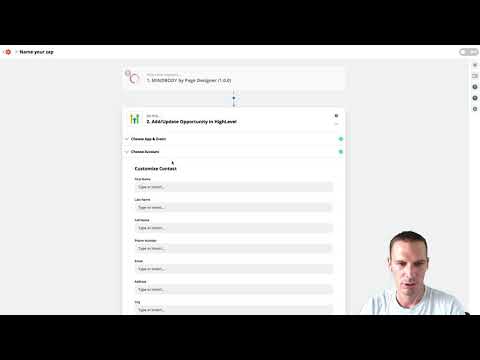
Copy the URL shown on the trigger. This is the address your external system will target when sending contact information. Paste it into the webhook or HTTP request field in whatever tool you are connecting.
Structure your data payload
The body of your HTTP request should be formatted as key-value pairs. Common fields include name, phone, and email. Each key becomes a field GoHighLevel can map to a contact property, so use clear, consistent names.
Send a test request
Use an API testing tool (or a real test submission from your external system) to fire a POST request to the webhook URL. Back in the workflow, open the trigger's References section to confirm GoHighLevel received the payload and can see the field names and values.
Map incoming fields to contact fields and save
In the Mapping section of the trigger, link each incoming field to the correct GoHighLevel contact property. Once mapping looks correct, click Save Trigger to activate the connection.
Tips
- Make sure the test contact you use has all the fields filled in that you plan to map, otherwise the mapping screen may show blank values.
- Zapier, Make (formerly Integromat), and most payment platforms have a built-in webhook or HTTP request step where you paste this URL.