RocketLauncher AI

Workflows & Automation

How to Use GoHighLevel's Workflow Auto-Save Feature

By Marnix Geerkens. Published 2025-11-25. Updated 2026-06-02.

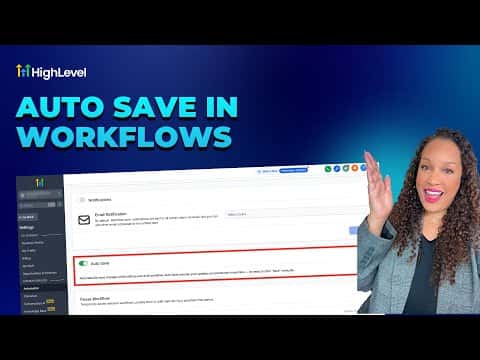
GoHighLevel's auto-save feature records every canvas change you make to a draft workflow in real time, so a browser crash or accidental close never costs you hours of work. Enable it once in Global Workflow Settings, and the system saves continuously while you build. Version history lets you see every save, who made it, and roll back to any prior state.

Watch it, then build it

Get the full platform free for 30 days

That walkthrough runs on GoHighLevel. Start it free through RocketLauncher and you get 30 days instead of the usual 14, the whole platform unlocked, plus our setup help and a community of thousands of builders in 47+ countries.

30 days, not 14Full platform, nothing held backFree community and setup help

We earn a referral commission if you keep GoHighLevel after the trial. It never changes your price.

Summary. Auto-save in GoHighLevel eliminates the risk of losing workflow work by writing canvas changes to a draft continuously as you edit. The feature is turned on with a single toggle inside Global Workflow Settings and applies to both the standard and advanced builders. A full version history log records who saved what and when, which is especially useful when multiple people work on the same workflow.

Related tutorials

How To Disable or Pause Nodes in HighLevel Advanced Workflow Builder
How To Disable or Pause Nodes in HighLevel Advanced Workflow Builder2:59 · Workflows & Automation
Did You Know You Can Automatically Create Custom Object Records Directly from Form Submissions?
Did You Know You Can Automatically Create Custom Object Records Directly from Form Submissions?1:25 · Workflows & Automation
How To Master HighLevel Keyboard Shortcuts: Advanced Workflow Guide
How To Master HighLevel Keyboard Shortcuts: Advanced Workflow Guide7:01 · Workflows & Automation
Did You Know HighLevel Can Send Automated Follow Ups?
Did You Know HighLevel Can Send Automated Follow Ups?3:07 · Workflows & Automation
Did You Know You Can Automate Billing for Subscription Services in HighLevel?
Did You Know You Can Automate Billing for Subscription Services in HighLevel?1:25 · Workflows & Automation
Did You Know You Can Take Action on New Prospects Automatically?
Did You Know You Can Take Action on New Prospects Automatically?1:52 · Workflows & Automation

Watch it, then build it

Get the full platform free for 30 days

30 days, not 14Full platform, nothing held backFree community and setup help

Frequently asked questions

Does auto-save work when a workflow is published?

No. Auto-save only works while the workflow is in draft mode.

Are action and trigger configurations auto-saved too?

No. Save action and trigger configurations manually; auto-save covers canvas edits only.

Can I still save manually with auto-save turned on?

Yes, the manual save button still works alongside the automatic saves.

Back to all Workflows & Automation tutorials