AI & Voice Agents
How to Integrate Custom Agents into Ask AI with GoHighLevel
By Marnix Geerkens. Published 2025-12-18. Updated 2026-06-02.
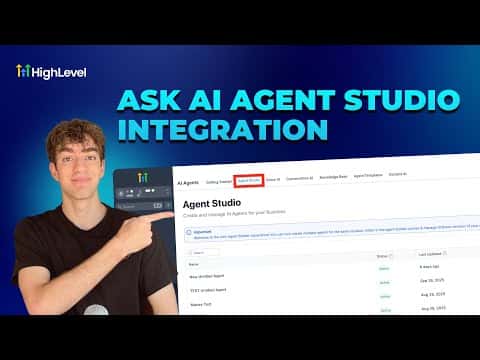
GoHighLevel's Ask AI interface supports custom agent integration, letting you extend the built-in AI assistant with agents you have built in Agent Studio. Once connected, your custom agent appears as an available tool inside the Ask AI sidebar, and you can invoke it alongside the platform's native capabilities for contacts, conversations, and campaigns.
Watch it, then build it
Get the full platform free for 30 days
That walkthrough runs on GoHighLevel. Start it free through RocketLauncher and you get 30 days instead of the usual 14, the whole platform unlocked, plus our setup help and a community of thousands of builders in 47+ countries.
30 days, not 14Full platform, nothing held backFree community and setup help
We earn a referral commission if you keep GoHighLevel after the trial. It never changes your price.
Summary. This short tutorial explains how to connect a custom Agent Studio agent to the Ask AI interface in GoHighLevel, making it available as a callable tool within the chat-based AI sidebar. It covers where to find the integration setting and what the result looks like once the agent is linked and accessible from within the Ask AI conversation.

Want the full picture? Read more about GoHighLevel Voice AI and GoHighLevel AI agents.
Related tutorials
Watch it, then build it
Get the full platform free for 30 days
30 days, not 14Full platform, nothing held backFree community and setup help
Frequently asked questions
Where do you connect a custom agent to Ask AI?
Inside Agent Studio and the Ask AI settings area within your GoHighLevel sub-account.
Can Ask AI call a custom agent during a conversation?
Yes. Once connected, Ask AI can invoke the custom agent as one of its available tools.
Does this require any external API configuration?
No. The integration is handled natively within GoHighLevel between Agent Studio and Ask AI.