RocketLauncher AI

Social Media

How to Use GoHighLevel's Social Listening Feature

By Marnix Geerkens. Published 2026-03-04. Updated 2026-06-02.

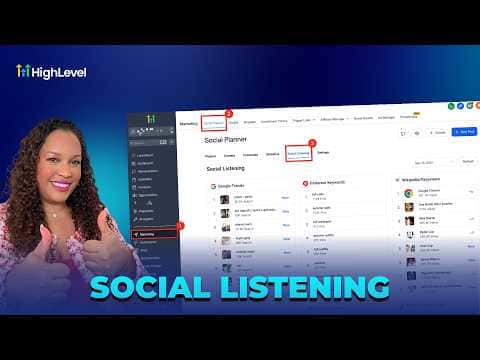
GoHighLevel's Social Listening tool, found inside Social Planner, surfaces real-time trend data from Google Trends, Pinterest, TikTok, and YouTube in a single dashboard. You can browse trending keywords, breakout songs, popular hashtags, and viral content by platform, then use those insights to plan posts that match what audiences are actively searching for right now.

Watch it, then build it

Get the full platform free for 30 days

That walkthrough runs on GoHighLevel. Start it free through RocketLauncher and you get 30 days instead of the usual 14, the whole platform unlocked, plus our setup help and a community of thousands of builders in 47+ countries.

30 days, not 14Full platform, nothing held backFree community and setup help

We earn a referral commission if you keep GoHighLevel after the trial. It never changes your price.

Summary. Social Listening in GoHighLevel's Social Planner aggregates trending data from multiple platforms so content creators and agencies can spot what is gaining momentum before posting. The tool covers Google Trends topics, Pinterest keyword growth by region, TikTok breakout songs and trending hashtags, and YouTube popular channels and audios. Selecting any trend opens the source platform with live data, allowing deeper analysis before committing to a content angle.

Related tutorials

How To Manage Social Media Comments Using HighLevel Social Planner
How To Manage Social Media Comments Using HighLevel Social Planner2:55 · Social Media
How To Sync Facebook Posts in HighLevel
How To Sync Facebook Posts in HighLevel2:07 · Social Media
Did You Know You Can Run All Your Socials from the HighLevel Mobile App?
Did You Know You Can Run All Your Socials from the HighLevel Mobile App?1:41 · Social Media
How to Bulk Schedule Social Media Posts with CSV Files in HighLevel
How to Bulk Schedule Social Media Posts with CSV Files in HighLevel8:02 · Social Media
How to Design Engaging Carousel Ads for Social Media
How to Design Engaging Carousel Ads for Social Media3:18 · Social Media
Facebook Integration Step by Step
Facebook Integration Step by Step11:06 · Social Media

Watch it, then build it

Get the full platform free for 30 days

30 days, not 14Full platform, nothing held backFree community and setup help

Frequently asked questions

Where do I find Social Listening in GoHighLevel?

Go to Marketing, click Social Planner, then select Social Listening from the sub-menu.

Which platforms does Social Listening cover?

Google Trends, Pinterest Keywords, Wikipedia Page Views, TikTok, and YouTube are all included.

Does clicking a trend open it in GoHighLevel or in the source platform?

It opens in the source platform (Google Trends, Pinterest, etc.) with live data displayed.

Back to all Social Media tutorials