RocketLauncher AI

Payments & Invoicing

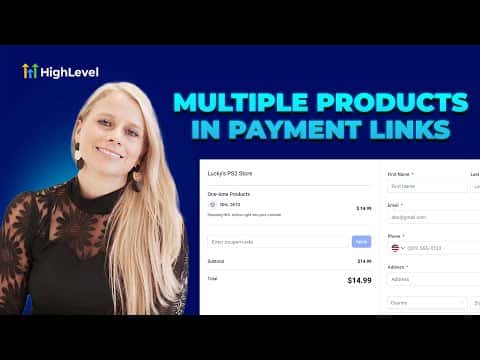
How to Add Recurring and One-Time Products to Payment Links in GoHighLevel

By Marnix Geerkens. Published 2025-08-18. Updated 2026-06-02.

GoHighLevel payment links support both one-time and recurring products in a single link. Instead of sending separate links for a course and a subscription, you combine them into one checkout. Customers see both product types clearly labeled, and you control whether they can adjust quantities. One link, one checkout, cleaner experience for everyone.

Watch it, then build it

Get the full platform free for 30 days

That walkthrough runs on GoHighLevel. Start it free through RocketLauncher and you get 30 days instead of the usual 14, the whole platform unlocked, plus our setup help and a community of thousands of builders in 47+ countries.

30 days, not 14Full platform, nothing held backFree community and setup help

We earn a referral commission if you keep GoHighLevel after the trial. It never changes your price.

Summary. Payment links in GoHighLevel can carry both one-time and recurring products at the same time, removing the need to send multiple checkout URLs. You configure each product separately, set quantity rules, add a post-payment redirect, and control when the link expires. The finished link can be personalized per contact and sent directly via email or SMS from inside the platform.

Related tutorials

How to Set Up and Use Stripe Internet Readers with the LeadConnector Mobile App
How to Set Up and Use Stripe Internet Readers with the LeadConnector Mobile App4:16 · Payments & Invoicing
How to Set Up Bank Account Payments in Your Affiliate Manager
How to Set Up Bank Account Payments in Your Affiliate Manager3:03 · Payments & Invoicing
How To Import Stripe Products to HighLevel's SaaS Configurator
How To Import Stripe Products to HighLevel's SaaS Configurator6:27 · Payments & Invoicing
Configure Payment Providers by Channel!
Configure Payment Providers by Channel!1:30 · Payments & Invoicing
How to Set Up Dashboard Reporting with Payment Widgets and Insights
How to Set Up Dashboard Reporting with Payment Widgets and Insights5:36 · Payments & Invoicing
Did You Know You Can Offer Expiring Coupons for Limited Time Promos?
Did You Know You Can Offer Expiring Coupons for Limited Time Promos?2:08 · Payments & Invoicing

Watch it, then build it

Get the full platform free for 30 days

30 days, not 14Full platform, nothing held backFree community and setup help

Frequently asked questions

Can one payment link include both a subscription and a one-time product?

Yes. Add both product types; they appear under separate headings at checkout.

How do I send a personalized payment link to a specific contact?

Use the copy-and-send option, search the contact, and copy the pre-filled link.

Can I set an expiry date on a payment link?

Yes. Enable auto-deactivation and choose the date and time it closes.

Back to all Payments & Invoicing tutorials