Memberships & Courses
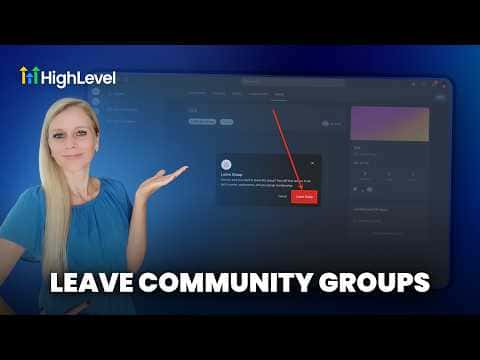
How to Leave a GoHighLevel Community
By Marnix Geerkens. Published 2026-05-21. Updated 2026-06-02.
If you are a member of a GoHighLevel community and want to leave, open the group, go to your profile or group settings, and select the option to leave the group. The exact location depends on whether you are accessing the community through the web client portal or the Kollab mobile app, but both surfaces have a leave or exit group option available from the group menu.
Watch it, then build it
Get the full platform free for 30 days
That walkthrough runs on GoHighLevel. Start it free through RocketLauncher and you get 30 days instead of the usual 14, the whole platform unlocked, plus our setup help and a community of thousands of builders in 47+ countries.
30 days, not 14Full platform, nothing held backFree community and setup help
We earn a referral commission if you keep GoHighLevel after the trial. It never changes your price.
Summary. Leaving a GoHighLevel community is a straightforward action available from within the group itself. Members can exit through the group settings menu on the web portal or through the app, and the group will no longer appear in their list. Admins who want to remove a member from their side can do so from the group's member management settings.

Related tutorials
Watch it, then build it
Get the full platform free for 30 days
30 days, not 14Full platform, nothing held backFree community and setup help
Frequently asked questions
Can an admin remove a member from a GoHighLevel community?
Yes. Admins can remove members from the group's member management settings.
Will I lose access to course content if I leave a community group?
Course access is tied to your offer enrollment, not the group. Contact the admin to confirm.
Can I rejoin a community after leaving?
Yes, if the group is public or the admin sends a new invite link.