मेन्यू
RocketLauncher

Memberships & Courses

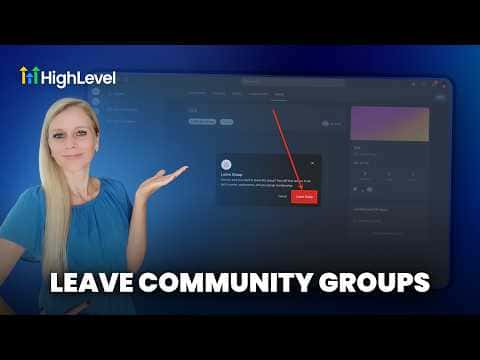
How to Leave a GoHighLevel Community

If you are a member of a GoHighLevel community and want to leave, open the group, go to your profile or group settings, and select the option to leave the group. The exact location depends on whether you are accessing the community through the web client portal or the Kollab mobile app, but both surfaces have a leave or exit group option available from the group menu.

अपडेट: 2 जून 2026

1:15

सारांश. Leaving a GoHighLevel community is a straightforward action available from within the group itself. Members can exit through the group settings menu on the web portal or through the app, and the group will no longer appear in their list. Admins who want to remove a member from their side can do so from the group's member management settings.

लोग जो सवाल पूछते हैं

Can an admin remove a member from a GoHighLevel community?

Yes. Admins can remove members from the group's member management settings.

Will I lose access to course content if I leave a community group?

Course access is tied to your offer enrollment, not the group. Contact the admin to confirm.

Can I rejoin a community after leaving?

Yes, if the group is public or the admin sends a new invite link.

उन लोगों के साथ बनाएँ जो पहले बना चुके हैं।

फ्री कम्युनिटी से जुड़ें: हर हफ़्ते लाइव कॉल, एक स्टार्ट-हियर कोर्स और आपकी भाषा में बोलने वाले बिल्डर्स।

Skool पर फ्री जुड़ें