Getting Started & General
Creating Your First Campaign in GoHighLevel
By Marnix Geerkens. Published 2019-02-12. Updated 2026-06-02.
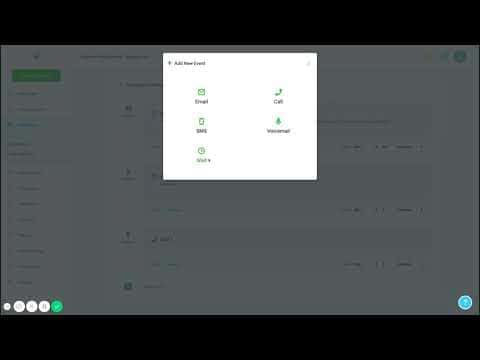
GoHighLevel campaigns let you build automated multi-step follow-up sequences combining SMS, email, phone calls, and voicemail drops. Each step fires on a schedule you set, and the campaign automatically stops when a contact replies. Start from Marketing > Campaigns, name your campaign, add steps in order, configure the delivery window, and add contacts to kick it off.
Watch it, then build it
Get the full platform free for 30 days
That walkthrough runs on GoHighLevel. Start it free through RocketLauncher and you get 30 days instead of the usual 14, the whole platform unlocked, plus our setup help and a community of thousands of builders in 47+ countries.
30 days, not 14Full platform, nothing held backFree community and setup help
We earn a referral commission if you keep GoHighLevel after the trial. It never changes your price.
Summary. A GoHighLevel campaign is a timed sequence of outreach steps that runs automatically after a contact is added to it. You can mix SMS, email, outbound calls, and voicemail drops in any order, spacing each step by minutes or hours. Campaigns include a scheduling window to prevent messages outside business hours, and can create pipeline opportunities automatically when a contact responds.

Related tutorials
Watch it, then build it
Get the full platform free for 30 days
30 days, not 14Full platform, nothing held backFree community and setup help
Frequently asked questions
Where do I create a campaign in GoHighLevel?
Go to Marketing > Campaigns, then click Create Campaign.
What channel types can I add to a campaign?
SMS, email, outbound phone calls, and voicemail drops.
Does a campaign stop when a contact replies?
Yes. GoHighLevel automatically stops the campaign when a reply is detected.