Funnels & Websites
How to Import a ClickFunnels Page into GoHighLevel
By Marnix Geerkens. Published 2020-03-03. Updated 2026-06-02.
GoHighLevel can pull in a ClickFunnels landing page by reading its URL directly. Create a new funnel step, paste the ClickFunnels page URL, confirm ownership, name the step, and GoHighLevel reconstructs the layout inside its own builder. From there you can edit elements, swap forms, update links, and save the page without touching ClickFunnels again.
Watch it, then build it
Get the full platform free for 30 days
That walkthrough runs on GoHighLevel. Start it free through RocketLauncher and you get 30 days instead of the usual 14, the whole platform unlocked, plus our setup help and a community of thousands of builders in 47+ countries.
30 days, not 14Full platform, nothing held backFree community and setup help
We earn a referral commission if you keep GoHighLevel after the trial. It never changes your price.
Summary. This tutorial walks through importing an existing ClickFunnels landing page into GoHighLevel's funnel builder using the page URL import feature. After the import, all page elements appear inside the GoHighLevel editor and can be modified, connected to GoHighLevel forms, and published under your own domain.
What you will learn
- Use the URL import field to bring in a ClickFunnels page
- Confirm page ownership during the import step
- Edit imported elements inside the GoHighLevel builder
- Connect GoHighLevel forms and redirect links to the imported page
- Publish the page under a GoHighLevel domain
Steps
Create a new funnel and add a step
In GoHighLevel, go to Funnels and create a new funnel. Click to add a new step. You will see a field for entering a URL.
Paste the ClickFunnels page URL
Copy the full URL of the ClickFunnels page you want to import. Paste it into the import field. Confirm that the page belongs to you, then give the step a name and set its path.
Wait for the import to complete
GoHighLevel fetches the page and reconstructs its elements in the editor. This takes a few seconds. When finished, the page opens in the builder.
Edit and connect the page
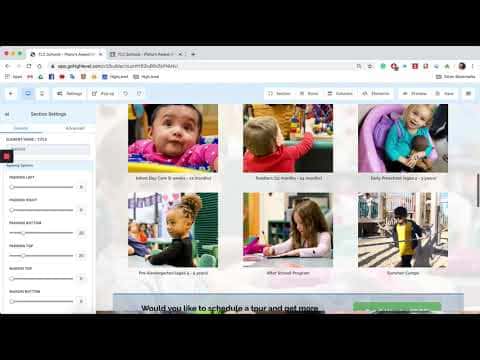
Review the imported elements. Update any hyperlinks, swap out the opt-in form for a GoHighLevel form, and set the redirect URL for after form submission. Make any other design adjustments you need.
Save and connect a domain
Hit Save. Create or assign a domain to the funnel so the page is publicly accessible on your own URL.

Want the full picture? Read more about the GoHighLevel funnel builder.
Related tutorials
Watch it, then build it
Get the full platform free for 30 days
30 days, not 14Full platform, nothing held backFree community and setup help
Frequently asked questions
Does GoHighLevel import all ClickFunnels page elements exactly?
Most layout elements come across, but some may need minor adjustments after import.
Do I need active ClickFunnels access to import a page?
The page URL must be publicly accessible at the time of import.
Can I import multi-step ClickFunnels funnels?
Import each step individually by repeating the process for each ClickFunnels page URL.
Will ClickFunnels forms carry over to GoHighLevel?
No, you replace them with GoHighLevel form elements after the import.