RocketLauncher AI

Email

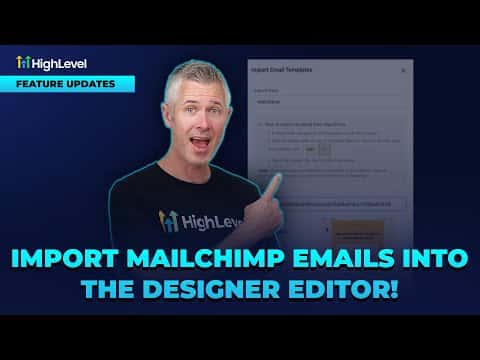
How to Import Mailchimp Emails into the GoHighLevel Designer Editor

By Marnix Geerkens. Published 2025-09-04. Updated 2026-06-02.

GoHighLevel can pull in an existing Mailchimp email template and convert it into a fully editable drag-and-drop design, not just a locked HTML file. Once imported, every block is live in the email builder so you can change text, images, colors, and layout without touching any code. This means you do not have to rebuild your Mailchimp templates from scratch.

Watch it, then build it

Get the full platform free for 30 days

That walkthrough runs on GoHighLevel. Start it free through RocketLauncher and you get 30 days instead of the usual 14, the whole platform unlocked, plus our setup help and a community of thousands of builders in 47+ countries.

30 days, not 14Full platform, nothing held backFree community and setup help

We earn a referral commission if you keep GoHighLevel after the trial. It never changes your price.

Summary. This walkthrough shows how to import a Mailchimp email template into GoHighLevel's drag-and-drop designer. The imported template becomes fully editable inside the builder, so any block can be adjusted just like a natively created email. The process takes only a few clicks from the Marketing section.

Steps

  1. Navigate to Email Templates

    Go to Marketing, then Emails, then Templates inside your GoHighLevel account.

  2. Start the Import

    Click the import option and paste in the URL of the Mailchimp template you want to bring over.

  3. Open in the Design Editor

    After the import completes, choose 'Open in Design Editor' to load the template as an editable drag-and-drop layout rather than static HTML.

Related tutorials

How to Enhance Ecommerce Emails with Product Elements
How to Enhance Ecommerce Emails with Product Elements2:53 · Email
How To Optimize Email Timing in HighLevel with AI Schedule
How To Optimize Email Timing in HighLevel with AI Schedule2:18 · Email
Import Email Templates with AI Live!
Import Email Templates with AI Live!2:03 · Email
How To Export Email Data in HighLevel
How To Export Email Data in HighLevel1:41 · Email
How To Use HighLevel Spacer for Perfect Email Spacing
How To Use HighLevel Spacer for Perfect Email Spacing2:39 · Email
Did You Know HighLevel Can Email Leads the Second They Hit Submit?
Did You Know HighLevel Can Email Leads the Second They Hit Submit?3:58 · Email

Watch it, then build it

Get the full platform free for 30 days

30 days, not 14Full platform, nothing held backFree community and setup help

Frequently asked questions

Can I edit the imported Mailchimp template without knowing HTML?

Yes, the design editor gives you drag-and-drop control over every block.

Does GoHighLevel support importing from other email platforms too?

More platform importers are planned beyond Mailchimp.

Back to all Email tutorials