AI & Voice Agents
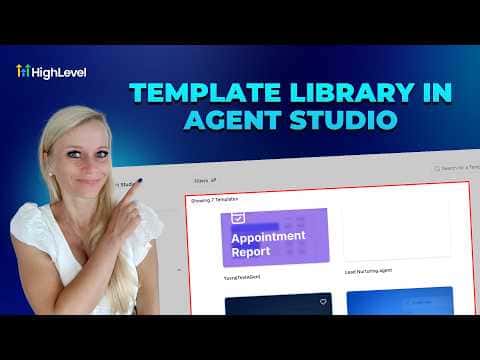
How To Use HighLevel's Agent Studio Template Library
By Marnix Geerkens. Published 2026-03-30. Updated 2026-06-02.
Agent Studio in GoHighLevel includes a built-in template library that gives you ready-made AI agent configurations for common use cases. Instead of building a bot from scratch, you pick a template, adjust the details for your business, and deploy. This cuts setup time from hours to minutes and gives you a proven starting point.
Watch it, then build it
Get the full platform free for 30 days
That walkthrough runs on GoHighLevel. Start it free through RocketLauncher and you get 30 days instead of the usual 14, the whole platform unlocked, plus our setup help and a community of thousands of builders in 47+ countries.
30 days, not 14Full platform, nothing held backFree community and setup help
We earn a referral commission if you keep GoHighLevel after the trial. It never changes your price.
Summary. GoHighLevel's Agent Studio template library provides pre-built AI agent configurations for tasks like appointment booking, lead qualification, and customer follow-up. Each template is fully editable so you can adapt the bot's name, persona, and goals to fit any business type. Choosing a template and customizing it is faster and more reliable than configuring every setting manually.
Want the full picture? Read more about GoHighLevel Voice AI and GoHighLevel AI agents.
Related tutorials
Watch it, then build it
Get the full platform free for 30 days
30 days, not 14Full platform, nothing held backFree community and setup help
Frequently asked questions
Where do I find the Agent Studio template library?
Go to Settings, then Voice AI Agents, then Agent Studio to browse templates.
Can I edit a template after selecting it?
Yes, every field including name, goals, and actions is fully editable.
Do templates work for text-based agents too?
Yes, templates cover both voice AI agents and conversation AI text bots.