RocketLauncher AI

AI & Voice Agents

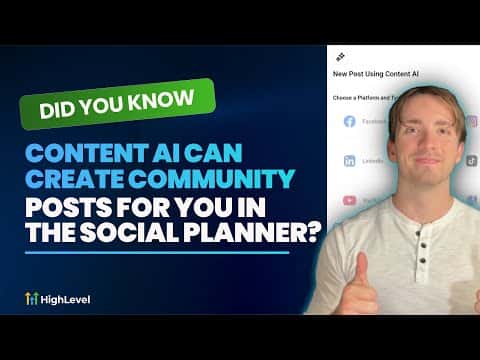
Create Community Posts with Content AI in GoHighLevel Social Planner

By Marnix Geerkens. Published 2025-10-06. Updated 2026-06-02.

GoHighLevel's Social Planner lets you generate and schedule posts directly into a HighLevel community using Content AI. Open the Social Planner, connect your community as a channel, create a new post with Content AI, describe the topic and goal, then generate. The AI writes the post and you schedule or publish it without switching tools. Brand Voice makes the output match your existing content tone automatically.

Watch it, then build it

Get the full platform free for 30 days

That walkthrough runs on GoHighLevel. Start it free through RocketLauncher and you get 30 days instead of the usual 14, the whole platform unlocked, plus our setup help and a community of thousands of builders in 47+ countries.

30 days, not 14Full platform, nothing held backFree community and setup help

We earn a referral commission if you keep GoHighLevel after the trial. It never changes your price.

Summary. GoHighLevel's Content AI, accessed through the Social Planner, can write community posts based on a topic and goal you describe. Connecting your community group as a social channel in the Social Planner unlocks it as a publishing destination alongside other platforms. Brand Voice can be applied so generated posts match the tone and style already established for your account, keeping content consistent across all channels.
Want the full picture? Read more about GoHighLevel Voice AI and GoHighLevel AI agents.

Related tutorials

Did You Know You Can Build Forms, Surveys, and Booking Pages inside AI Studio?
Did You Know You Can Build Forms, Surveys, and Booking Pages inside AI Studio?1:42 · AI & Voice Agents
How To Use HighLevel's Ask AI to Streamline Content Creation and Publishing
How To Use HighLevel's Ask AI to Streamline Content Creation and Publishing1:57 · AI & Voice Agents
How To Use HighLevel's Conversation AI for Efficient Multi Calendar Bookings
How To Use HighLevel's Conversation AI for Efficient Multi Calendar Bookings5:07 · AI & Voice Agents
How to Enable Translation Services for Voice AI Calls
How to Enable Translation Services for Voice AI Calls3:50 · AI & Voice Agents
How To Unlock the Power of Conversation AI Public APIs in HighLevel
How To Unlock the Power of Conversation AI Public APIs in HighLevel9:54 · AI & Voice Agents
Did You Know You Can Sell AI Powered Services with HighLevel?
Did You Know You Can Sell AI Powered Services with HighLevel?2:38 · AI & Voice Agents

Watch it, then build it

Get the full platform free for 30 days

30 days, not 14Full platform, nothing held backFree community and setup help

Frequently asked questions

How do I add my community as a channel in the Social Planner?

Click Add New Social in the Social Planner and select Add a Community.

What is Brand Voice and why does it matter for community posts?

Brand Voice trains the AI on your existing content so posts match your tone.

Can I schedule community posts in advance using Content AI?

Yes, after generating, choose a future date and time before publishing.

Back to all AI & Voice Agents tutorials