AI & Voice Agents
How To Enable Translation for Voice AI Call Transcripts in GoHighLevel
By Marnix Geerkens. Published 2025-09-18. Updated 2026-06-02.
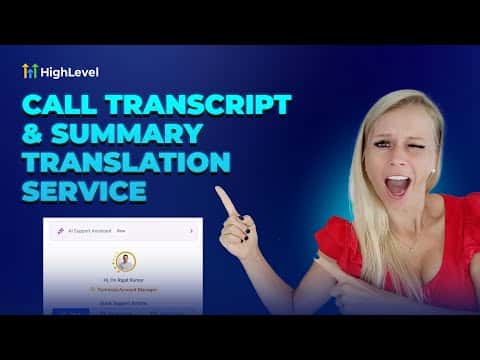
GoHighLevel Voice AI agents can automatically translate call transcripts and summaries into another language after each call ends. This means a team member who speaks German can review a call recorded in English, or vice versa, without relying on a separate translation tool. Translation is enabled per agent and costs one AI credit per translated minute.
Watch it, then build it
Get the full platform free for 30 days
That walkthrough runs on GoHighLevel. Start it free through RocketLauncher and you get 30 days instead of the usual 14, the whole platform unlocked, plus our setup help and a community of thousands of builders in 47+ countries.
30 days, not 14Full platform, nothing held backFree community and setup help
We earn a referral commission if you keep GoHighLevel after the trial. It never changes your price.
Summary. GoHighLevel's Voice AI translation service converts the post-call transcript and summary into a target language of your choice, making call review accessible to team members who work in different languages. Translation is configured inside each agent's advanced settings and applies to all subsequent calls handled by that agent. The call logs section shows translated summaries and transcripts alongside standard call metrics like sentiment, duration, and actions triggered.
Steps
Open the agent settings
Go to Settings, then Voice AI Agents, then Agent List. Click the three-dot menu on the agent you want to configure and select Edit.
Enable translation in Advanced Settings
Scroll to the Advanced Settings section and find Translation Settings. Toggle it on, then select the target language from the dropdown.
Review translated transcripts in call logs
After a call, go to Dashboard and Logs, select the agent, and filter by date. Click Summary or Transcript on any call entry to view the translated version.

Want the full picture? Read more about GoHighLevel Voice AI and GoHighLevel AI agents.
Related tutorials
Watch it, then build it
Get the full platform free for 30 days
30 days, not 14Full platform, nothing held backFree community and setup help
Frequently asked questions
Does translation apply to all agents at once?
No, you must enable it individually for each agent you want to translate.
What does translation cost in GoHighLevel?
One AI credit is consumed per translated minute of call time.
Can I change the target language after enabling translation?
Yes, return to the agent's Advanced Settings and select a different language.