
RocketLauncher AI

Reviews & Reputation

How to Integrate Multi-Platform Reviews into GoHighLevel

By Marnix Geerkens. Published 2025-09-04. Updated 2026-06-02.

GoHighLevel lets you pull reviews from more than 40 external platforms, including Airbnb, Amazon, Yelp, Google Play, and Capterra, directly into your Reputation dashboard. Paste the listing URL for each platform, hit integrate, and all reviews appear in one place. From there you can filter, monitor, and surface them on your site through the review widget.

Watch it, then build it

Get the full platform free for 30 days

That walkthrough runs on GoHighLevel. Start it free through RocketLauncher and you get 30 days instead of the usual 14, the whole platform unlocked, plus our setup help and a community of thousands of builders in 47+ countries.

30 days, not 14Full platform, nothing held backFree community and setup help

We earn a referral commission if you keep GoHighLevel after the trial. It never changes your price.

Summary. GoHighLevel's multi-platform review integration connects external review sources (Airbnb, Amazon, Capterra, Yelp, and dozens more) to a single Reputation dashboard. You add each platform by pasting its listing URL in the Integrations tab under Reputation settings. Once connected, reviews flow in automatically and can be filtered by date range, displayed alongside your Google and Facebook reviews, and included in the review widget for use on websites and funnels.

Related tutorials

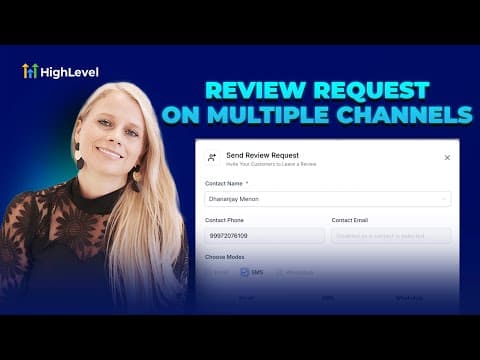
How to Set Up and Send Multi-Channel Review Requests
How to Set Up and Send Multi-Channel Review Requests6:42 · Reviews & Reputation
How to Set Up Yext for Re-Selling
How to Set Up Yext for Re-Selling2:59 · Reviews & Reputation
How To Build Review Widgets
How To Build Review Widgets7:37 · Reviews & Reputation

Watch it, then build it

Get the full platform free for 30 days

30 days, not 14Full platform, nothing held backFree community and setup help

Frequently asked questions

Which platforms can I integrate with the GoHighLevel review dashboard?

Over 40 platforms, including Airbnb, Amazon, Yelp, Capterra, Google Play, and more.

How do I add a new review platform?

Go to Reputation, Settings, Integrations, select the platform, paste the listing URL, and click Integrate.

Can I mix reviews from different platforms in one review widget?

Yes. You can control the percentage of reviews shown from each connected source.

Back to all Reviews & Reputation tutorials