RocketLauncher AI

Integrations & API

How to Use the Printful Integration with GoHighLevel

By Marnix Geerkens. Published 2024-06-05. Updated 2026-06-02.

GoHighLevel's Printful integration connects a print-on-demand dropshipping store directly to your sub-account. Install the Printful app from the Integrations section, authorize it on Printful's side, and your products sync into the GoHighLevel e-commerce store so you can sell branded merchandise without managing fulfillment yourself.

Watch it, then build it

Get the full platform free for 30 days

That walkthrough runs on GoHighLevel. Start it free through RocketLauncher and you get 30 days instead of the usual 14, the whole platform unlocked, plus our setup help and a community of thousands of builders in 47+ countries.

30 days, not 14Full platform, nothing held backFree community and setup help

We earn a referral commission if you keep GoHighLevel after the trial. It never changes your price.

Summary. GoHighLevel added a native Printful integration that allows sub-accounts to sell print-on-demand products through the built-in e-commerce store. After installing the Printful app and authorizing the connection, products created in Printful sync to a GoHighLevel store under the Lead Connector name. Orders placed through GoHighLevel route to Printful for fulfillment automatically, and customer data syncs back to the CRM.

Related tutorials

How to Use Kajabi Course Migrator
How to Use Kajabi Course Migrator2:32 · Integrations & API
How and Where To Set Up Integrations
How and Where To Set Up Integrations3:33 · Integrations & API
How to Integrate WooCommerce with GoHighLevel for Ecommerce Success
How to Integrate WooCommerce with GoHighLevel for Ecommerce Success2:34 · Integrations & API
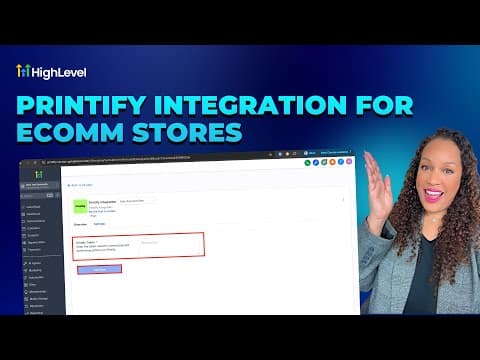
How To Easily Integrate Printify with HighLevel
How To Easily Integrate Printify with HighLevel2:10 · Integrations & API
How To Integrate BlueSky with HighLevel
How To Integrate BlueSky with HighLevel3:13 · Integrations & API
How to Configure Brand System-Generated Links (API Domain)
How to Configure Brand System-Generated Links (API Domain)3:31 · Integrations & API

Watch it, then build it

Get the full platform free for 30 days

30 days, not 14Full platform, nothing held backFree community and setup help

Frequently asked questions

Where do I install the Printful app in GoHighLevel?

Go to Settings, then Integrations, and find Printful near the bottom of the list.

Can I import existing Printful product templates into my GoHighLevel store?

Yes. During setup you can select and import templates you already created in Printful.

Does GoHighLevel also list Printful in its marketplace?

Yes. Printful appears in the external GoHighLevel marketplace at marketplace.gohighlevel.com.

Back to all Integrations & API tutorials