RocketLauncher AI

Integrations & API

How to Integrate BlueSky with GoHighLevel Social Planner

By Marnix Geerkens. Published 2026-01-15. Updated 2026-06-02.

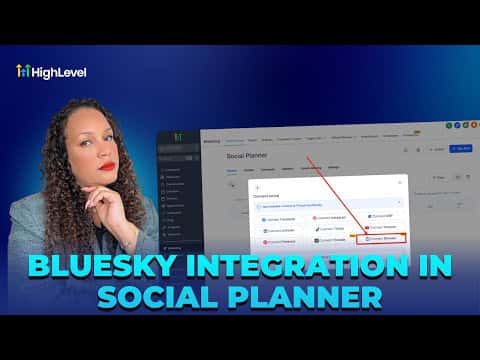
GoHighLevel's Social Planner supports BlueSky so you can schedule posts alongside your other social channels from one place. Go to Marketing, then Social Planner, click the plus icon to add an account, enter your BlueSky username, create an app-specific password in BlueSky settings, and paste it in to complete the connection.

Watch it, then build it

Get the full platform free for 30 days

That walkthrough runs on GoHighLevel. Start it free through RocketLauncher and you get 30 days instead of the usual 14, the whole platform unlocked, plus our setup help and a community of thousands of builders in 47+ countries.

30 days, not 14Full platform, nothing held backFree community and setup help

We earn a referral commission if you keep GoHighLevel after the trial. It never changes your price.

Summary. This tutorial covers connecting a BlueSky account to GoHighLevel's Social Planner so posts can be scheduled from inside the CRM. The connection requires generating an app-specific password in BlueSky's Privacy and Security settings rather than using the main account password. Once linked, posts can include hashtags, URLs, up to four images, or one video, and can be published immediately, scheduled for a future time, or sent for approval.

Related tutorials

How To Easily Integrate Printify with HighLevel
How To Easily Integrate Printify with HighLevel2:10 · Integrations & API
How and Where To Set Up Integrations
How and Where To Set Up Integrations3:33 · Integrations & API
How to Use the New Printful Integration with HighLevel
How to Use the New Printful Integration with HighLevel7:29 · Integrations & API
How to Use Kajabi Course Migrator
How to Use Kajabi Course Migrator2:32 · Integrations & API
How to Integrate WooCommerce with GoHighLevel for Ecommerce Success
How to Integrate WooCommerce with GoHighLevel for Ecommerce Success2:34 · Integrations & API
How to Configure Brand System-Generated Links (API Domain)
How to Configure Brand System-Generated Links (API Domain)3:31 · Integrations & API

Watch it, then build it

Get the full platform free for 30 days

30 days, not 14Full platform, nothing held backFree community and setup help

Frequently asked questions

Where do I connect BlueSky inside GoHighLevel?

Go to Marketing, then Social Planner, and click the plus icon to add an account.

Why does BlueSky require an app-specific password instead of my main password?

App passwords limit what the integration can access and protect your main account.

How many posts can I schedule on BlueSky per day through GoHighLevel?

BlueSky allows up to 100 posts within a 24-hour period.

Back to all Integrations & API tutorials