RocketLauncher AI

Social Media

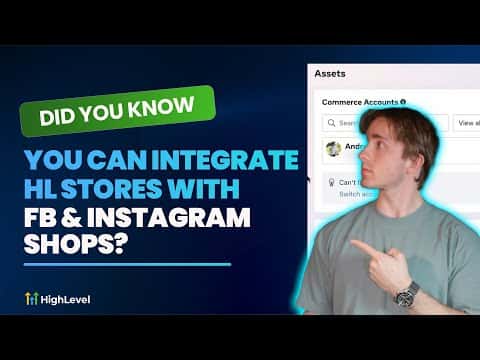
Integrate GoHighLevel Stores with Facebook and Instagram Shops

By Marnix Geerkens. Published 2025-07-03. Updated 2026-06-02.

GoHighLevel stores connect directly to Facebook and Instagram Shops, letting you list your products where buyers already browse. Once linked, your store inventory syncs to your Meta shop catalog so customers can discover and purchase without leaving their social feed. This cuts the steps between discovery and checkout and keeps your product data in one place.

Watch it, then build it

Get the full platform free for 30 days

That walkthrough runs on GoHighLevel. Start it free through RocketLauncher and you get 30 days instead of the usual 14, the whole platform unlocked, plus our setup help and a community of thousands of builders in 47+ countries.

30 days, not 14Full platform, nothing held backFree community and setup help

We earn a referral commission if you keep GoHighLevel after the trial. It never changes your price.

Summary. GoHighLevel's native store integration with Facebook and Instagram Shops allows product catalogs to sync across social commerce channels from a single dashboard. Setting up the connection takes only a few minutes inside the sub-account settings and eliminates the need to manage separate product feeds. Purchases and inventory stay coordinated so there is no manual reconciliation between platforms.

What you will learn

  • Connect a GoHighLevel store to a Facebook or Instagram Shop
  • Sync product catalogs automatically to Meta's commerce platform
  • Let customers purchase directly from social media posts and stories
  • Manage inventory from one place rather than duplicating product data

Steps

  1. Open your sub-account settings

    Navigate to the sub-account you want to connect. Go to Settings and look for the Integrations section.

  2. Connect your Facebook Business account

    Click the Facebook integration and authorize the connection. Make sure the Facebook account you use has admin access to the Page and the associated Commerce Manager.

  3. Link your GoHighLevel store

    Inside the store settings, find the social commerce option and select your Facebook Page. GoHighLevel will create or connect to your existing catalog in Meta Commerce Manager.

  4. Map your product catalog

    Review the product list that will sync to Facebook and Instagram. Confirm pricing, images, and availability are accurate before publishing.

  5. Enable Instagram Shopping

    In Meta Commerce Manager, connect your Instagram account to the same catalog. Once approved by Meta, your products will appear in your Instagram Shop tab and can be tagged in posts.

  6. Verify the sync

    Return to GoHighLevel and confirm the catalog status shows as active. Add or update a product in GoHighLevel and check that the change reflects in Meta Commerce Manager within a few minutes.

Tips

  • Make sure your Facebook Page is published and your Commerce account is approved before attempting to sync.
  • Product images must meet Meta's minimum dimension requirements or the catalog upload will fail.
  • Keep product titles clear and descriptive because they become the searchable text inside Instagram Shopping.
Related tutorials

How to Set Up and Manage Facebook Ads in HighLevel
How to Set Up and Manage Facebook Ads in HighLevel8:45 · Social Media
How to use the Facebook Conversion API
How to use the Facebook Conversion API5:26 · Social Media
Hook up Facebook Messenger Campaigns
Hook up Facebook Messenger Campaigns5:34 · Social Media
How to Setup Facebook UTM Parameters for Attribution Reporting
How to Setup Facebook UTM Parameters for Attribution Reporting2:16 · Social Media
Verifying root domains in Facebook also verifies its sub-domains
Verifying root domains in Facebook also verifies its sub-domains2:22 · Social Media
Merge Facebook Messenger Contacts With Lead Ad Contacts In HighLevel
Merge Facebook Messenger Contacts With Lead Ad Contacts In HighLevel1:33 · Social Media

Watch it, then build it

Get the full platform free for 30 days

30 days, not 14Full platform, nothing held backFree community and setup help

Frequently asked questions

Do I need a separate Meta Commerce Manager account?

You need one, but GoHighLevel can create it for you during the connection flow.

Will inventory update automatically when I change it in GoHighLevel?

Yes, catalog syncs push updates to Meta so your shop reflects current stock.

Can I tag products in Instagram posts through GoHighLevel?

Product tagging happens inside Instagram; GoHighLevel manages the catalog that powers it.

What product types are supported?

Physical products with a price, image, and description sync correctly to Meta shops.

Is there a limit on how many products can sync?

Meta supports large catalogs; GoHighLevel does not impose a separate cap on synced items.

Back to all Social Media tutorials