 4:24
4:24Summary. Activating SaaS Mode for a GoHighLevel sub-account requires being on the Agency Pro plan with a connected Stripe account. Once those are in place, you switch a sub-account to SaaS Mode from the Agency dashboard, collect the client's credit card through a share link or direct Stripe lookup, and then set a profit margin on Twilio usage. The client's card is charged automatically whenever their credit balance drops below their configured threshold.
What you will learn
- Understand the prerequisites for SaaS Mode activation
- Switch a sub-account to SaaS Mode from the Agency dashboard
- Get a client's credit card into their sub-account using a share link, email, SMS, or Stripe
- Understand how the client's billing threshold and auto-recharge work
- Set your profit margin on Twilio usage with the resell slider
Steps
Confirm prerequisites are met
You need to be on the Agency Pro plan, have a Stripe account connected to your GoHighLevel agency dashboard, and the sub-account must have at least one location admin user. If the location has no admin, you will be prompted to add one before SaaS Mode can activate.
Switch the sub-account to SaaS Mode
In your Agency account, go to the Accounts tab. Find the client sub-account, click the three-dot menu, and choose Switch to SaaS. Confirm when prompted.
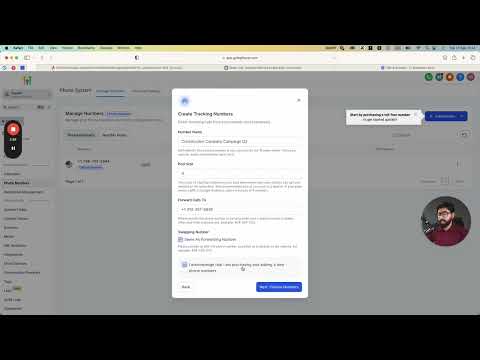
Collect the client's credit card
You are presented with three options: copy and send a share link the client uses to enter their card themselves, send a pre-written request via email or SMS, or if the client already exists in Stripe, search for them by name and activate directly. Choose the option that fits your relationship with the client.
Client configures their billing threshold
Once the client's card is on file, they can log in to their sub-account and go to the Company Billing tab. There they set the credit threshold and the auto-recharge amount. For example, recharge ten dollars whenever the balance drops below ten dollars.
Enable Twilio resell settings
Back in your Agency account, go to Accounts, click View Details for the sub-account, and scroll down to confirm SaaS Mode is active. Then enable Twilio Resell Settings.
Set your profit margin
Move the profit margin slider to your desired markup. A 100% markup means the client is billed twice the raw Twilio rate for each message or call, with the difference going to your Stripe account.
Tips
- Twilio charges can take up to 24 hours to settle, so balances update with a slight delay.
- Phone and SMS rates outside the US differ from domestic rates. Check current Twilio pricing before setting your margin.
- The initial charge to the client's card when it is first added gives them a starting credit balance to work from.