मेन्यू
RocketLauncher

Social Media

How to Bulk Schedule Social Media Posts with CSV in GoHighLevel

GoHighLevel's Social Planner accepts a CSV file to schedule up to 90 posts in one upload. The file must follow an exact date format (YYYY-MM-DD HH:MM:SS with a space between date and time, in 24-hour notation) and each platform has its own character limit. Images, GIFs, and videos must be hosted in GoHighLevel's Media Storage rather than Google Drive for reliable delivery.

अपडेट: 2 जून 2026

8:02

सारांश. Bulk scheduling in GoHighLevel's Social Planner lets you upload a formatted CSV file and publish up to 90 social posts across Facebook Pages, Instagram business accounts, and LinkedIn pages in one batch. The CSV format is strict: the date column must use YYYY-MM-DD HH:MM:SS in 24-hour format with a single space between the date and time, and posts must be scheduled at least 10 minutes in the future. Media must be stored in GoHighLevel's own media storage for the import to work correctly.

स्टेप

  1. Navigate to Social Planner and open the CSV upload

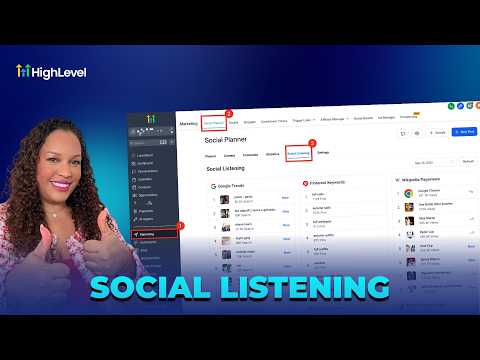
    Go to Marketing in the left sidebar, click Social Planner, then click New Post. Select the Upload CSV option.

  2. Download and study the sample CSV

    Download the sample file from the upload dialog to see the required structure. Pay attention to the date column format before editing.

  3. Format the date and time column correctly

    Use the format YYYY-MM-DD HH:MM:SS with a single space between the date part and the time part. Time must be in 24-hour format (13 for 1 PM, 20 for 8 PM). If the date cell is blank, the post goes to draft automatically.

लोग जो सवाल पूछते हैं

How many posts can I schedule in one CSV upload?

GoHighLevel supports up to 90 posts per CSV file upload.

What character limits apply per platform?

Facebook Pages allow 62,000 characters; Instagram allows 2,200; LinkedIn allows 3,000.

Why are my Google Drive images not appearing in the imported posts?

Google Drive links no longer work reliably. Upload media to GoHighLevel's Media Storage instead.

What happens if I leave the date column blank?

GoHighLevel saves that post as a draft because it has no publish date to act on.

उन लोगों के साथ बनाएँ जो पहले बना चुके हैं।

फ्री कम्युनिटी से जुड़ें: हर हफ़्ते लाइव कॉल, एक स्टार्ट-हियर कोर्स और आपकी भाषा में बोलने वाले बिल्डर्स।

Skool पर फ्री जुड़ें