AI & Voice Agents

How to Configure AI Bot Response Styles in GoHighLevel

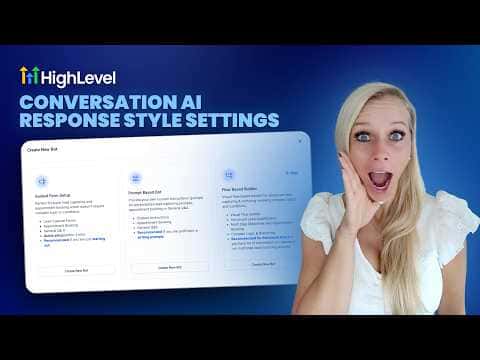
GoHighLevel Conversation AI lets you choose how long and detailed your bot's replies are. Three options are available: concise (around 30 words, good for SMS and quick confirmations), balanced (around 80 words, suitable for most conversations), and detailed (around 200 words, best for FAQs and troubleshooting). The setting is per bot and does not affect other agents in your account.

Actualizado el 2 de junio de 2026

3:14

Resumen. GoHighLevel's response style settings give you direct control over how brief or thorough a Conversation AI bot's replies are. Concise mode targets around 30 words for quick answers, balanced targets around 80 for general conversations, and detailed targets around 200 for complex support or onboarding. The counts are guidelines, not hard caps, and each bot stores its own setting independently.
Preguntas frecuentes

Where do I find response style settings in GoHighLevel?

Go to AI Agents, select your bot, open Bot Settings, and scroll to Response Settings.

Does changing the response style affect all my bots?

No. Each bot saves its own response style setting separately.

Can I still use word count rules in my prompts?

Conflicting word count instructions in prompts make results less predictable. Avoid them when response styles are active.

Constrúyelo con gente que ya lo hizo.

Únete a la comunidad gratis: llamadas en vivo cada semana, un curso para empezar y gente que construye en tu idioma.

Únete gratis en Skool