Questo articolo è attualmente disponibile in inglese. Leggi l’originale

Inside the snapshot

Inside the GoHighLevel workflow builder

See the workflow builder up close. These earlier captures document the master account; the current catalog lists 176 saved drafts, including 40 new workflows across ten niche packs.

  • 3 min di lettura
  • Sezioni 4
  • 14 ottobre 2026 aggiornato
In questa pagina

These earlier captures show the master workflow folders and six builder canvases. For the latest saved workflows and their setup requirements, use the current workflow catalog.

  • Historical folder captures from the master account.
  • A look inside 6 real workflow builder canvases, so you see the actual steps before you import.
  • Free to join: join the community and start GoHighLevel through the partner link.

Build it yourself or import it

A snapshot can transfer a workflow structure into another account. Review its export status, dependencies and test results before using it with real contacts.

These are real screenshots from the master account you get a copy of. Nothing here is a mockup.

Every workflow, folder by folder

The following archive covers 13 folders. Each screenshot shows the folder view at the time it was captured.

01 Speed-to-Lead

Respond to every new lead in seconds.
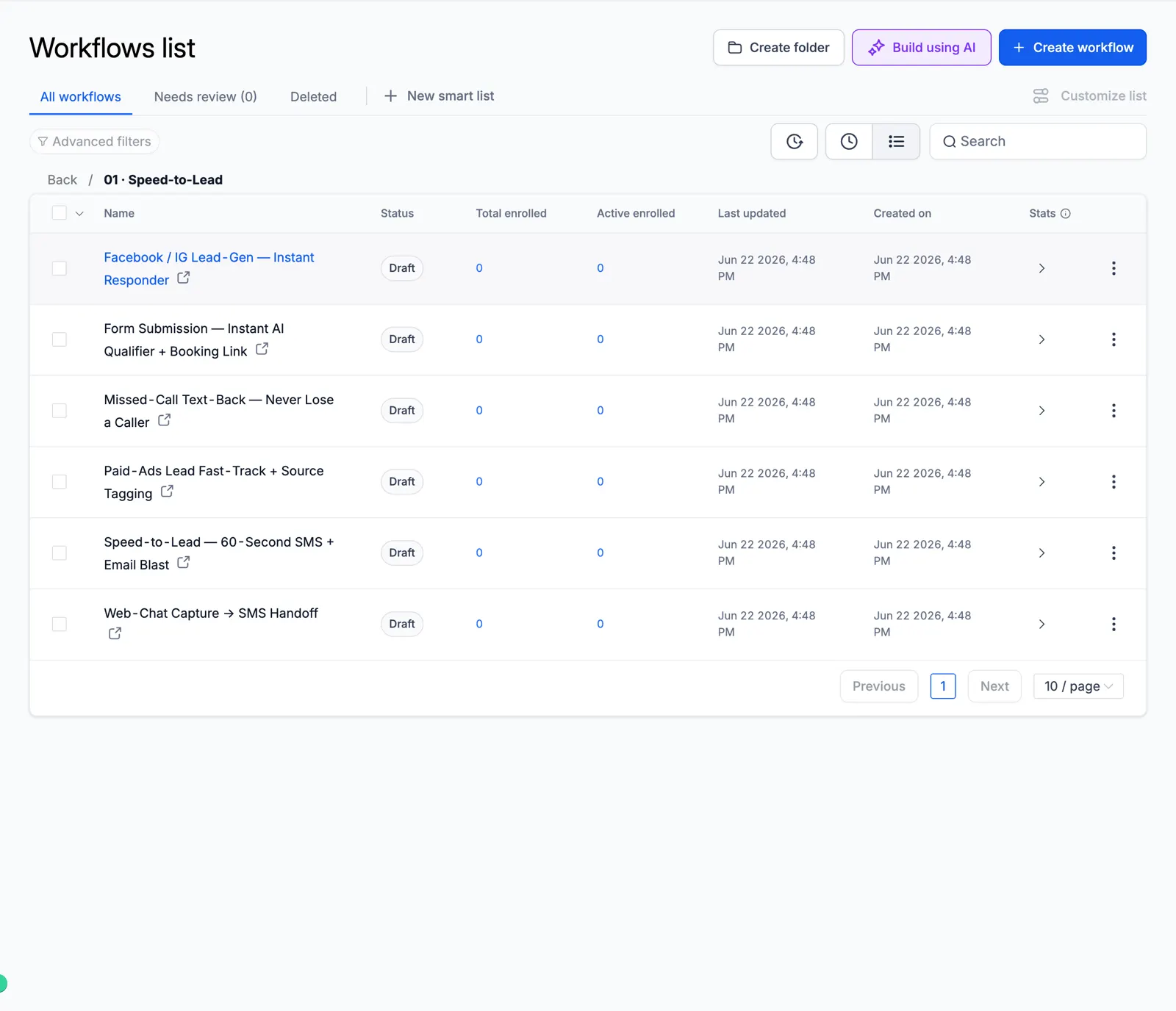
Screenshot of the Speed-to-Lead folder

02 Lead Nurture

Long follow-up that warms cold leads.
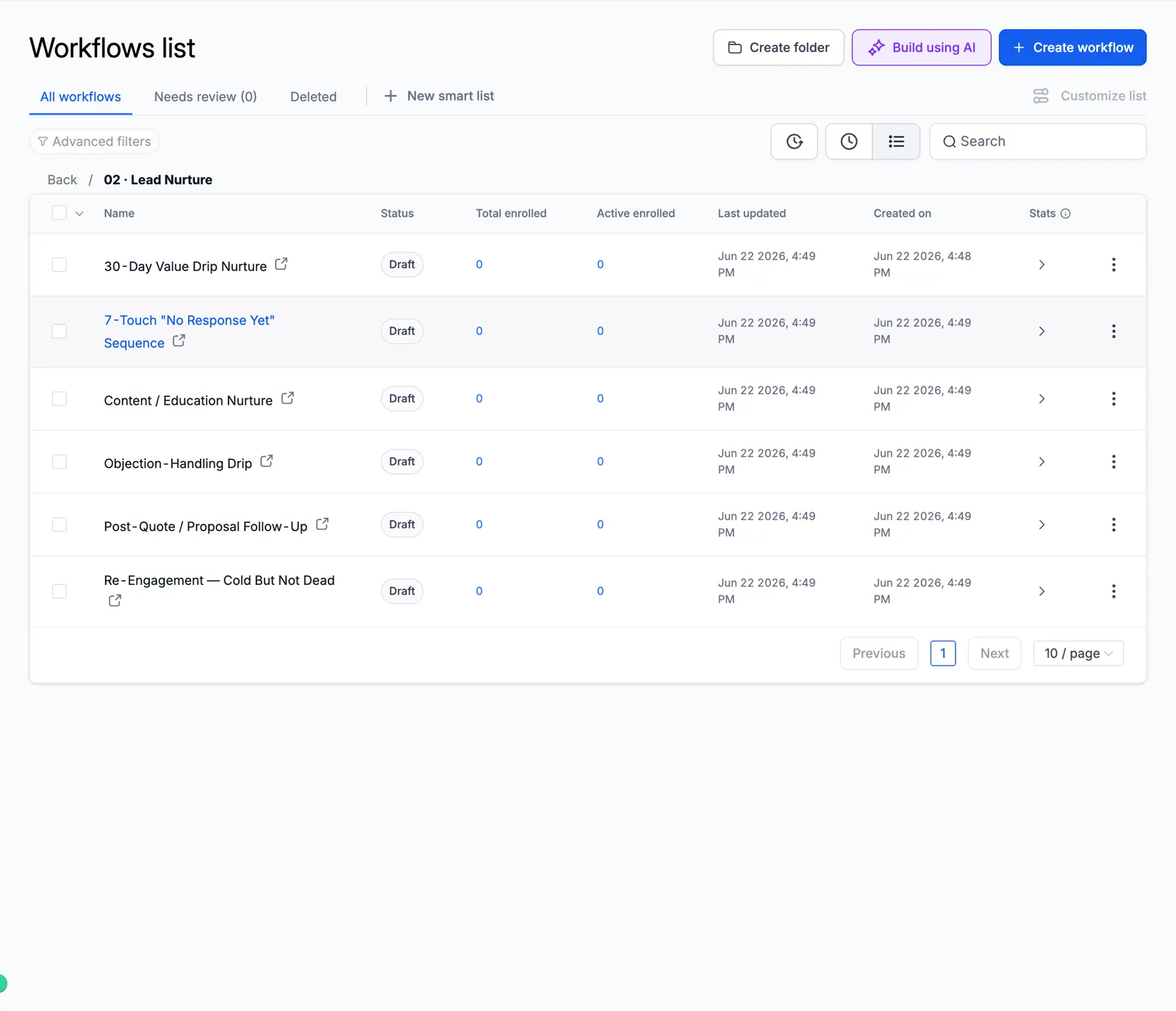
Screenshot of the Lead Nurture folder

03 AI Qualification & Routing

AI scores and routes every lead.
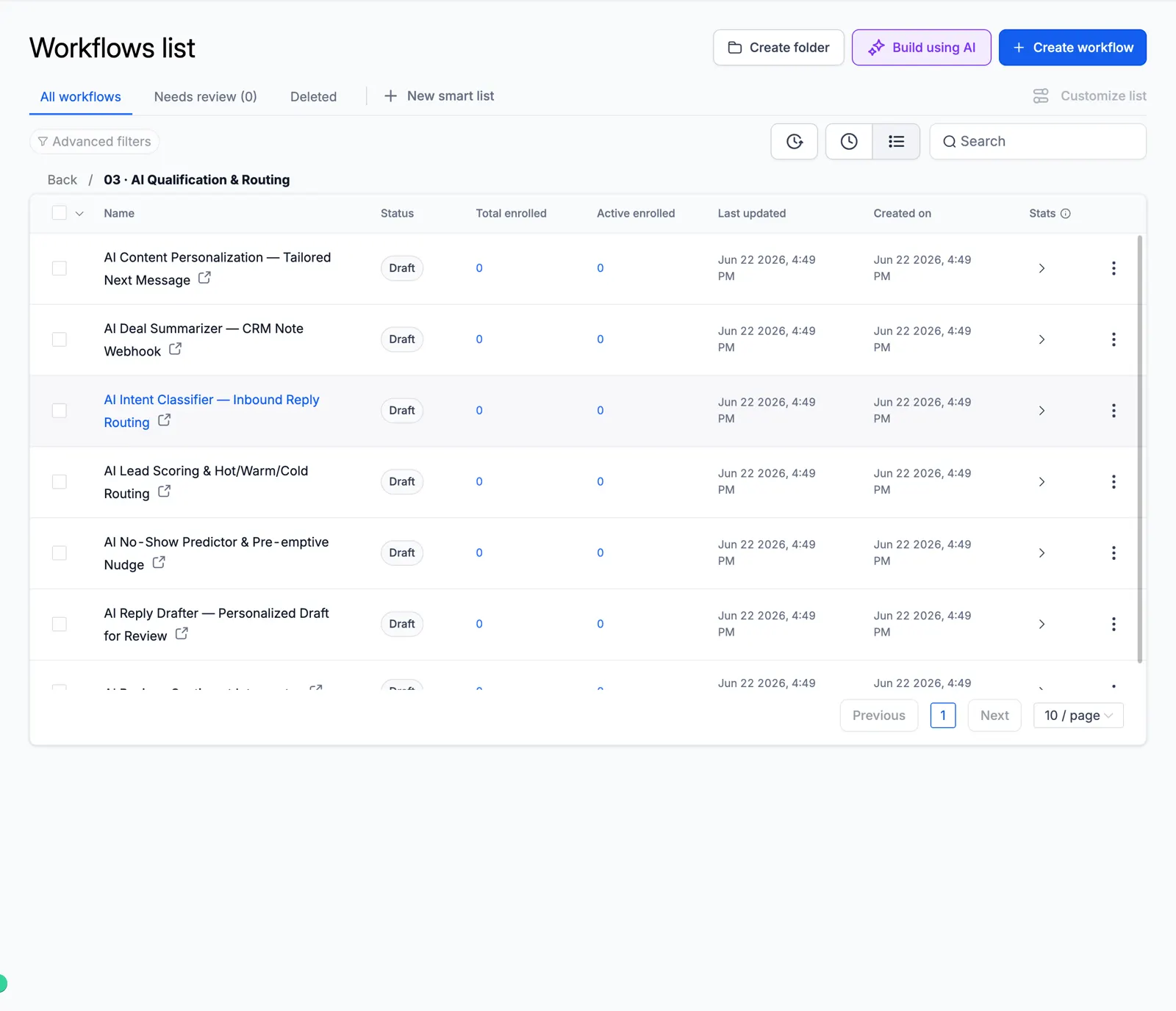
Screenshot of the AI Qualification & Routing folder

04 Appointment & Booking

Booking, reminders, no-show recovery.
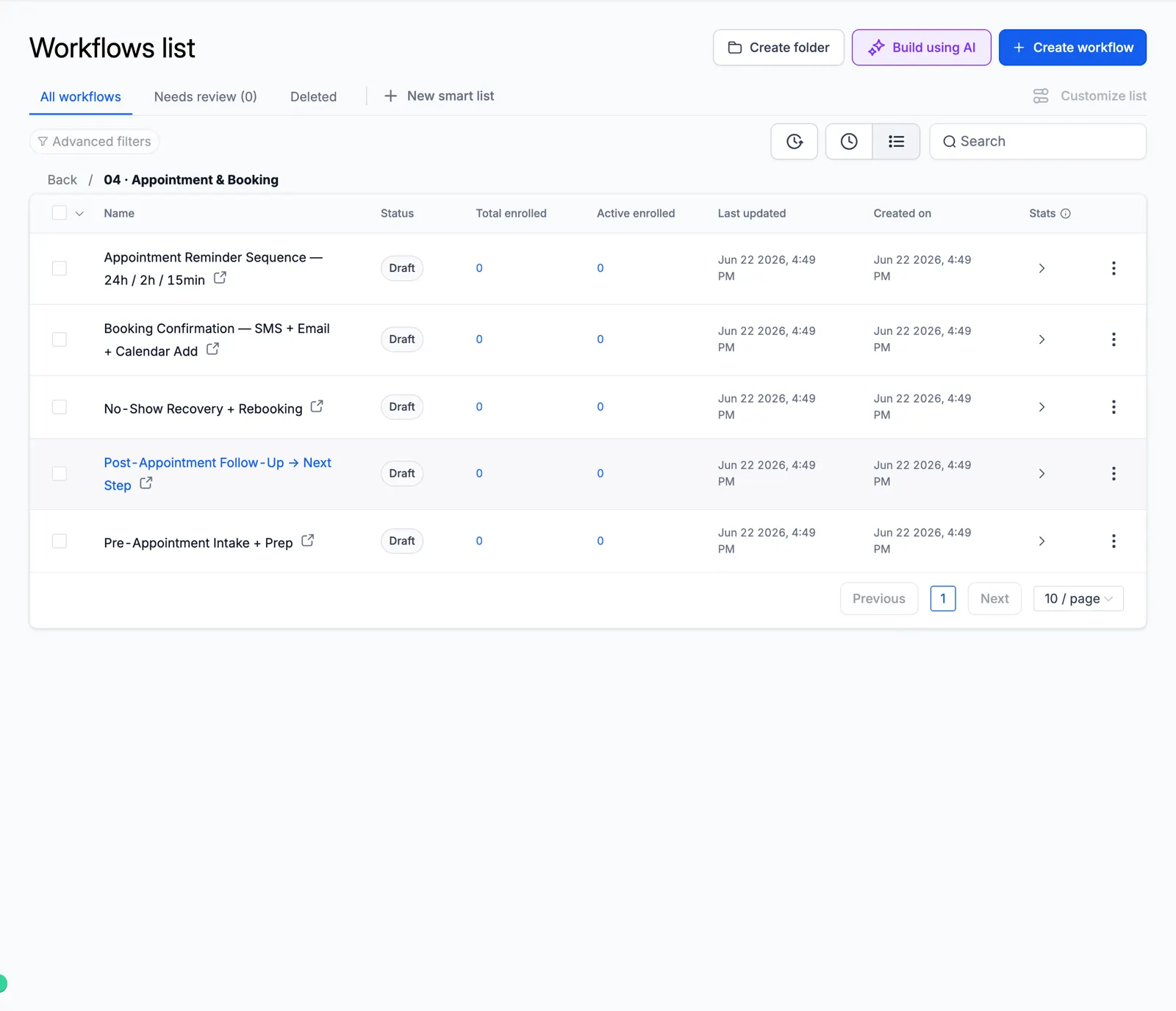
Screenshot of the Appointment & Booking folder

05 Reviews & Reputation

Ask every customer for a review and alert your team to private feedback.
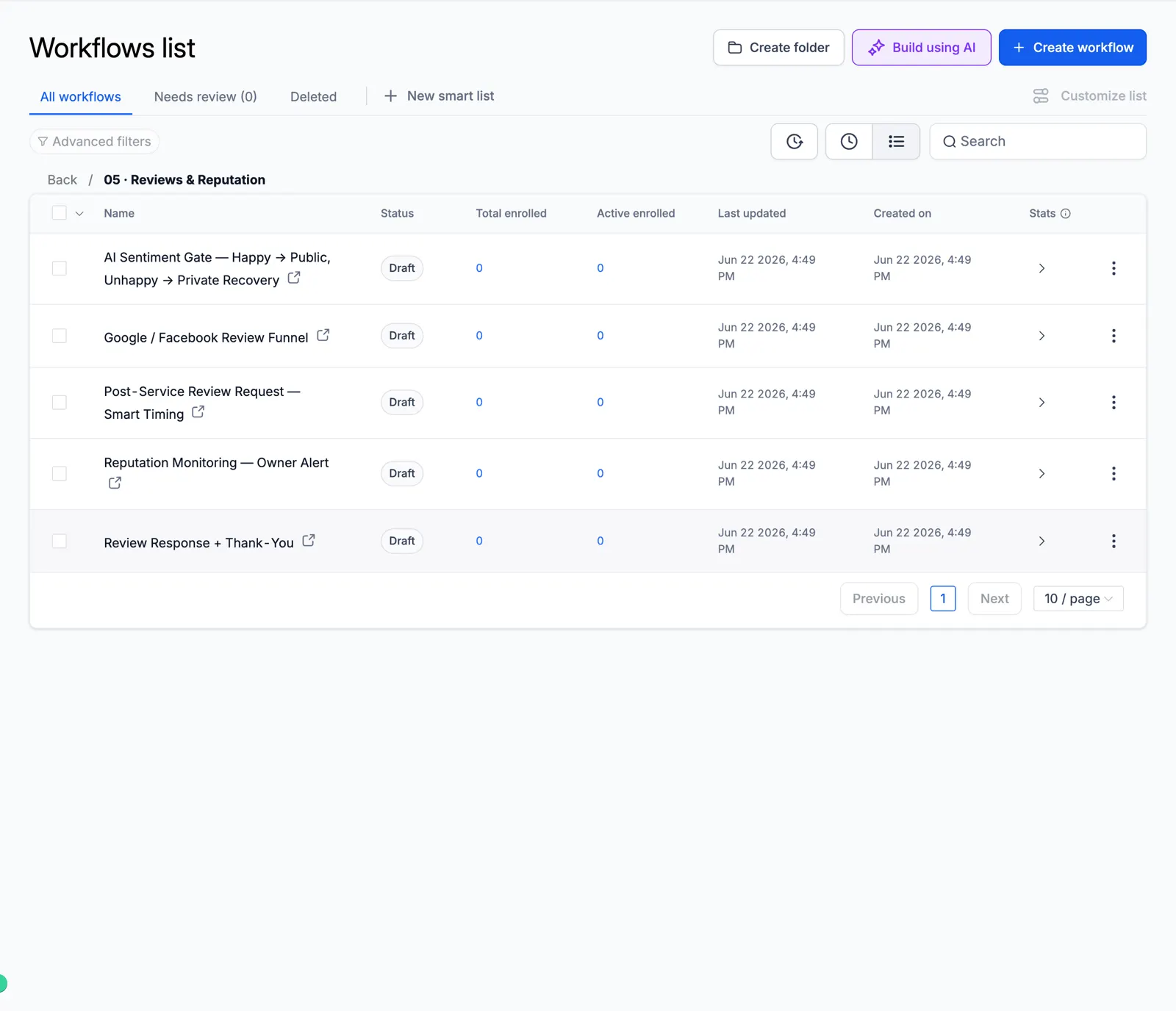
Screenshot of the Reviews & Reputation folder

06 Reactivation & Win-Back

Wake up old leads and lost customers.
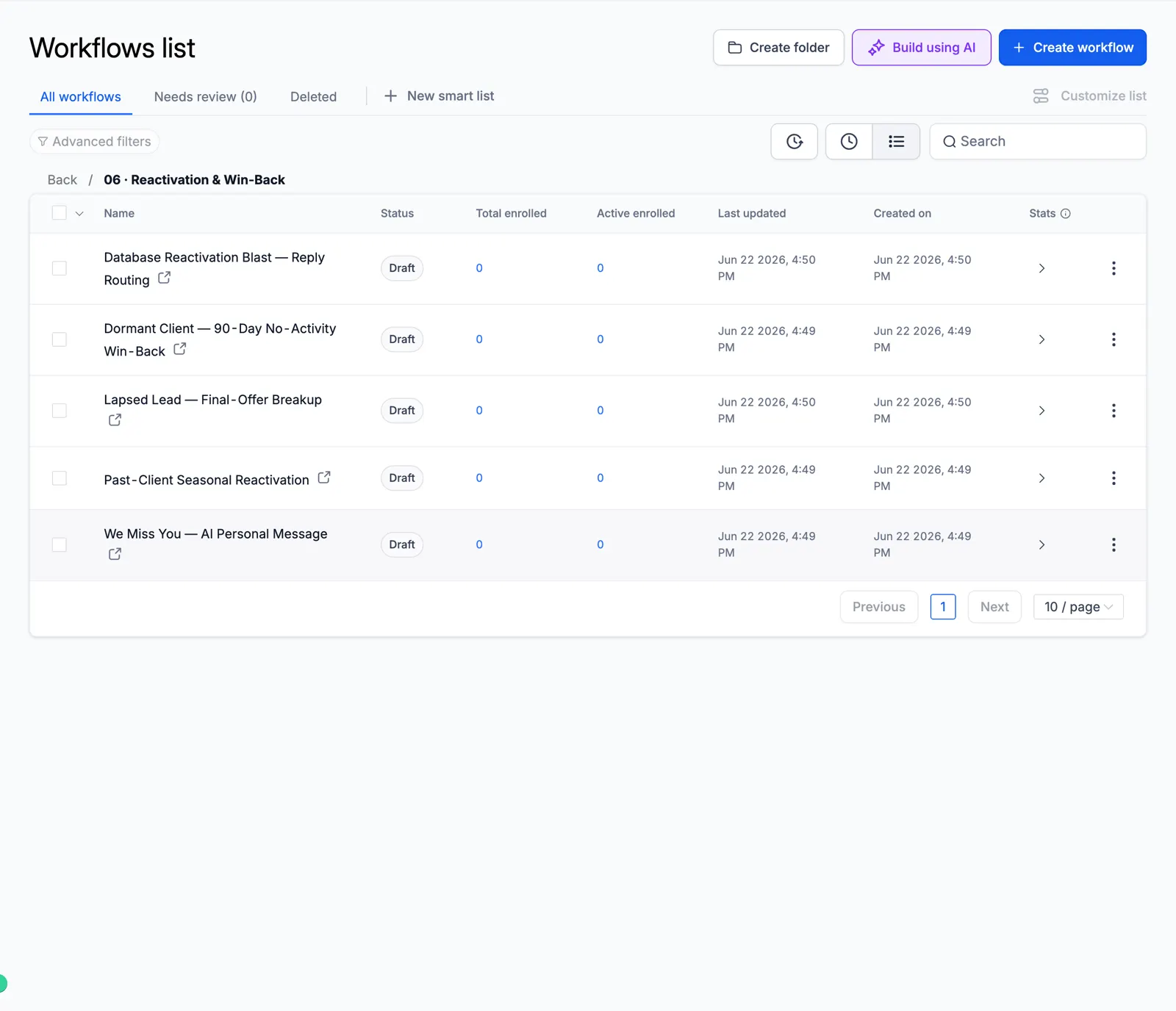
Screenshot of the Reactivation & Win-Back folder

07 Retention & Loyalty

Keep customers coming back.
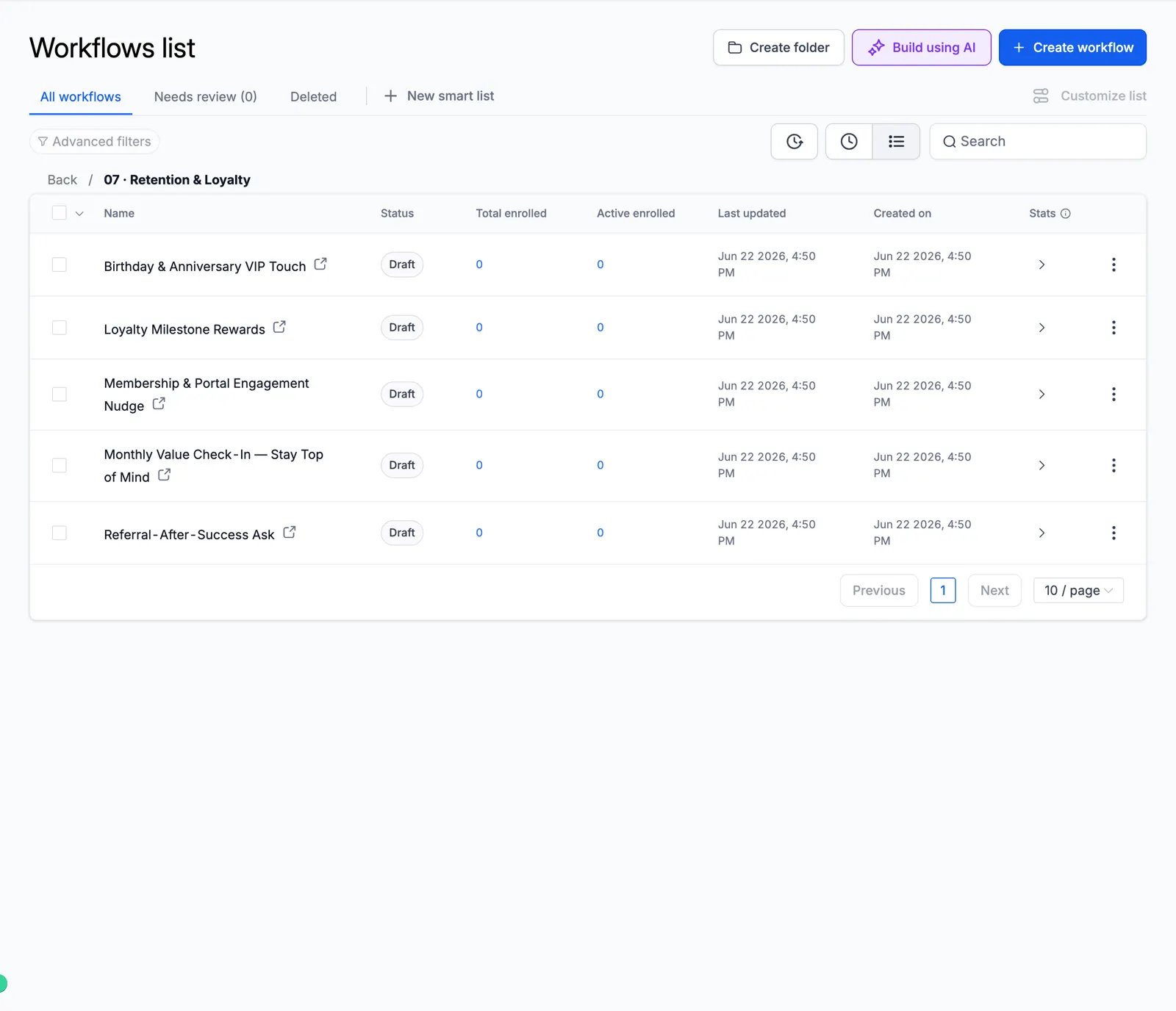
Screenshot of the Retention & Loyalty folder

08 Sales Pipeline

Move deals forward on their own.
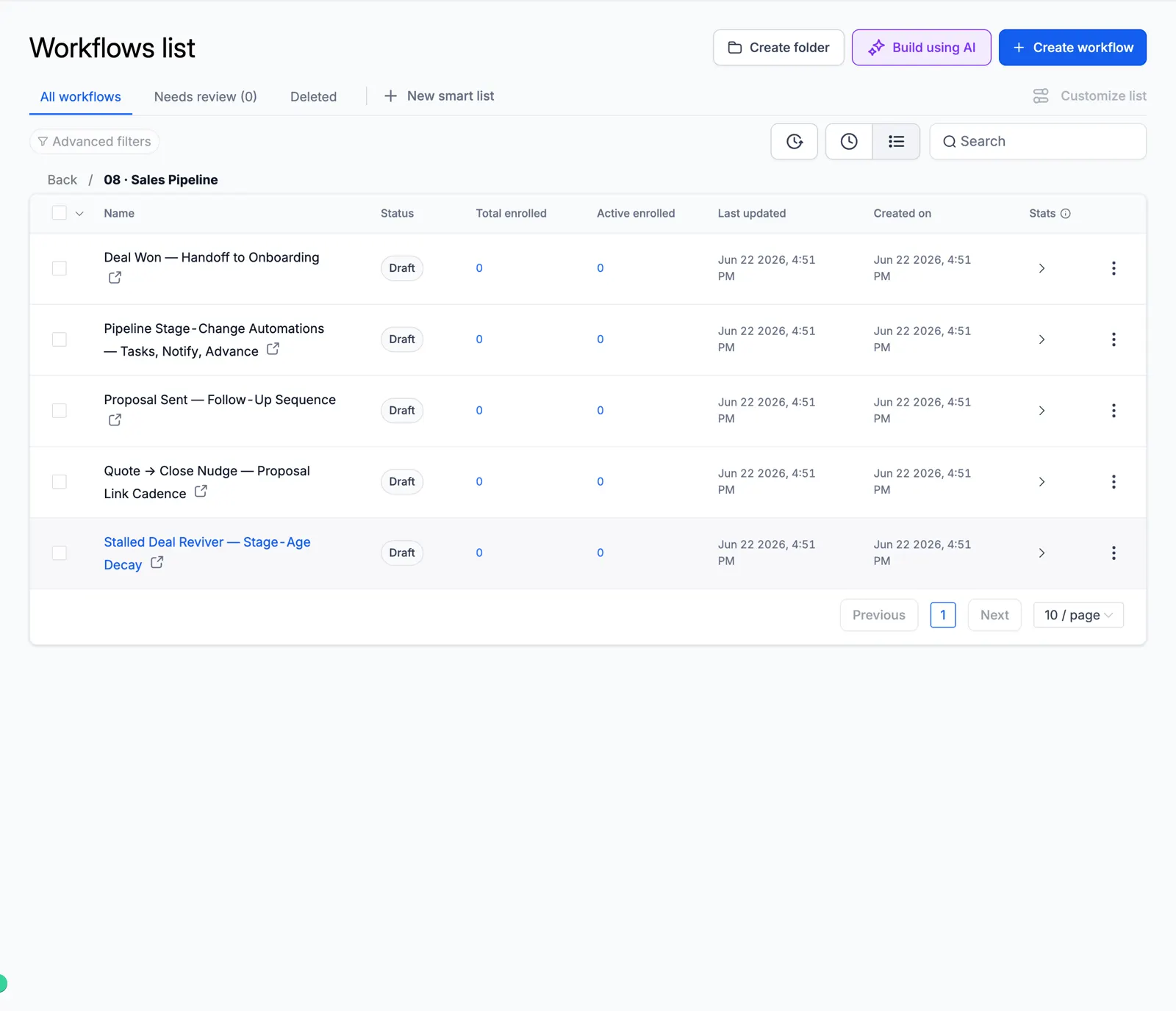
Screenshot of the Sales Pipeline folder

09 Client Onboarding

A smooth first week for new clients.
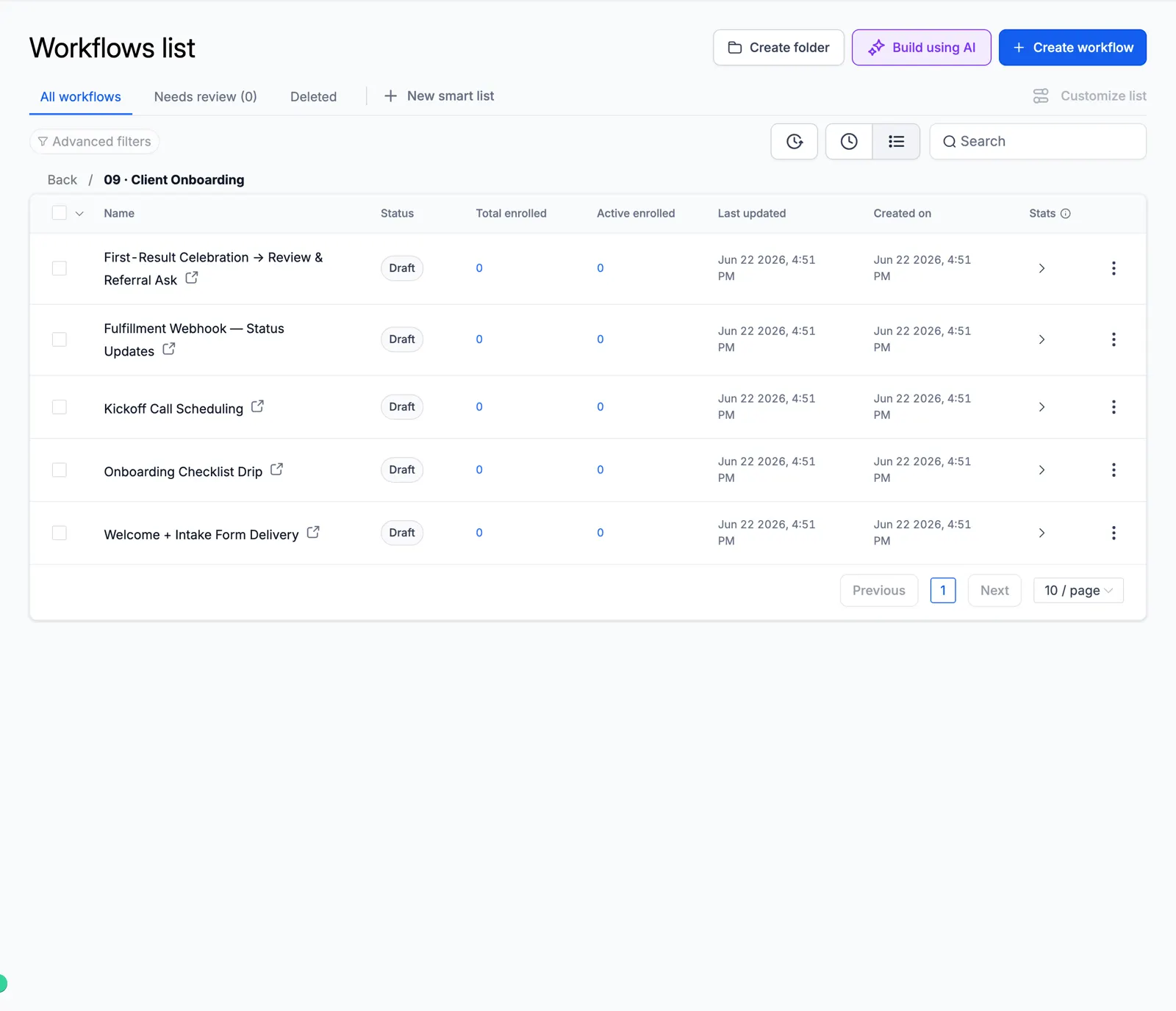
Screenshot of the Client Onboarding folder

10 Cold Outreach Engine

Multi-step cold email and SMS.
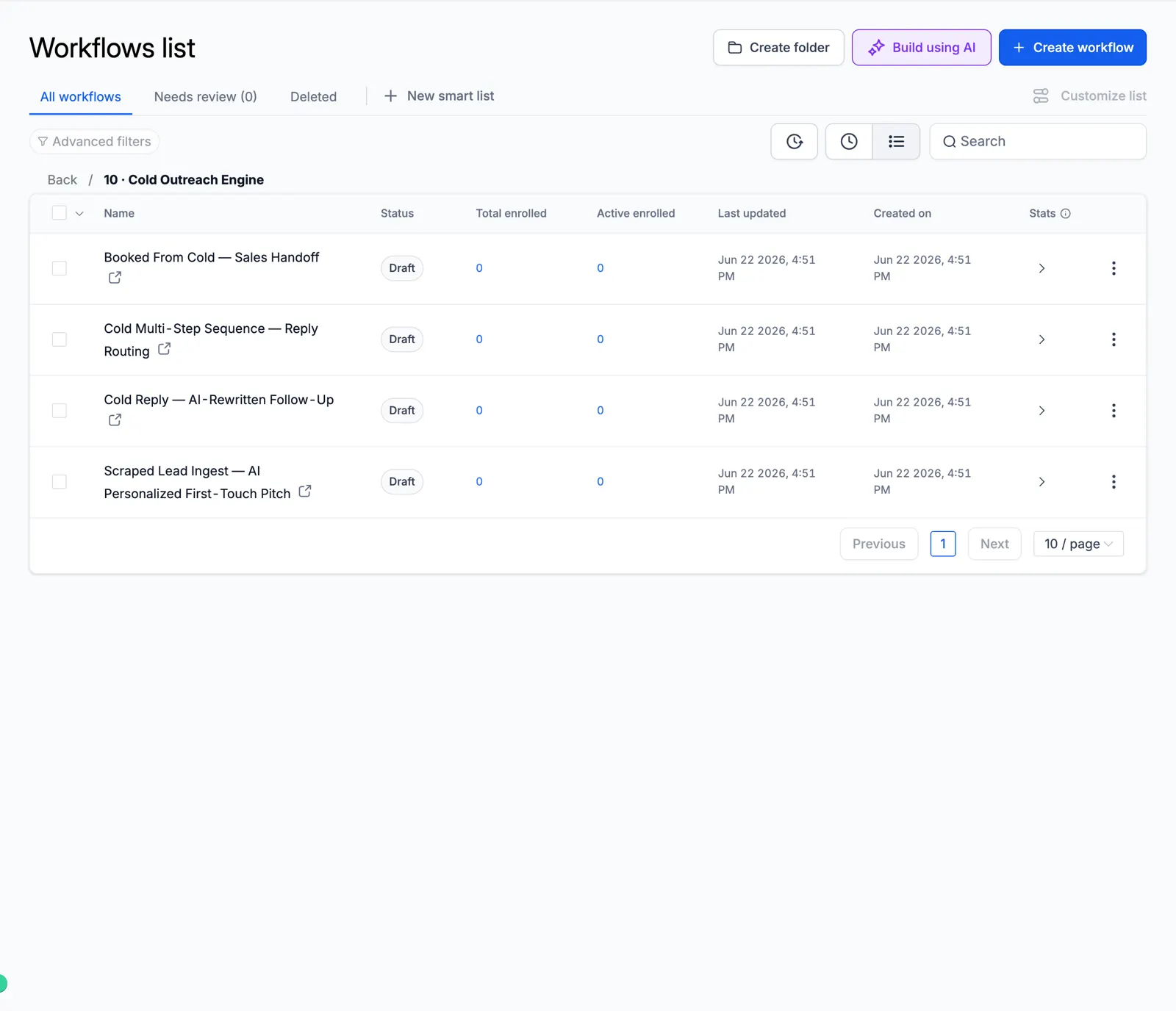
Screenshot of the Cold Outreach Engine folder

11 Referral & Growth

Ask clients for referrals.
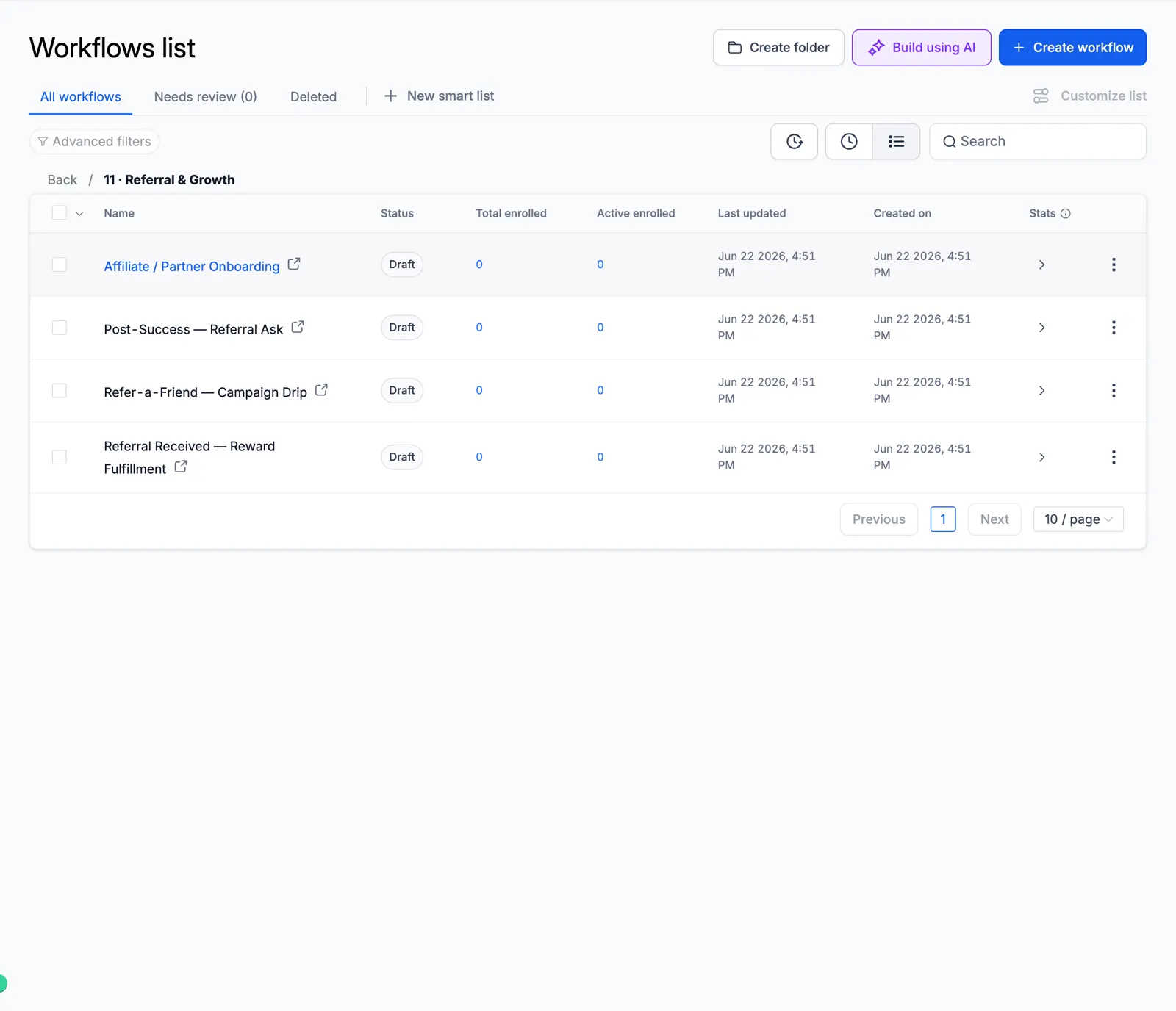
Screenshot of the Referral & Growth folder

12 Revenue Recovery

Failed payments and abandoned carts.
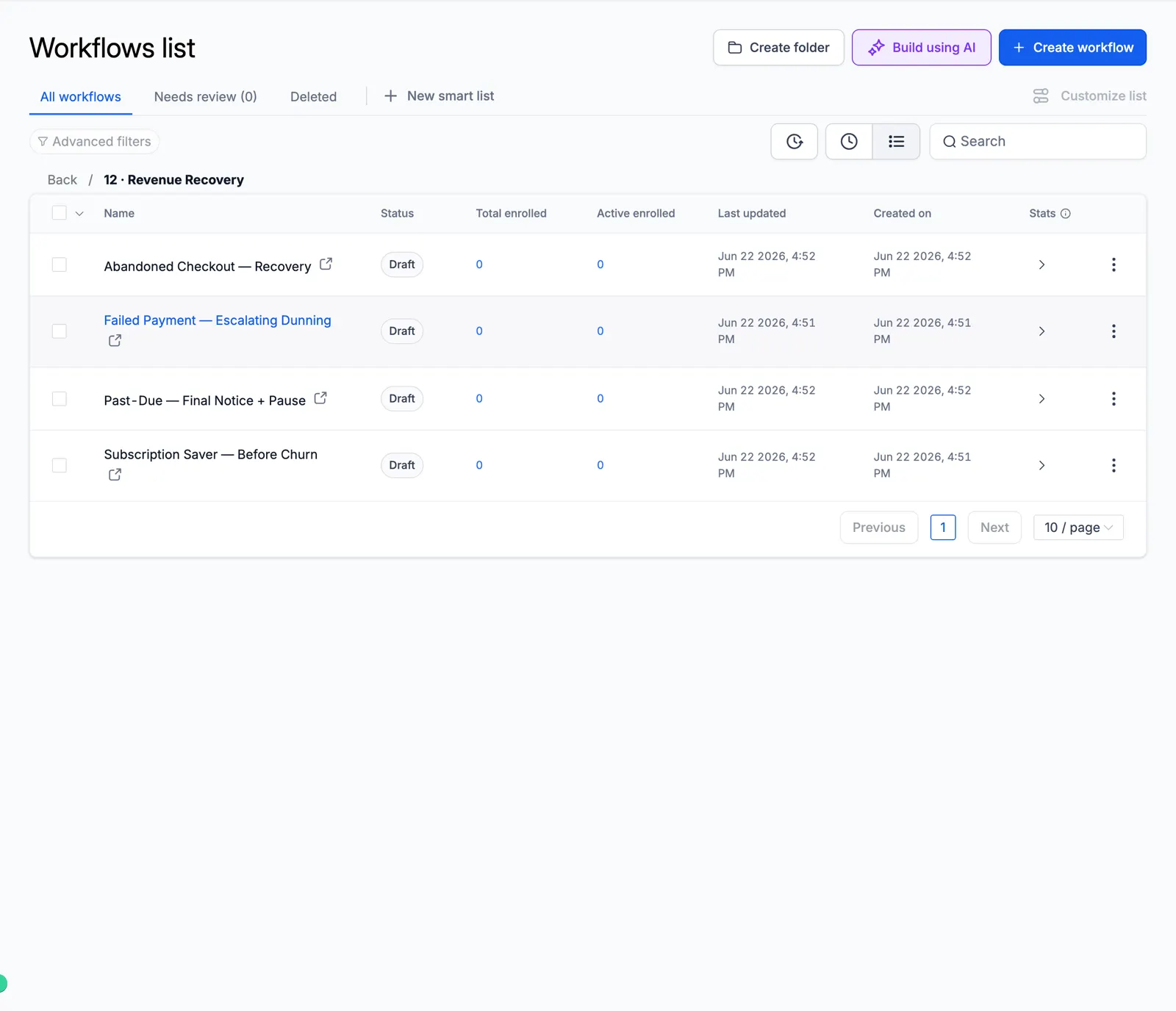
Screenshot of the Revenue Recovery folder

13 Internal Ops

Team alerts, tasks, and daily digests.
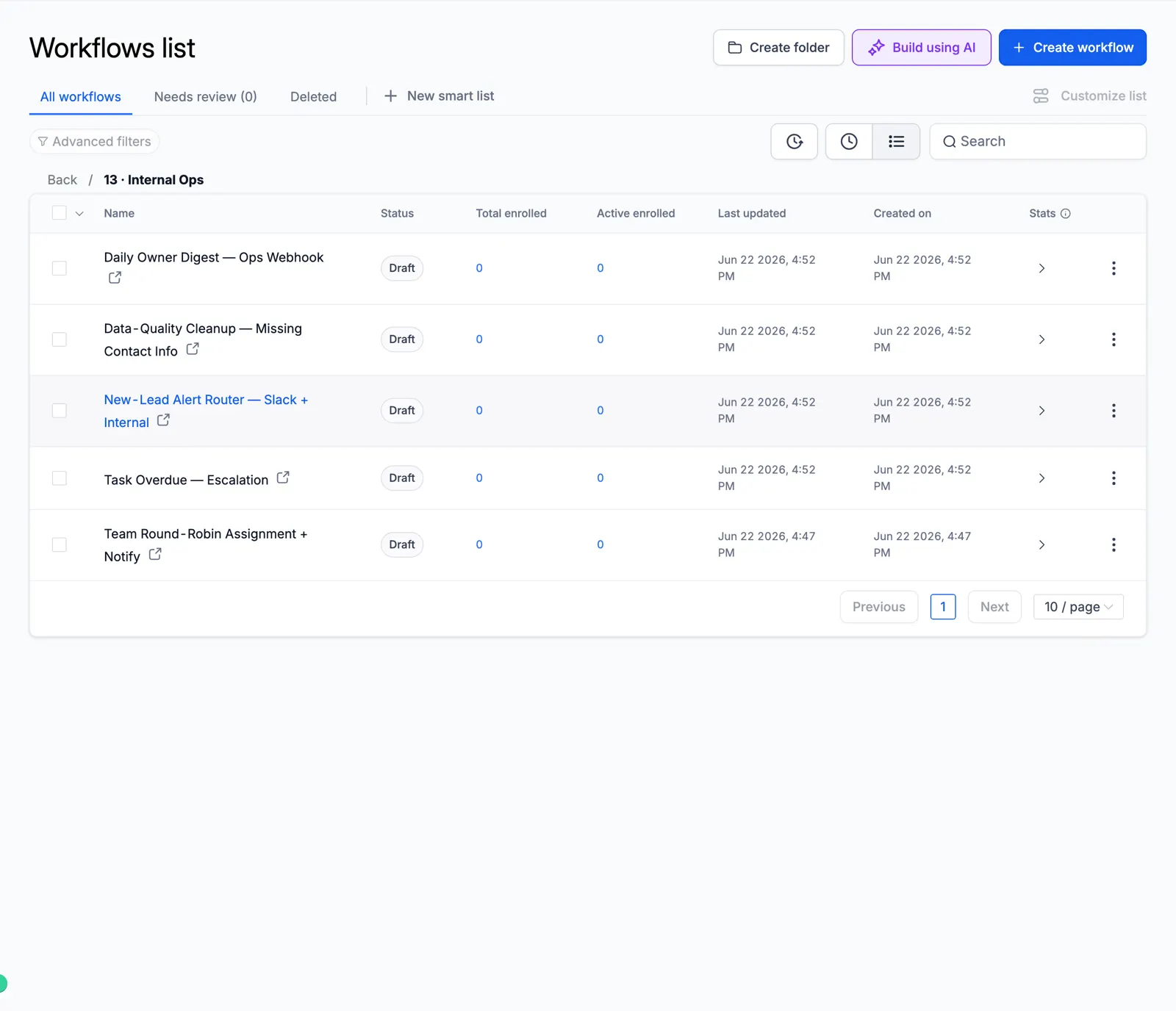
Screenshot of the Internal Ops folder

Look inside the automation

These are real workflow builder canvases from the master account. Each one shows the actual steps, so you can see how the automation runs before you import it.

Missed-Call Text-Back

The moment a call is missed, it tags the caller, sends an instant text back, alerts the rep, waits, and follows up.
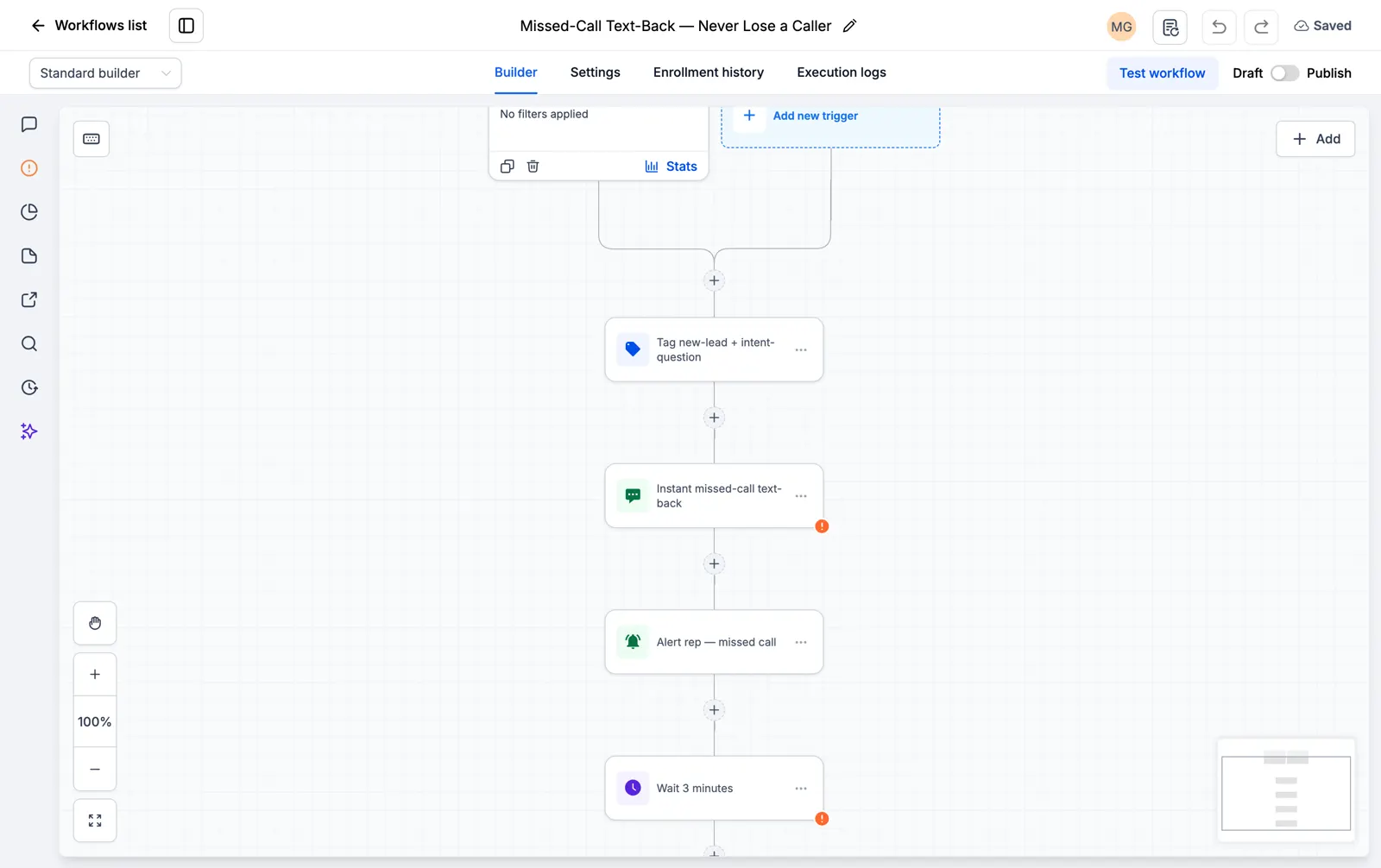
Screenshot of the Missed-Call Text-Back canvas

Facebook and Instagram Lead Instant Responder

The second a lead form comes in, it texts and emails the lead and starts the follow-up.
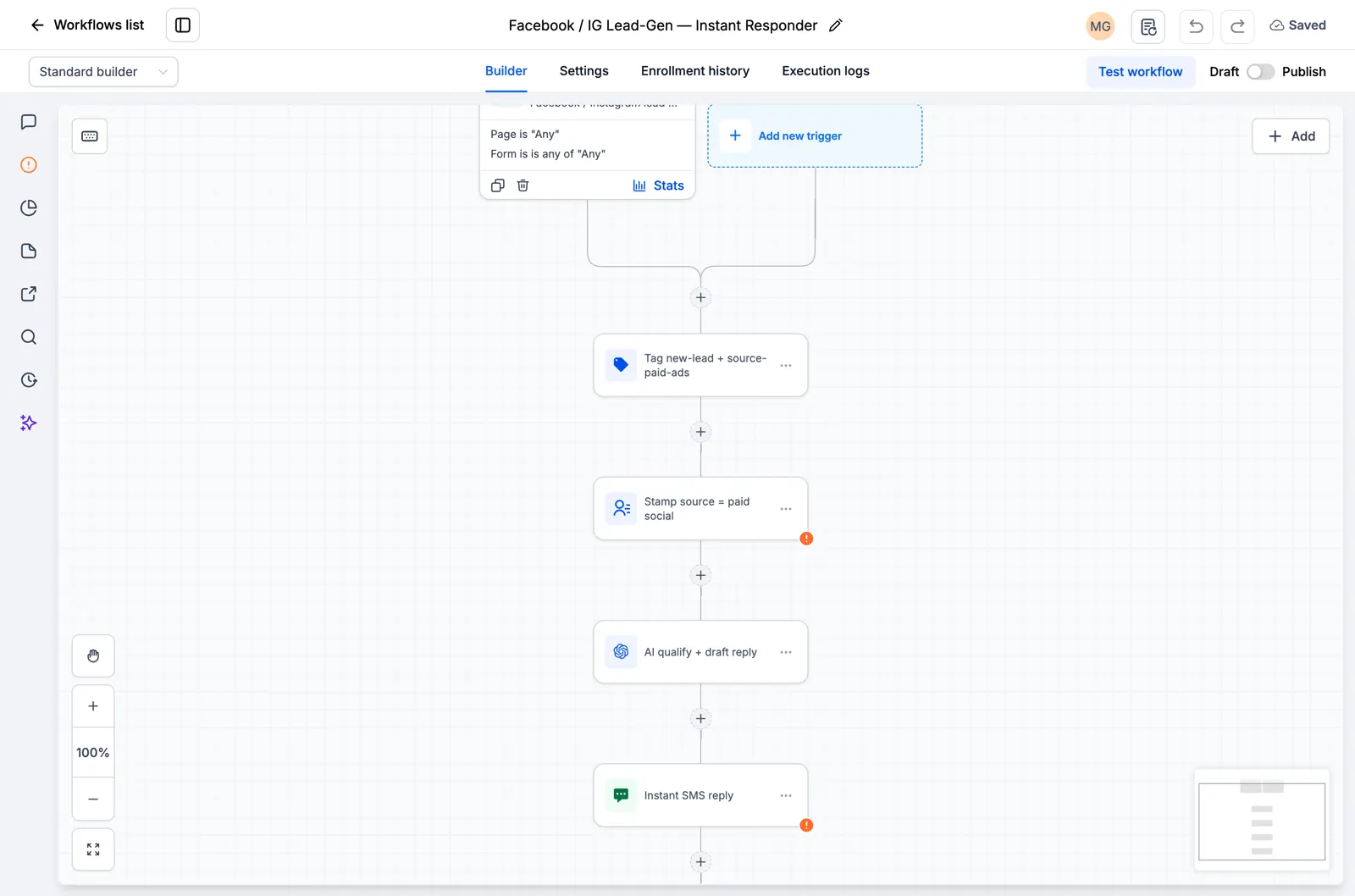
Screenshot of the Facebook and Instagram Lead Instant Responder canvas

Speed to Lead, 60-Second SMS and Email Blast

A new lead gets an SMS and an email inside the first minute, when they are most likely to reply.
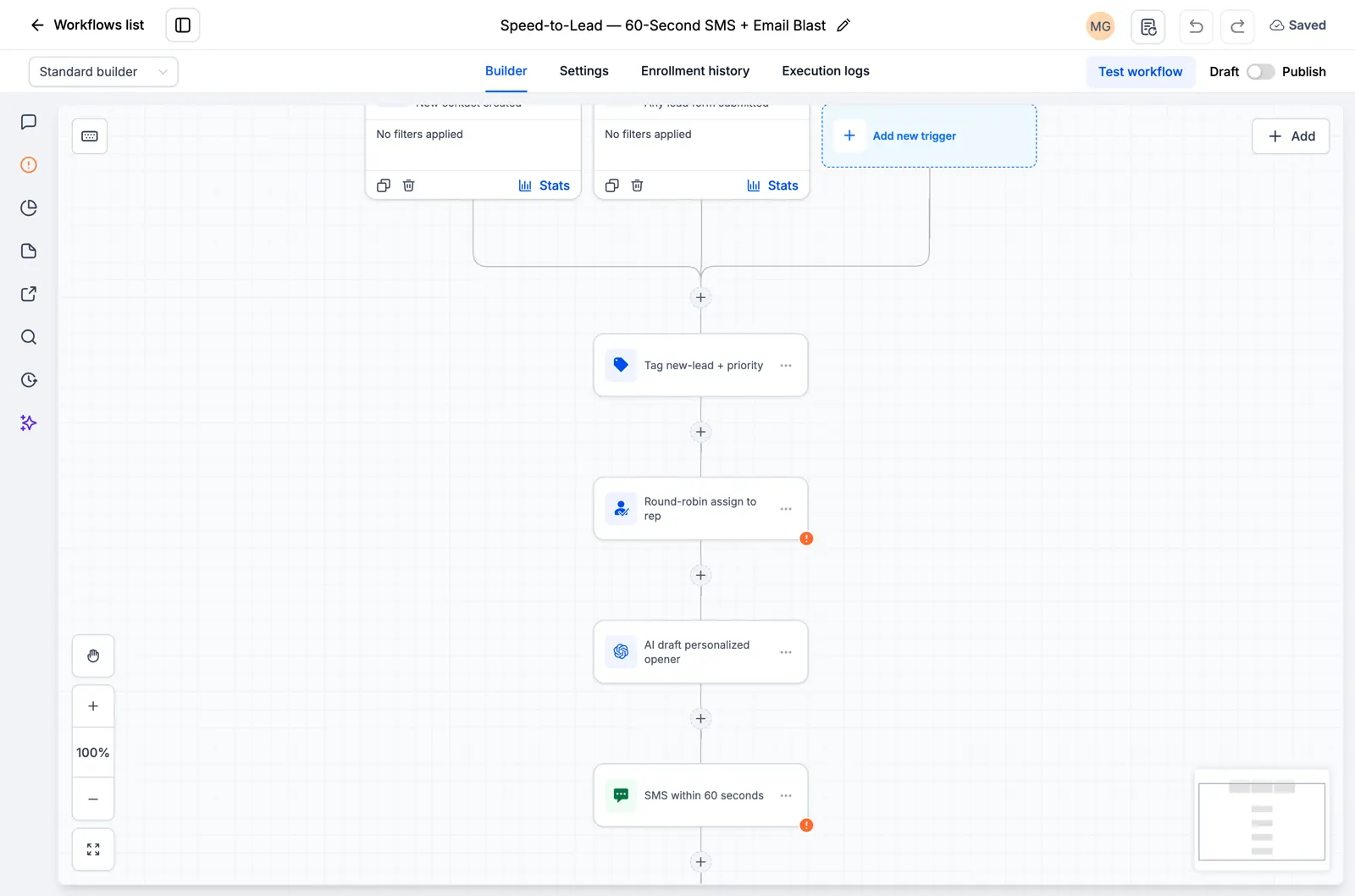
Screenshot of the Speed to Lead, 60-Second SMS and Email Blast canvas

Google and Facebook Review Funnel

It asks every customer for a public review by SMS and follows up a few days later.
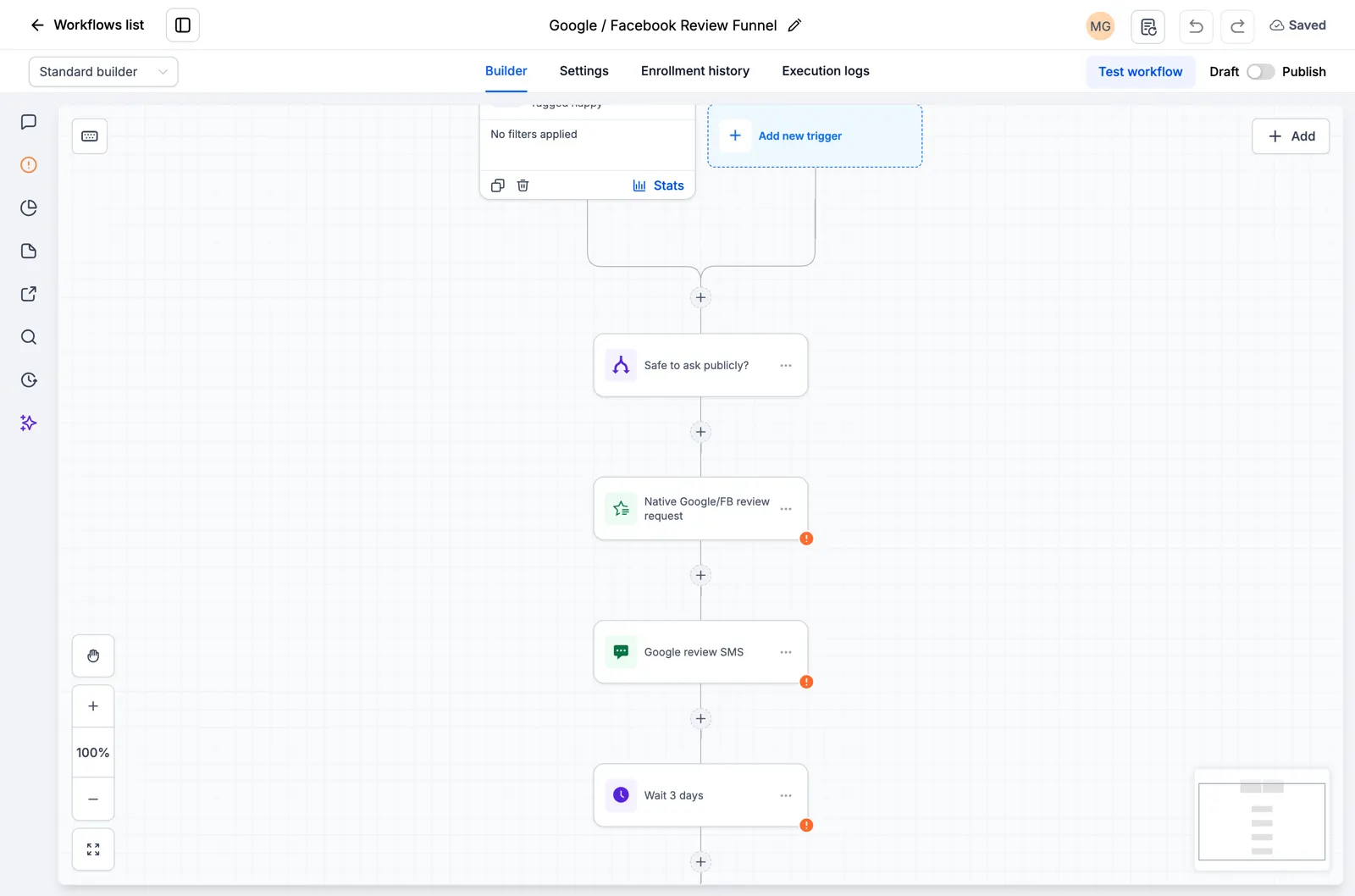
Screenshot of the Google and Facebook Review Funnel canvas

AI Feedback Alert

Every customer gets the same review request. Low scores also alert your team for a private follow-up.
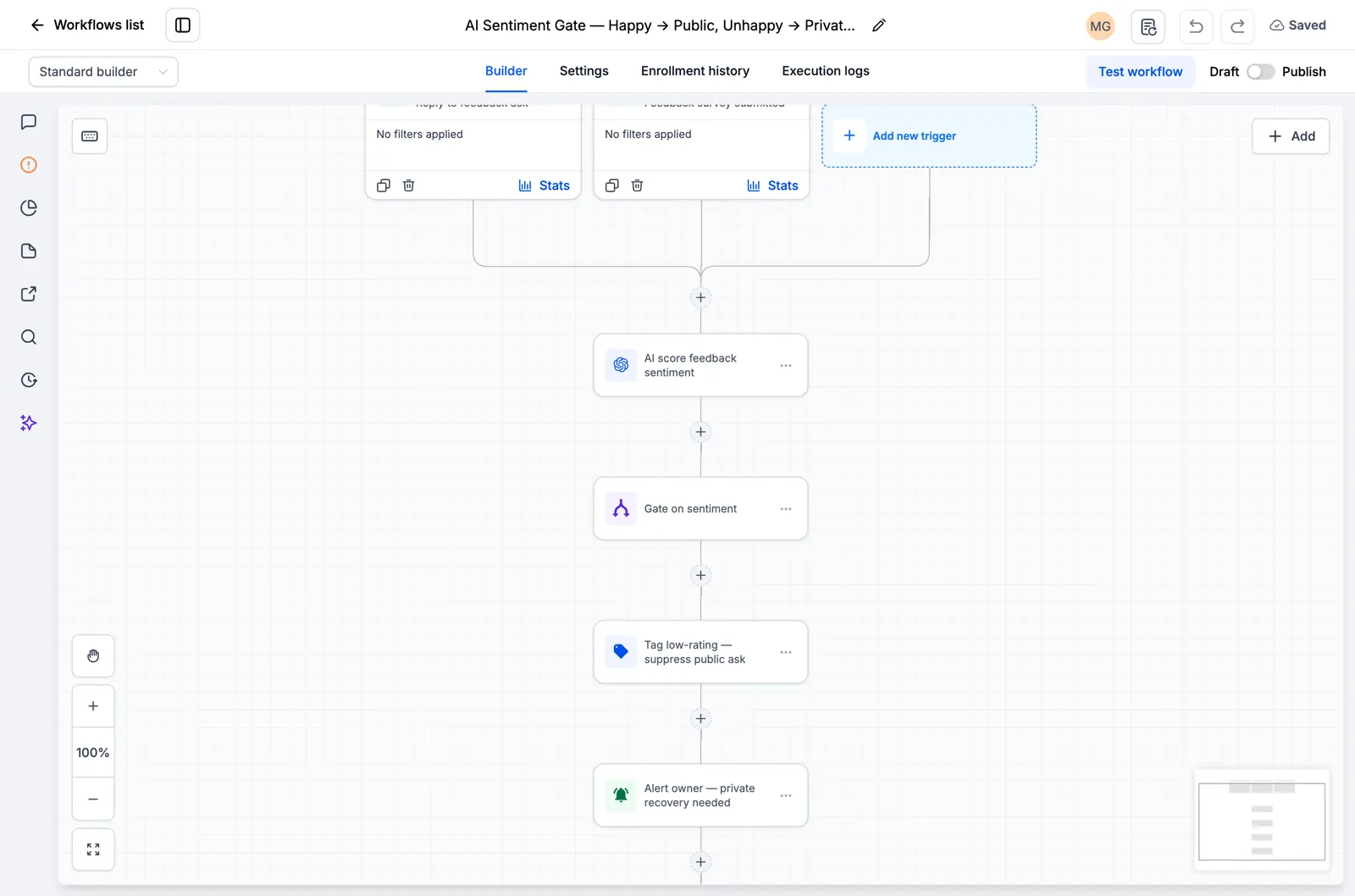
Screenshot of the AI Feedback Alert canvas

Reputation Monitoring, Owner Alert

It watches for new reviews and alerts the owner right away so nothing slips through.
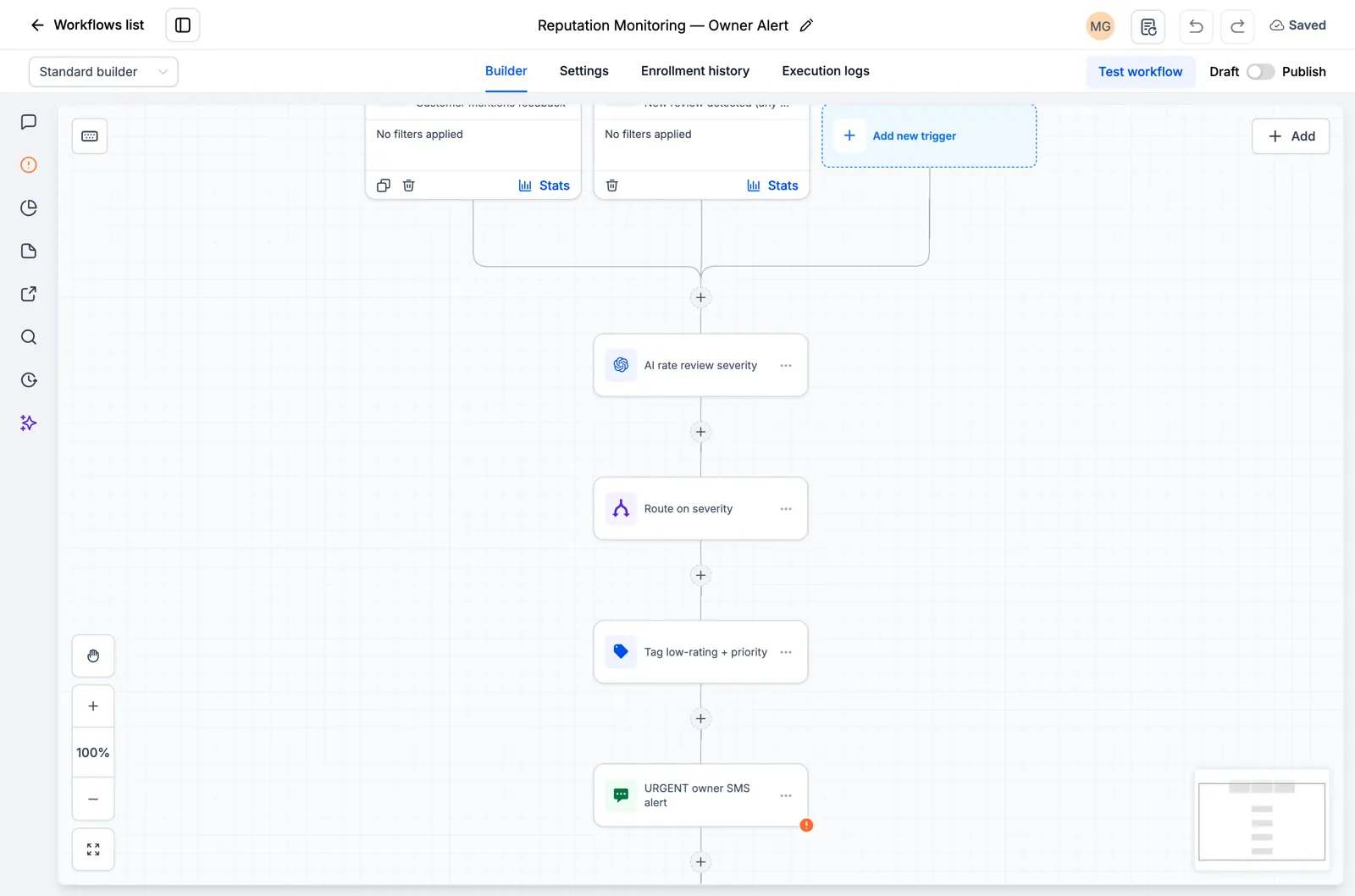
Screenshot of the Reputation Monitoring, Owner Alert canvas

Explore the current workflow library

Browse all 176 inspected drafts and the ten new niche workflow packs. Every page states what is present and what still needs setup or testing. Open the catalog.
Prova gratuita di 30 giorni + strumenti RocketLauncher gratuiti

Prova GoHighLevel per 30 giorni. Ottieni questi strumenti gratuitamente.

Iscriviti tramite il nostro link per una prova gratuita di GoHighLevel di 30 giorni. La tua libreria di snapshot, LeadMiner, CopyCat e gli altri strumenti RocketLauncher mostrati qui sono inclusi gratuitamente.

30 giorni per provare GoHighLevel. Tutti questi strumenti gratuiti.

Inizia la mia prova gratuita di 30 giorni

Utilizza il nostro collegamento per ottenere la versione di prova e gli strumenti gratuiti. Il tuo abbonamento GoHighLevel viene pagato dopo la prova; i costi di invio e i servizi di terze parti a pagamento sono separati.

  • Flusso di lavoro GoHighLevel che mostra l'assegnazione dei lead e un passaggio di follow-up SMS
    All'interno di un flusso di lavoro GoHighLevel salvato

    Snapshot + flussi di lavoro

    Imposta il tuo follow-up più velocemente

    Importa configurazioni GoHighLevel già pronte per richieste, promemoria di appuntamenti e follow-up. Aggiungi i dettagli della tua attività e prova prima di accenderli.

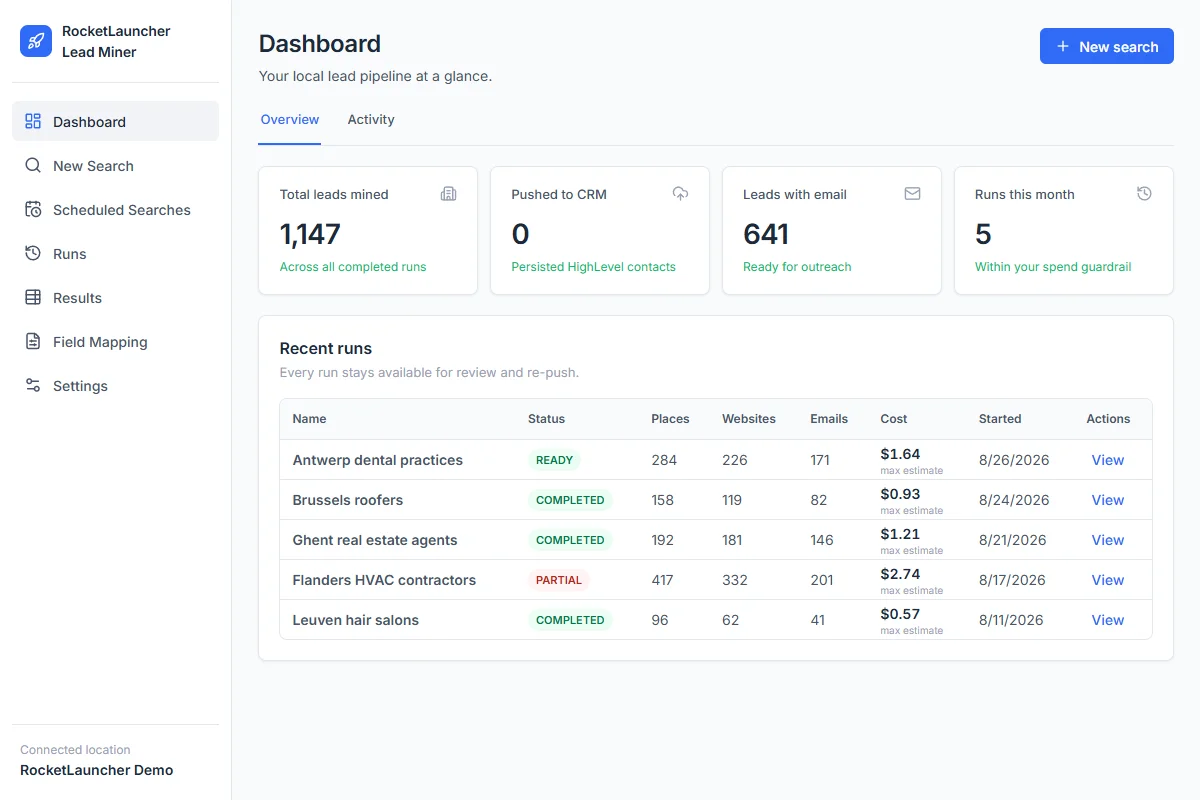
  • RocketLauncher Lead Miner dashboard demo che mostra le ricerche di attività commerciali locali e il conteggio dei lead
    Area di lavoro LeadMiner · Dati dimostrativi

    LeadMiner

    Trova attività a cui puoi vendere

    Cerca attività commerciali locali su Google Maps, esamina i loro siti Web e i dettagli di contatto, quindi invia contatti selezionati a GoHighLevel. Ad esempio: trova roofer che potrebbero utilizzare i tuoi servizi.

  • Immagine del prodotto Copy Cat GHL: copia i siti Web e le canalizzazioni GoHighLevel
    CopyCat per GoHighLevel

    CopyCat

    Copia una pagina. Adattala alla tua attività.

    Copia un sito web o una canalizzazione GoHighLevel nel tuo account. Modifica il logo, le immagini e il testo della tua azienda o del tuo cliente. Utilizza le pagine di tua proprietà o sei autorizzato a riutilizzarle.

  • Inoltre tutorial, aiuto della community e altri strumenti RocketLauncher

    Ottieni aiuto per configurare gli strumenti e mettere in funzione lo snapshot scelto.

Ottieni il pacchetto in 3 passaggi

  1. 1.Inizia la tua prova gratuita di 30 giorni

    Utilizza il nostro collegamento GoHighLevel qui sopra per ottenere la prova di 30 giorni e qualificarti per tutti gli strumenti gratuiti mostrati qui.

  2. 2.Richiedi il tuo accesso

    Unisciti alla community RocketLauncher e richiedi l'accesso al pacchetto dopo esserti registrato tramite il nostro link.

  3. 3.Scegli un'snapshot e installa

    Ottieni il collegamento di importazione per uno snapshot disponibile. Importalo nel tuo account GoHighLevel, aggiungi i dettagli della tua attività ed effettua un test prima dell'attivazione.

Hai già iniziato tramite il nostro link? Richiedi l'accesso

I pacchetti di anteprima sono ancora in fase di preparazione e non sono pronti per l'installazione. Controlla lo stato di ogni pacchetto prima di scegliere.

Link partner: guadagniamo una commissione se ti iscrivi, senza costi aggiuntivi per te.