Cet article est actuellement disponible en anglais. Lire l’original

Inside the snapshot

Inside the GoHighLevel workflow builder

See the workflow builder up close. These earlier captures document the master account; the current catalog lists 176 saved drafts, including 40 new workflows across ten niche packs.

  • 3 min de lecture
  • Sections 4
  • 14 octobre 2026 mis à jour
Sur cette page

These earlier captures show the master workflow folders and six builder canvases. For the latest saved workflows and their setup requirements, use the current workflow catalog.

  • Historical folder captures from the master account.
  • A look inside 6 real workflow builder canvases, so you see the actual steps before you import.
  • Free to join: join the community and start GoHighLevel through the partner link.

Build it yourself or import it

A snapshot can transfer a workflow structure into another account. Review its export status, dependencies and test results before using it with real contacts.

These are real screenshots from the master account you get a copy of. Nothing here is a mockup.

Every workflow, folder by folder

The following archive covers 13 folders. Each screenshot shows the folder view at the time it was captured.

01 Speed-to-Lead

Respond to every new lead in seconds.
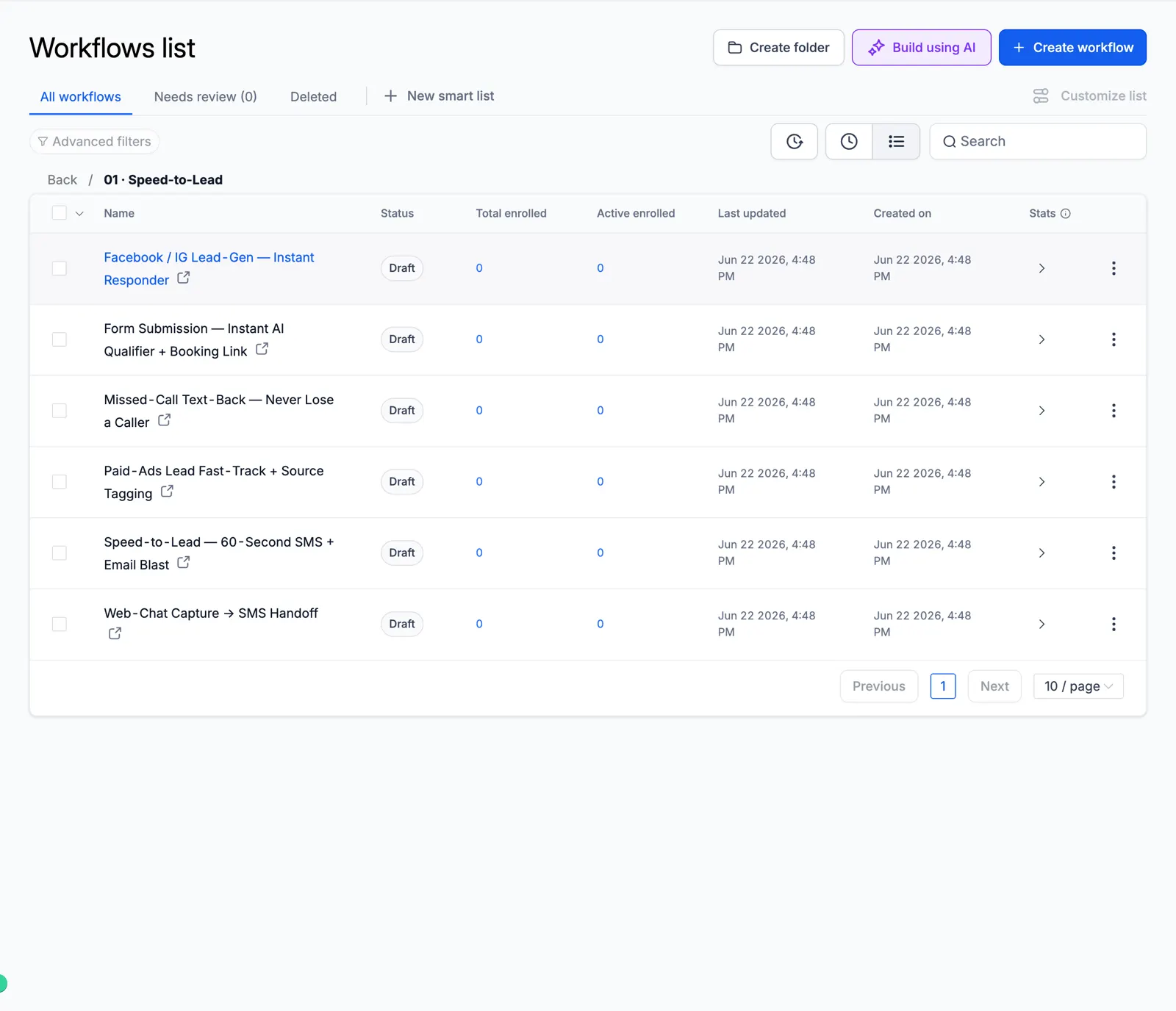
Screenshot of the Speed-to-Lead folder

02 Lead Nurture

Long follow-up that warms cold leads.
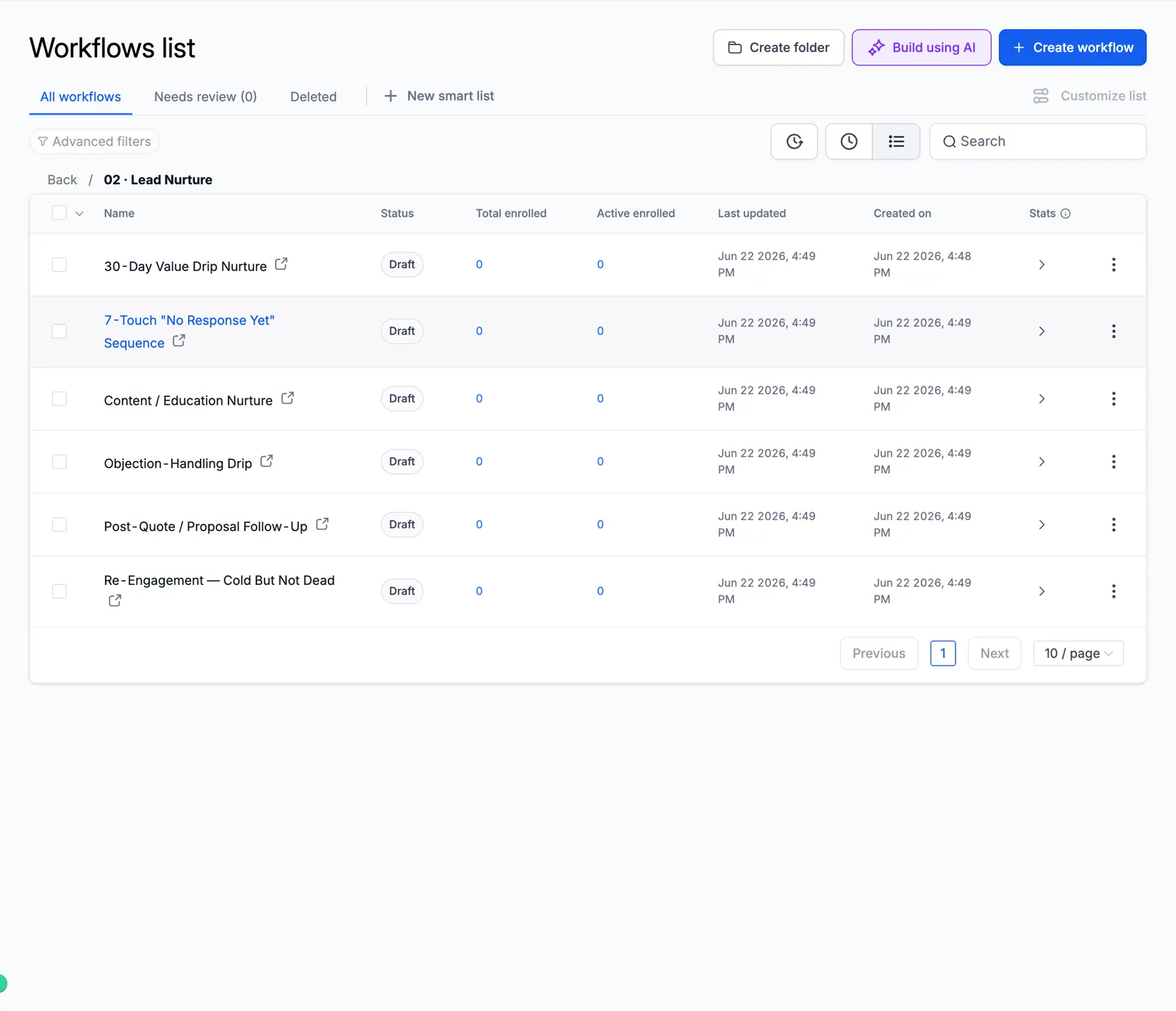
Screenshot of the Lead Nurture folder

03 AI Qualification & Routing

AI scores and routes every lead.
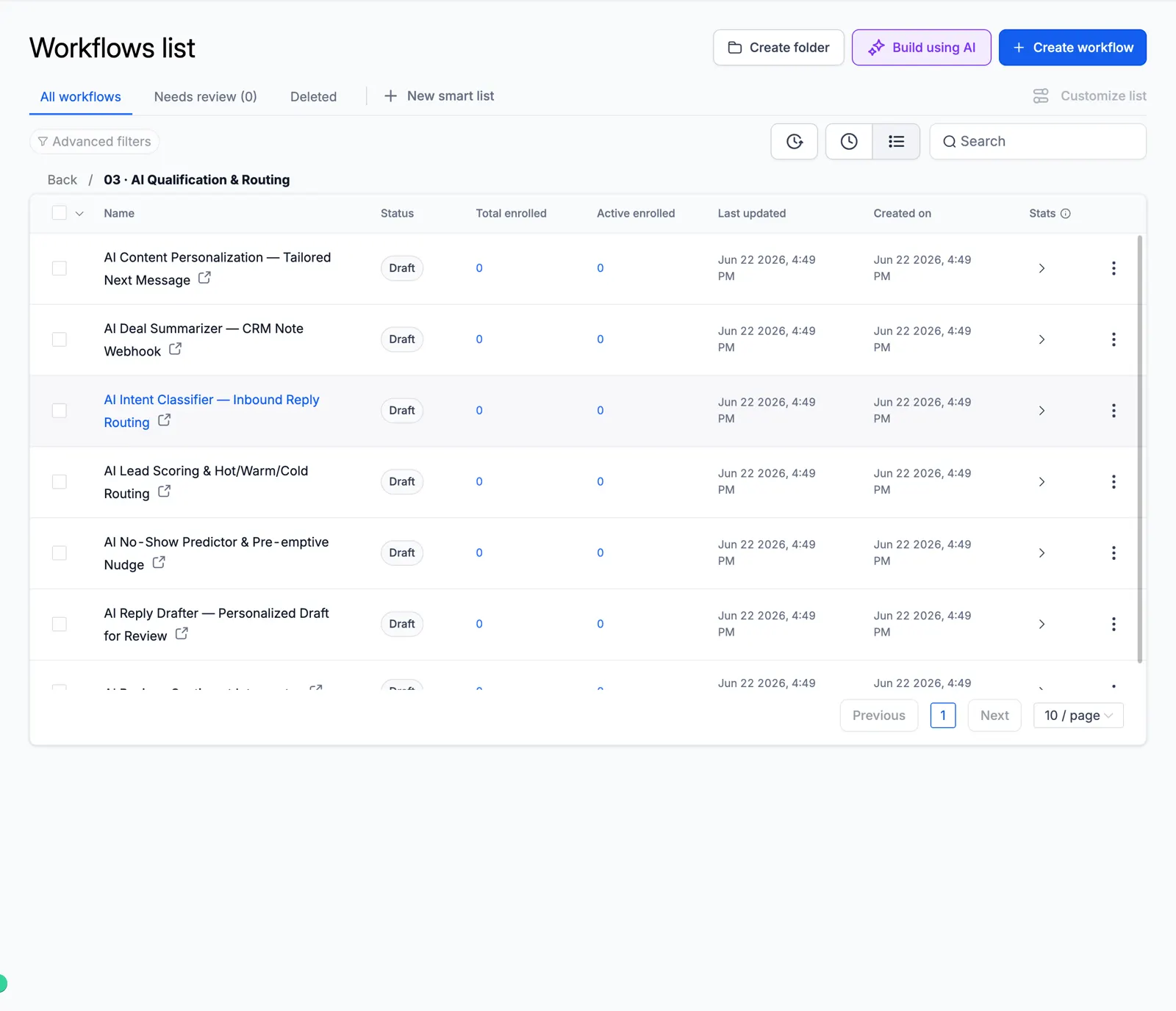
Screenshot of the AI Qualification & Routing folder

04 Appointment & Booking

Booking, reminders, no-show recovery.
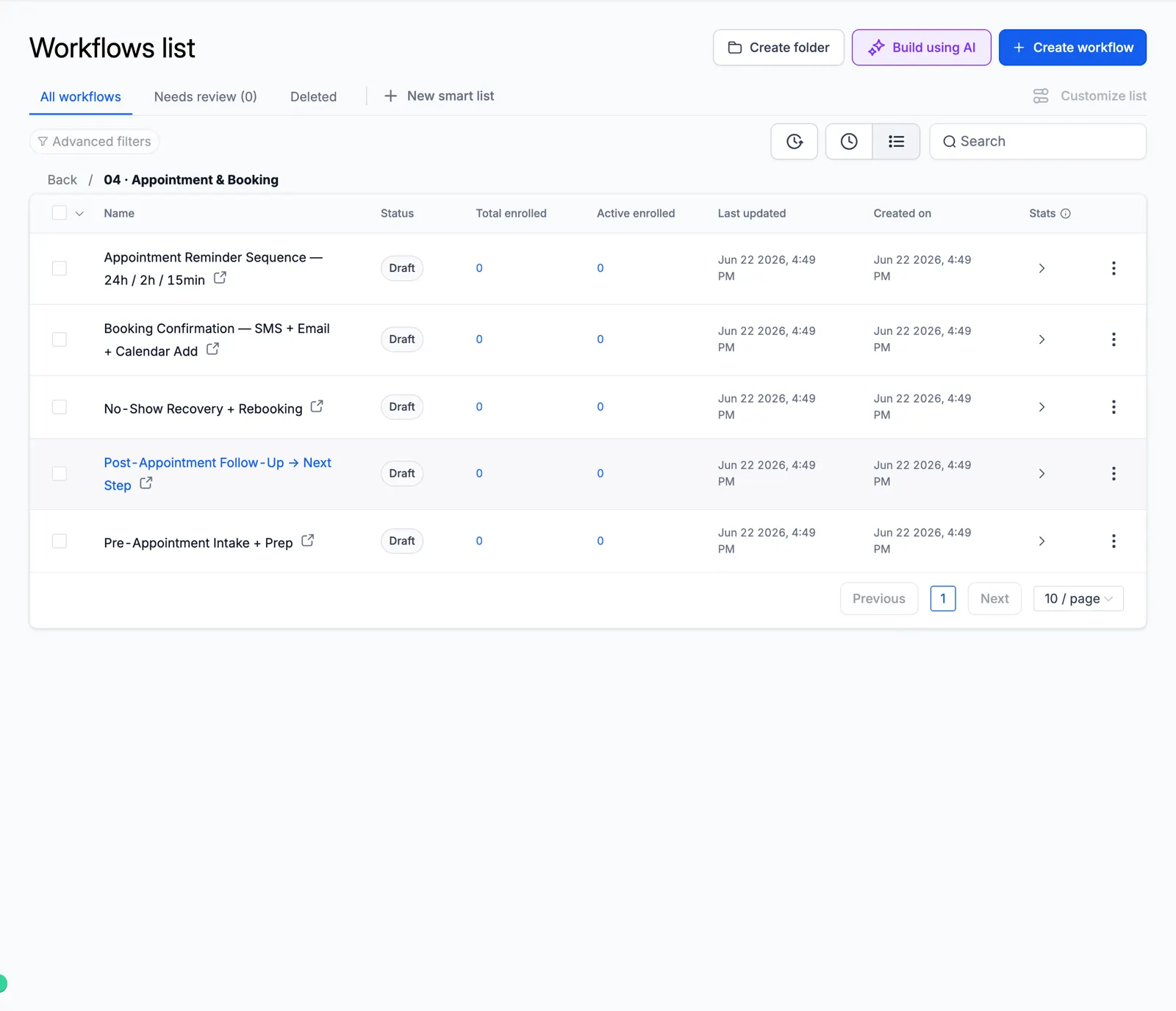
Screenshot of the Appointment & Booking folder

05 Reviews & Reputation

Ask every customer for a review and alert your team to private feedback.
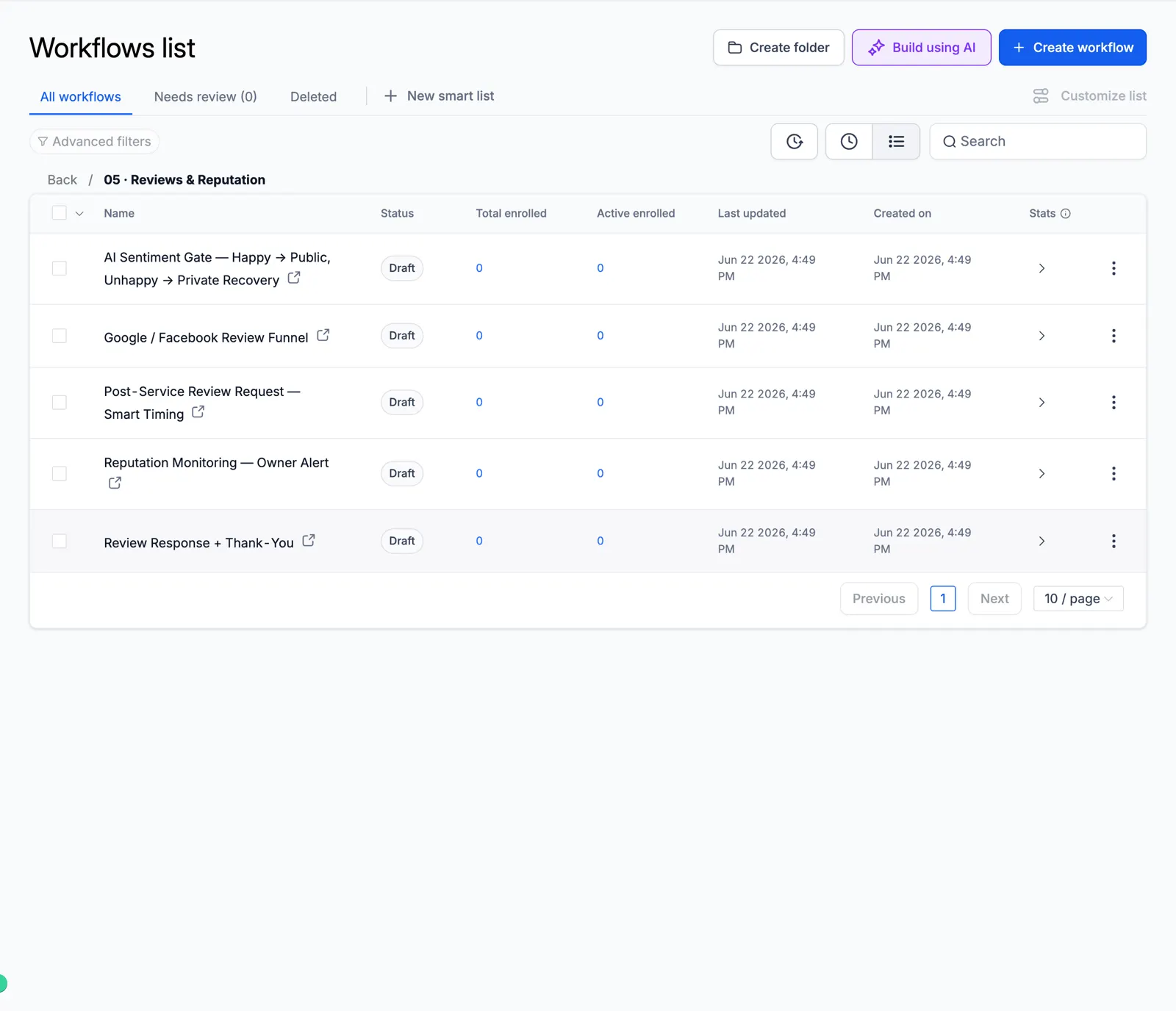
Screenshot of the Reviews & Reputation folder

06 Reactivation & Win-Back

Wake up old leads and lost customers.
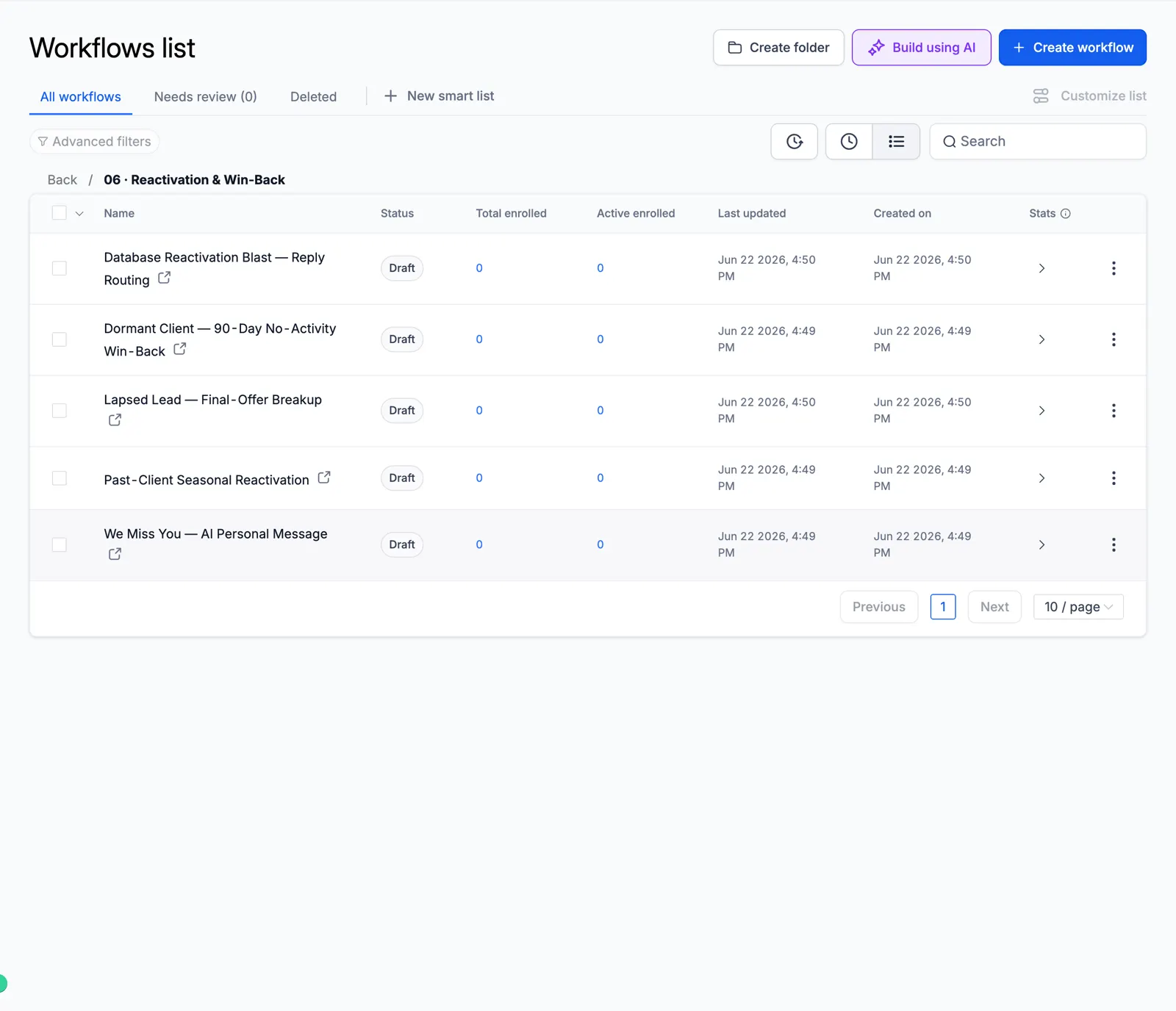
Screenshot of the Reactivation & Win-Back folder

07 Retention & Loyalty

Keep customers coming back.
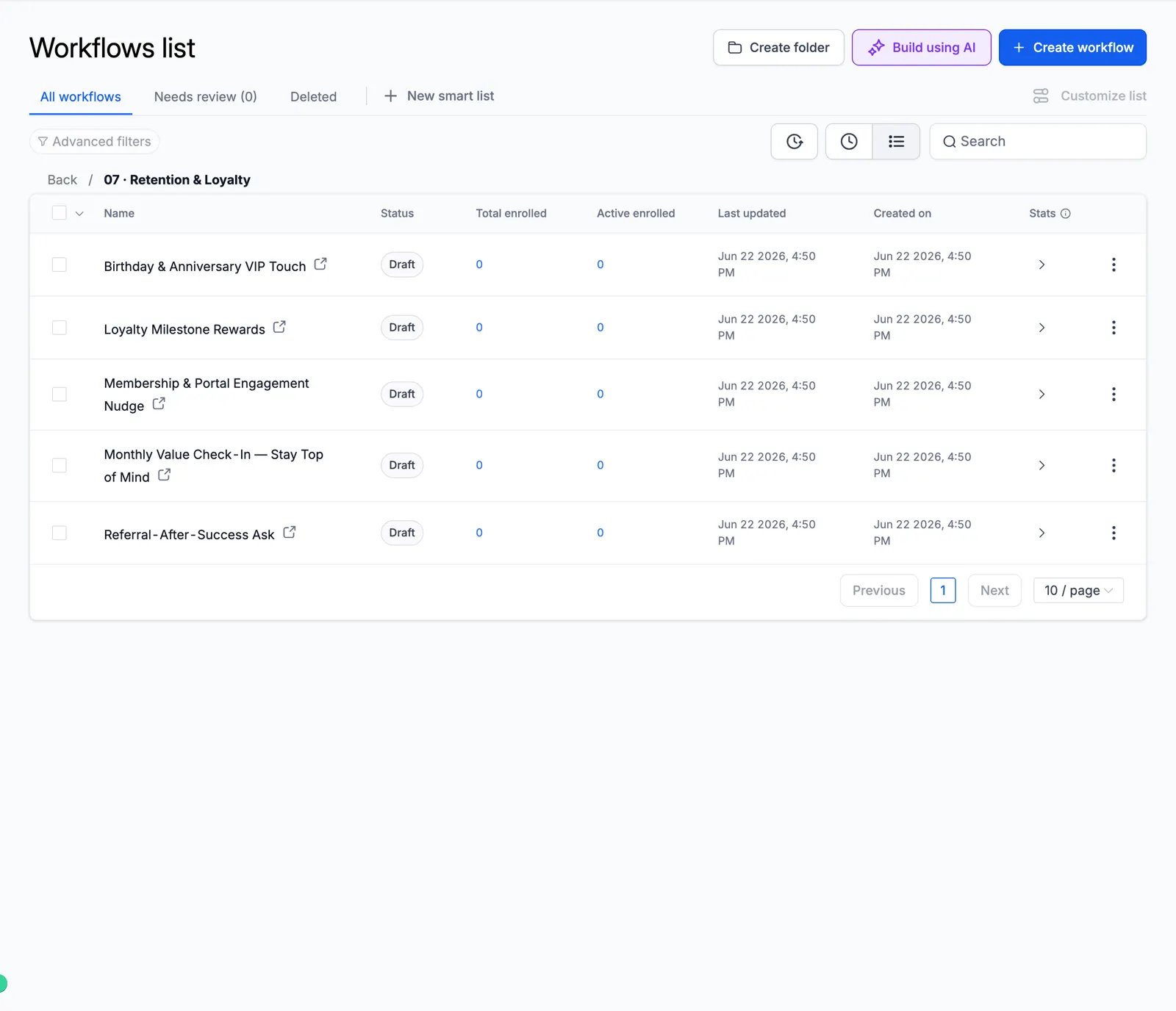
Screenshot of the Retention & Loyalty folder

08 Sales Pipeline

Move deals forward on their own.
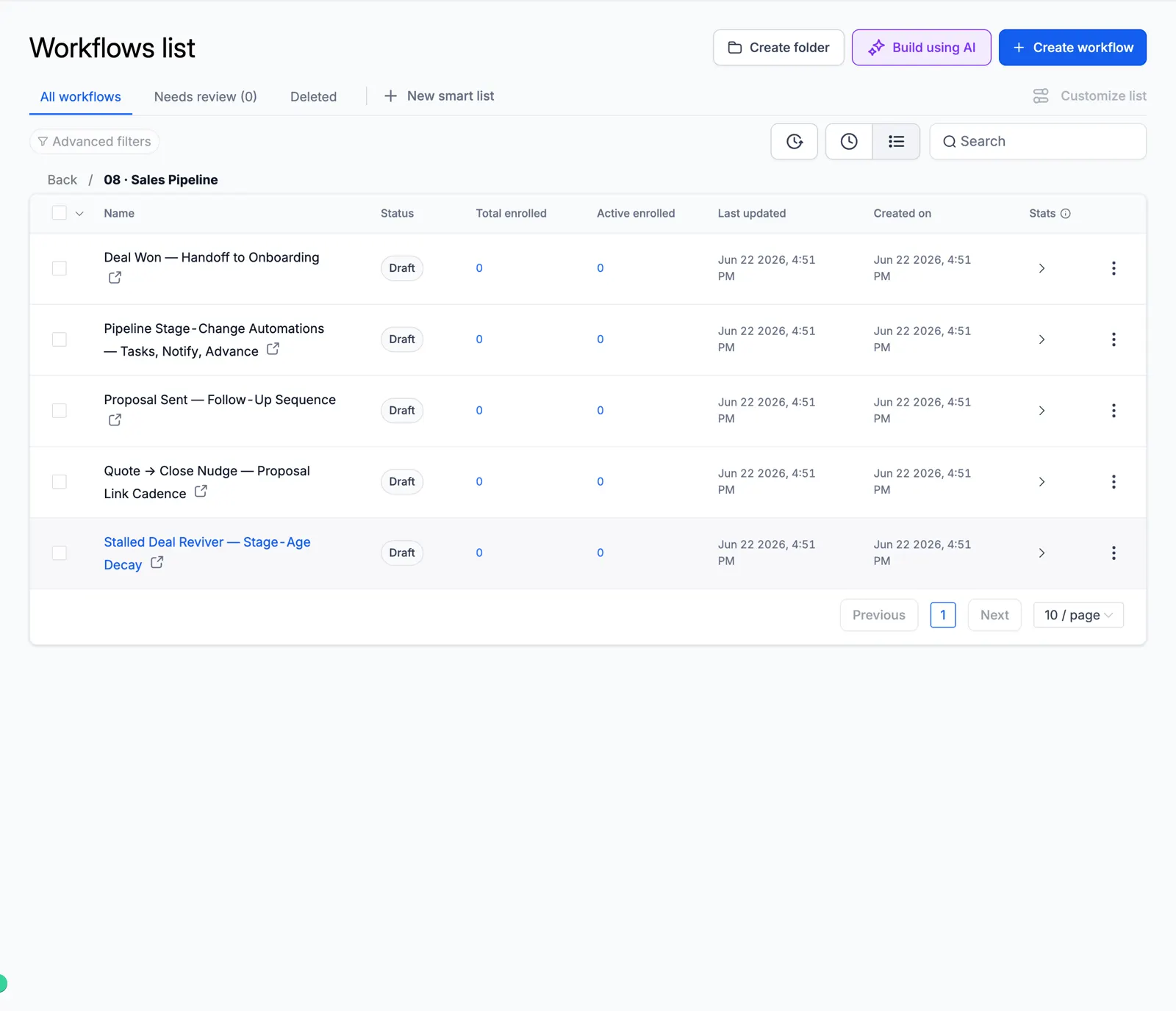
Screenshot of the Sales Pipeline folder

09 Client Onboarding

A smooth first week for new clients.
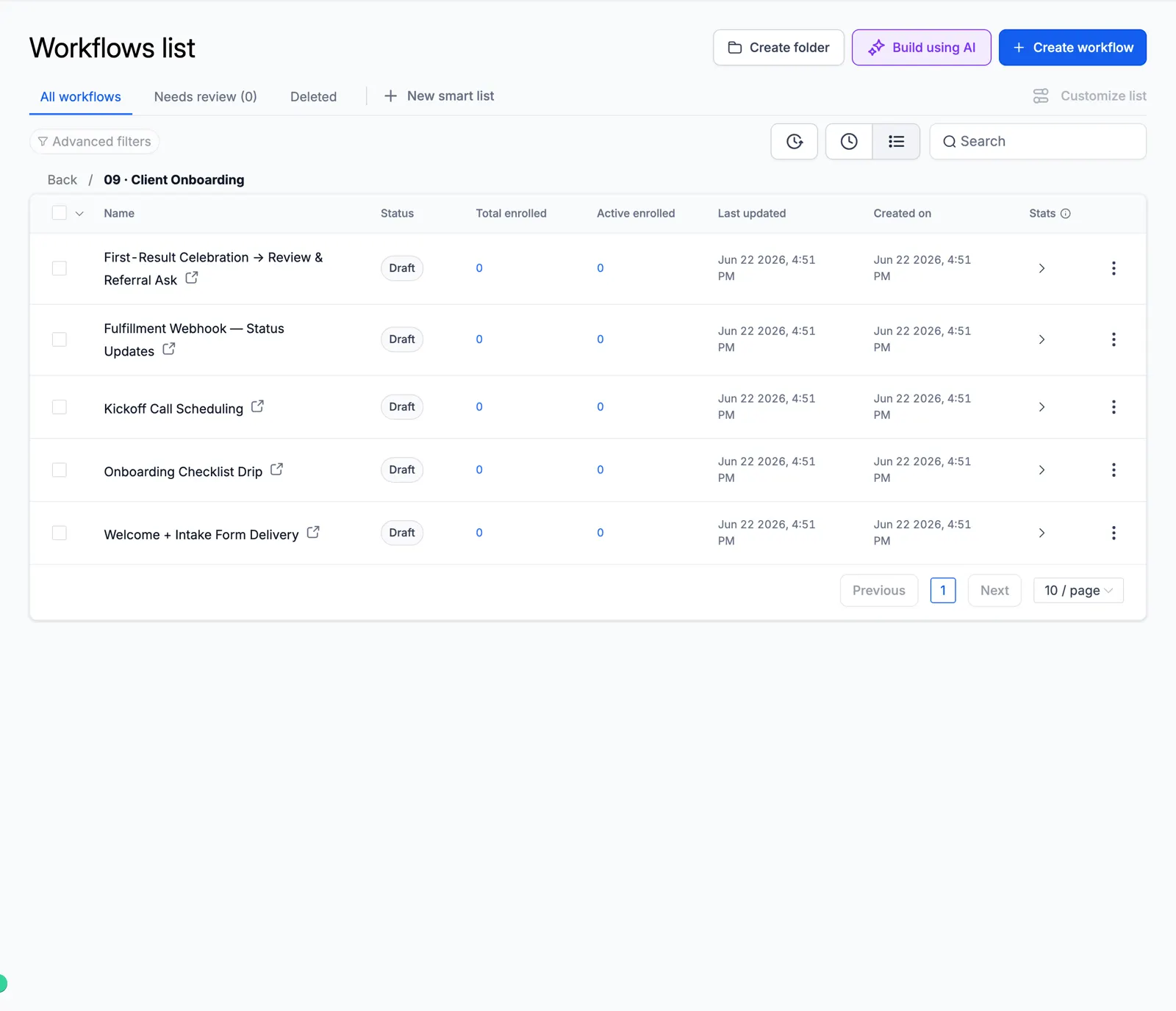
Screenshot of the Client Onboarding folder

10 Cold Outreach Engine

Multi-step cold email and SMS.
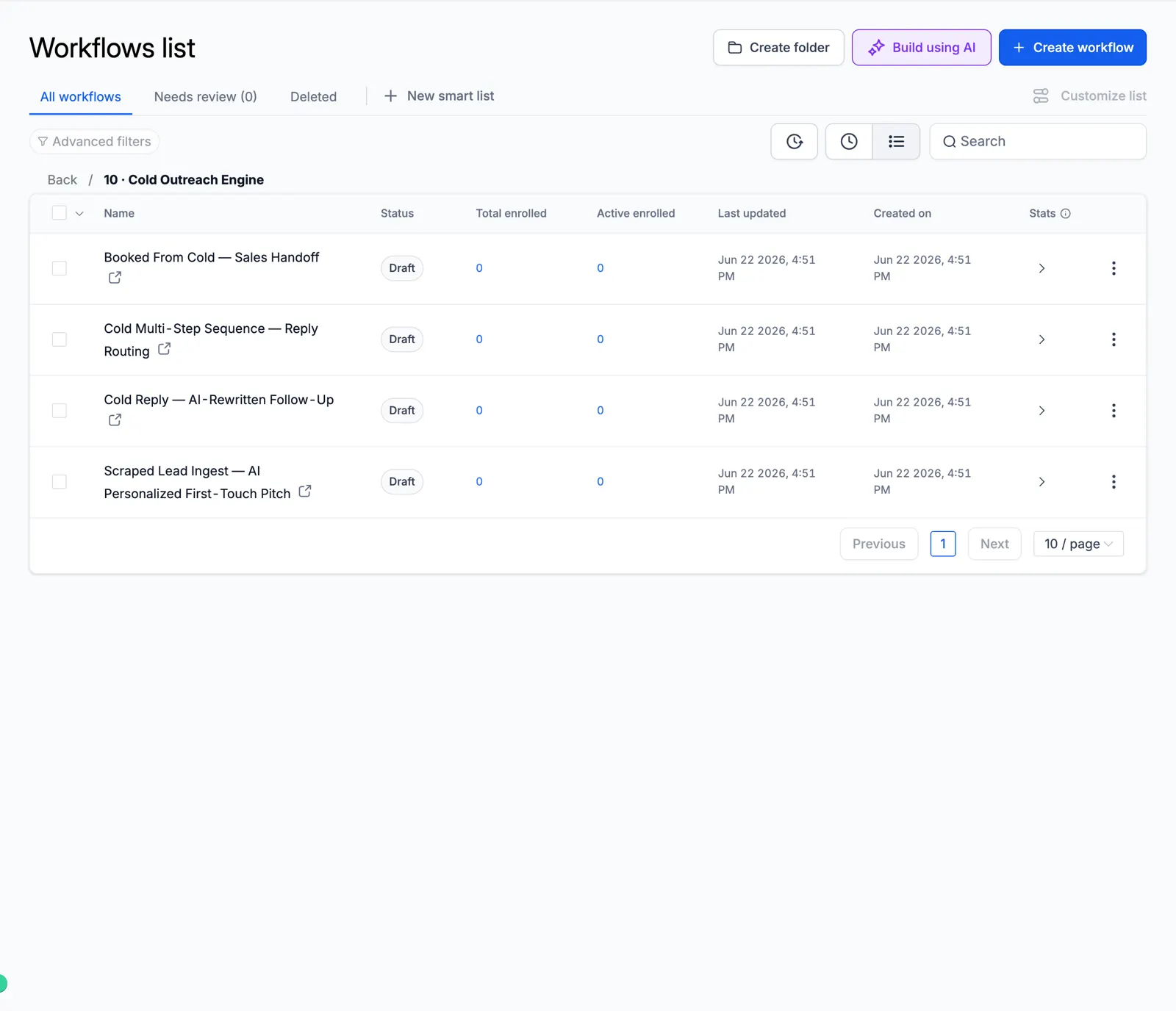
Screenshot of the Cold Outreach Engine folder

11 Referral & Growth

Ask clients for referrals.
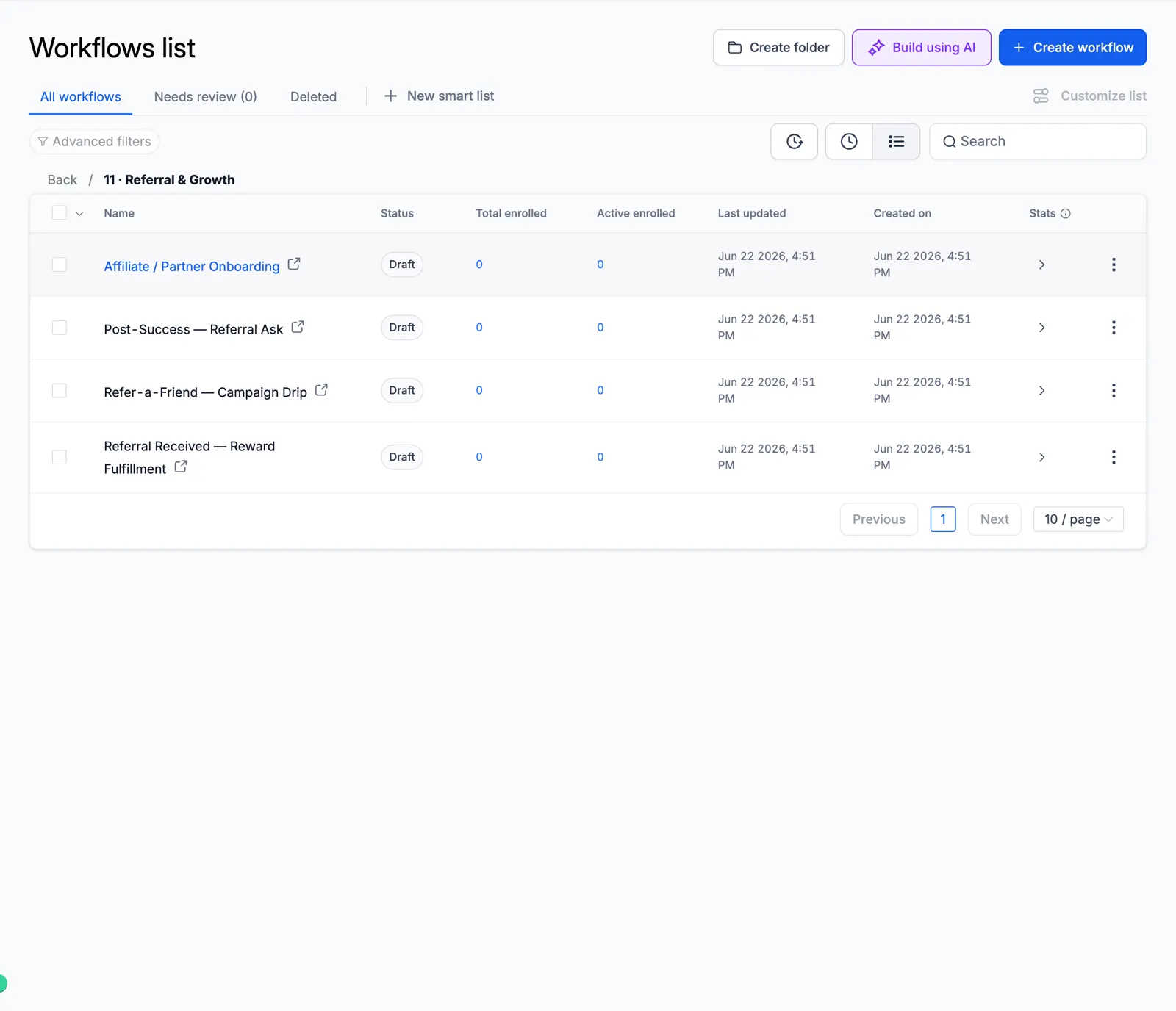
Screenshot of the Referral & Growth folder

12 Revenue Recovery

Failed payments and abandoned carts.
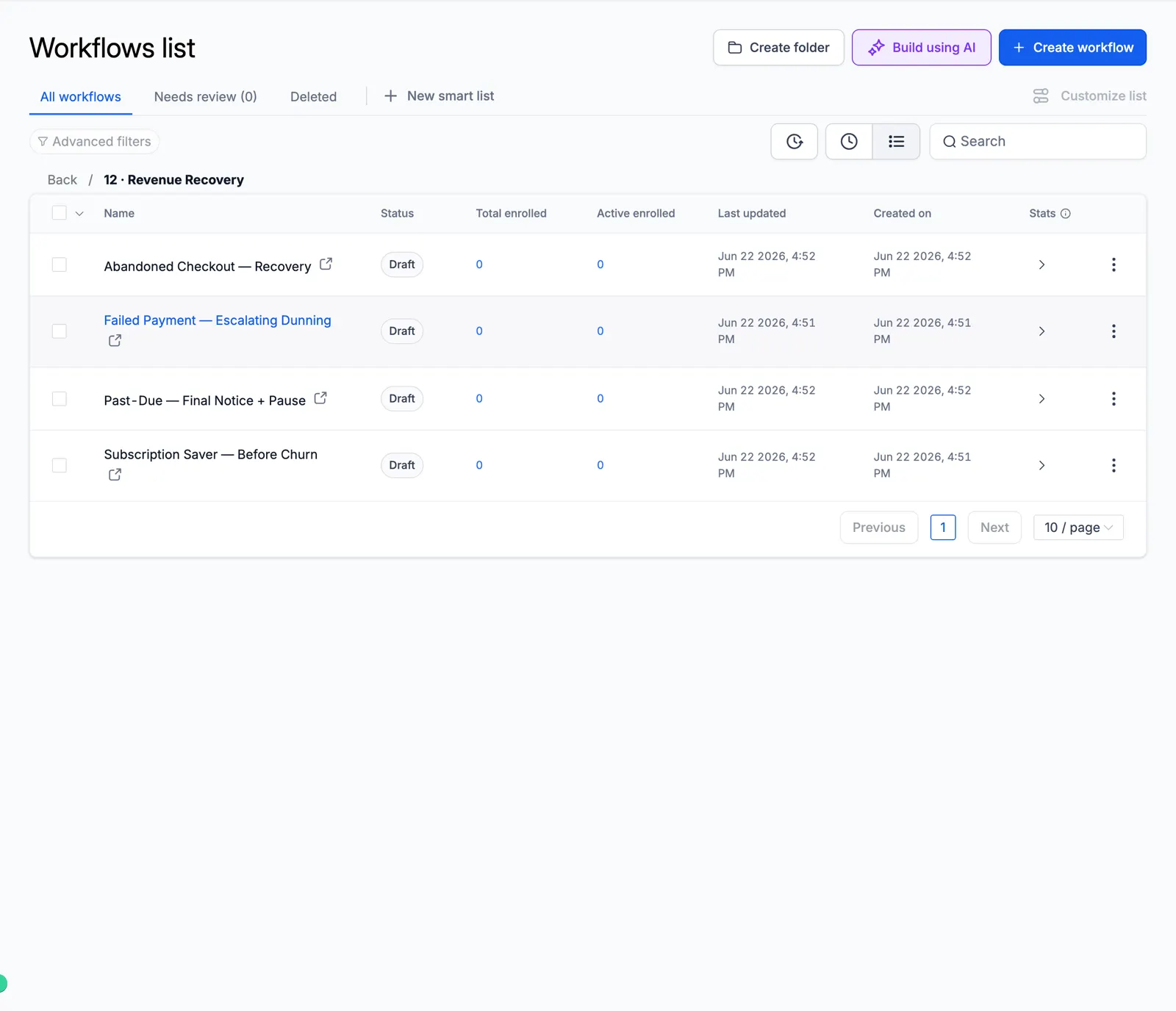
Screenshot of the Revenue Recovery folder

13 Internal Ops

Team alerts, tasks, and daily digests.
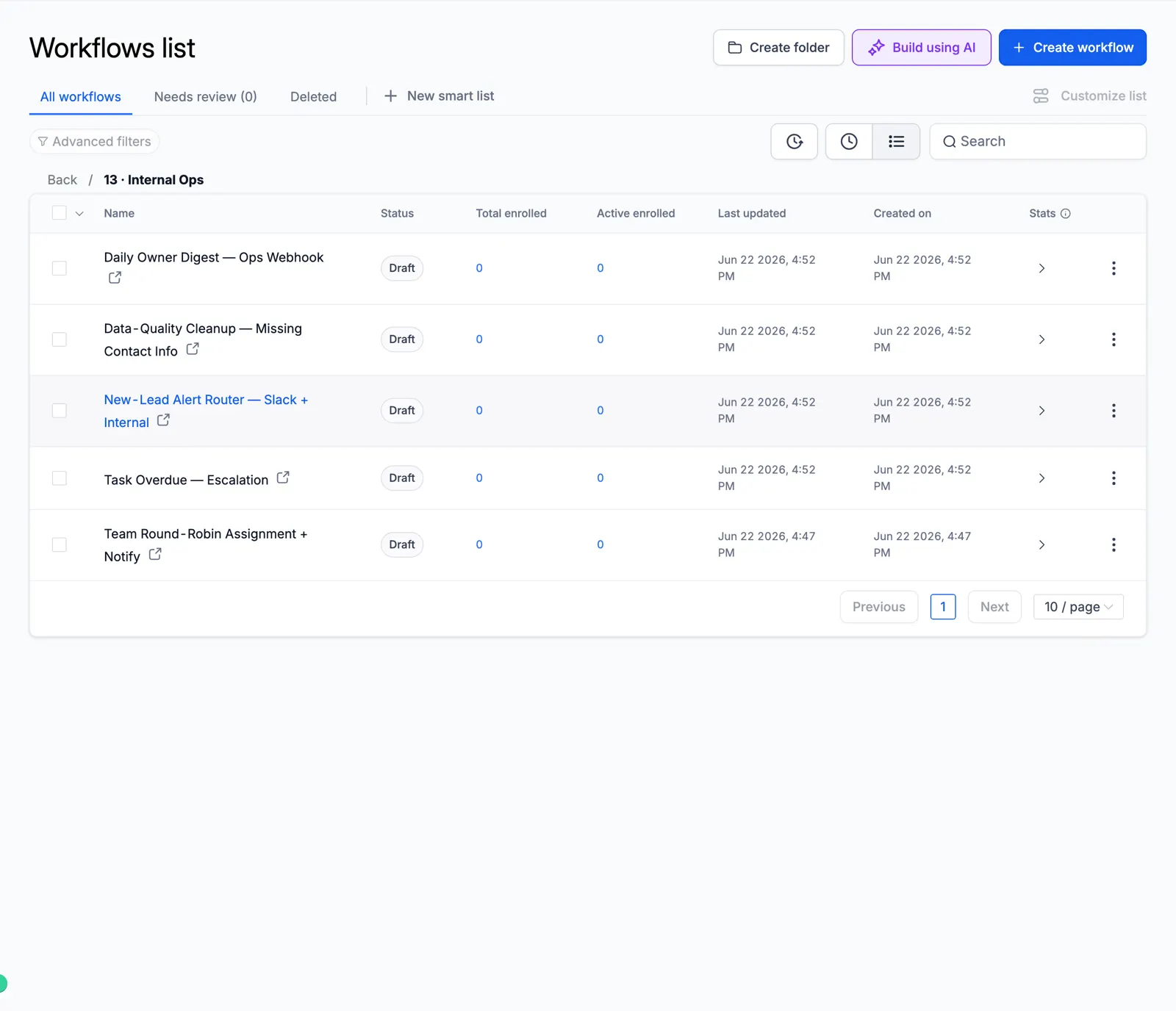
Screenshot of the Internal Ops folder

Look inside the automation

These are real workflow builder canvases from the master account. Each one shows the actual steps, so you can see how the automation runs before you import it.

Missed-Call Text-Back

The moment a call is missed, it tags the caller, sends an instant text back, alerts the rep, waits, and follows up.
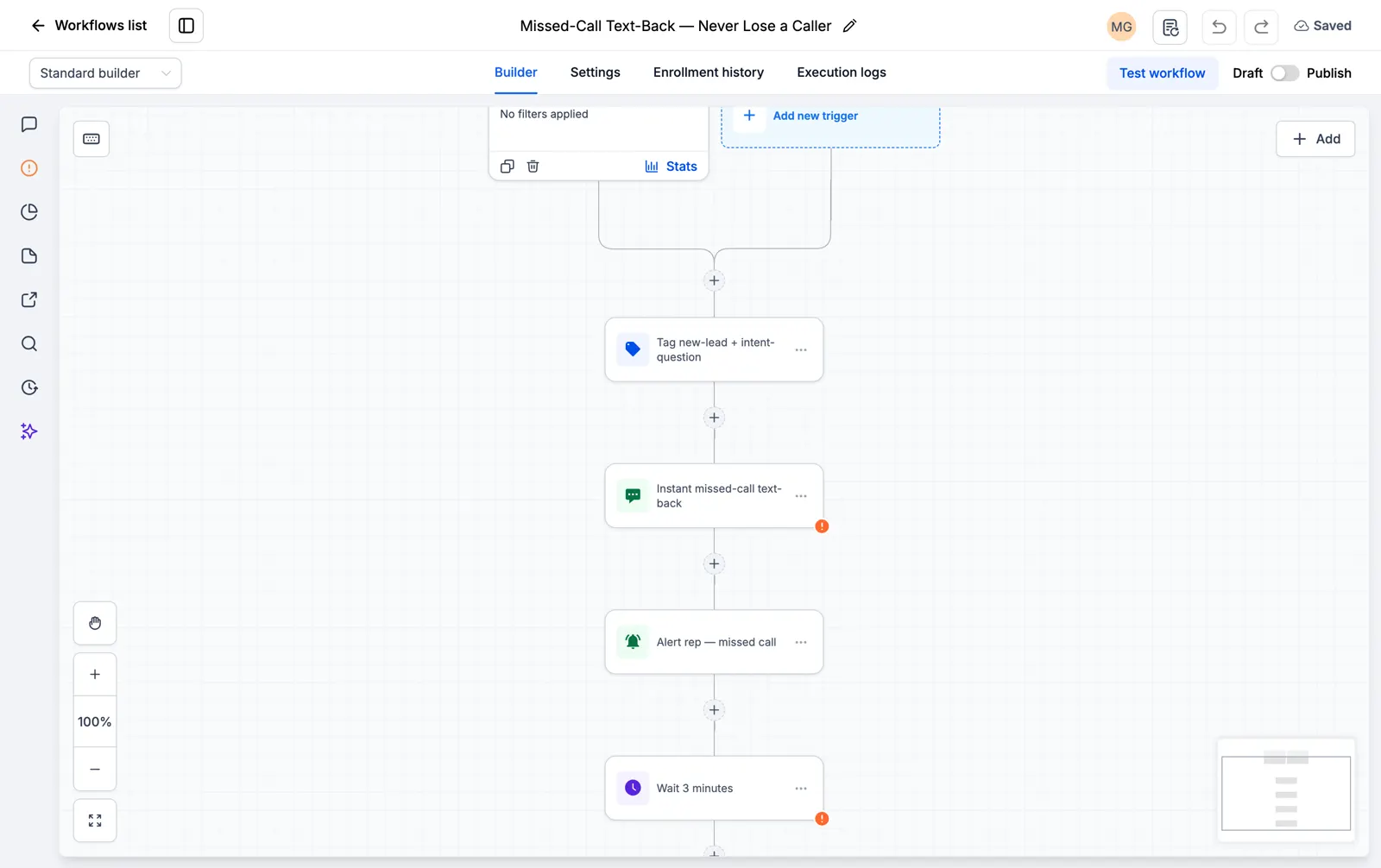
Screenshot of the Missed-Call Text-Back canvas

Facebook and Instagram Lead Instant Responder

The second a lead form comes in, it texts and emails the lead and starts the follow-up.
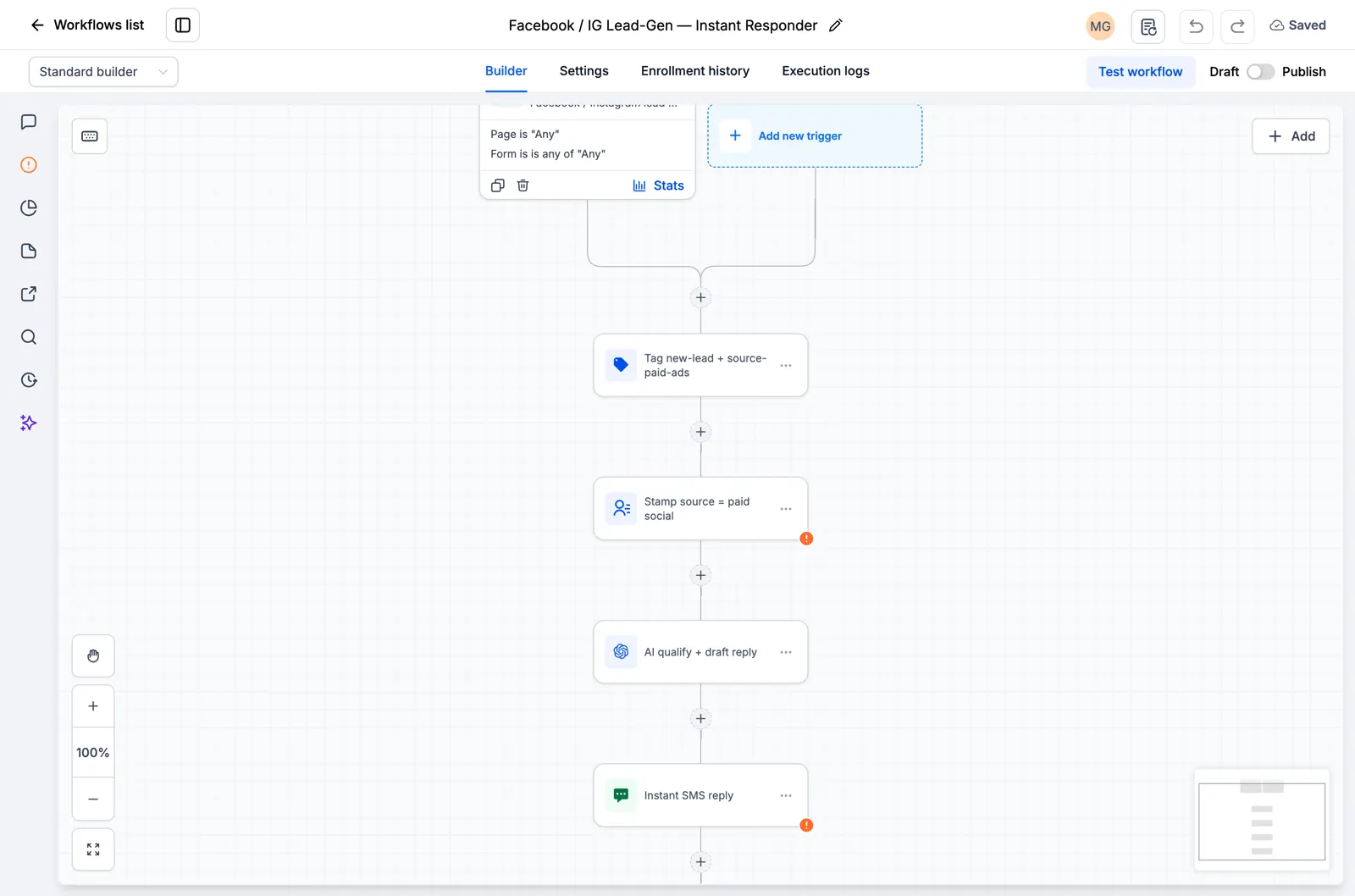
Screenshot of the Facebook and Instagram Lead Instant Responder canvas

Speed to Lead, 60-Second SMS and Email Blast

A new lead gets an SMS and an email inside the first minute, when they are most likely to reply.
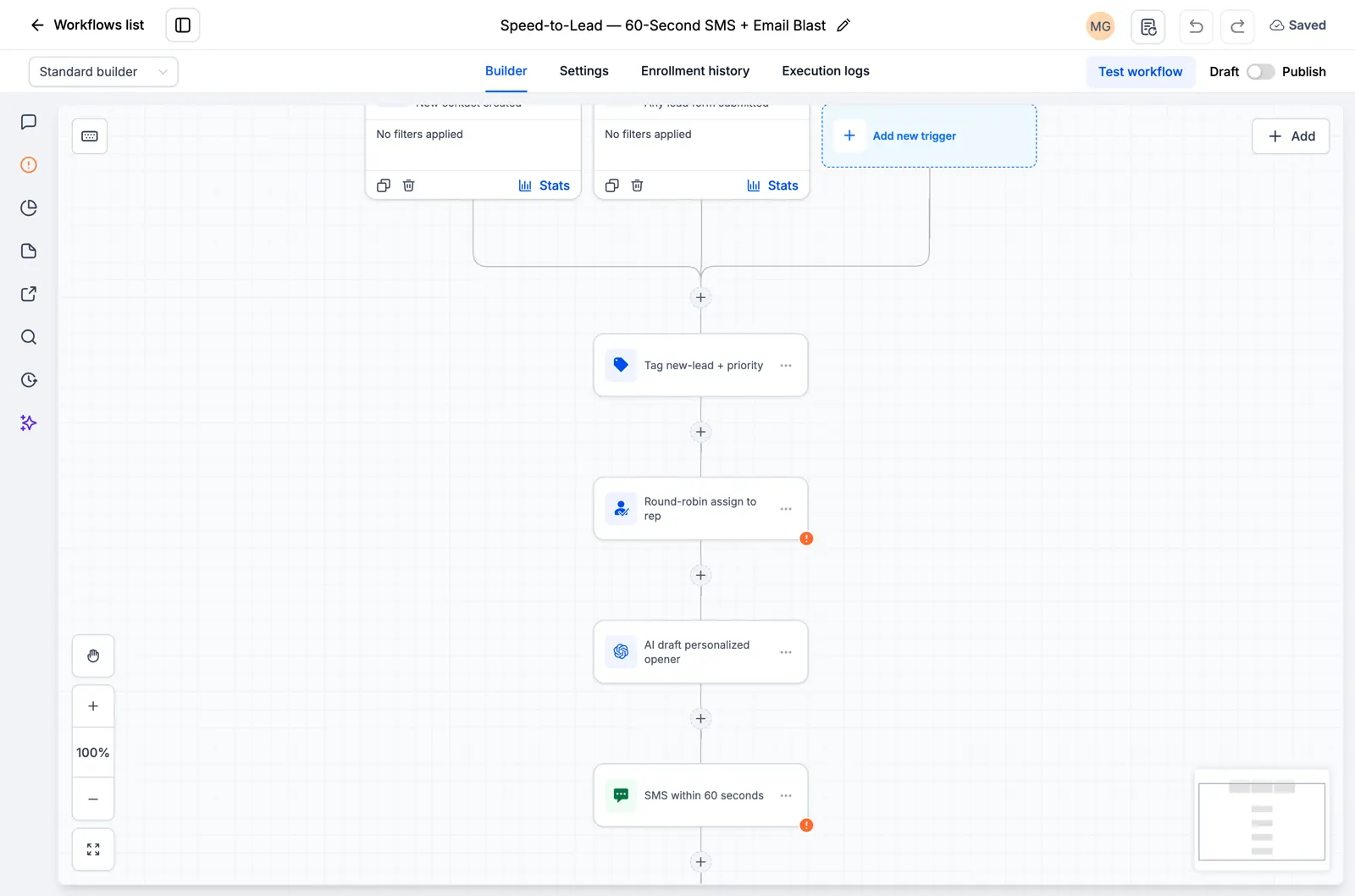
Screenshot of the Speed to Lead, 60-Second SMS and Email Blast canvas

Google and Facebook Review Funnel

It asks every customer for a public review by SMS and follows up a few days later.
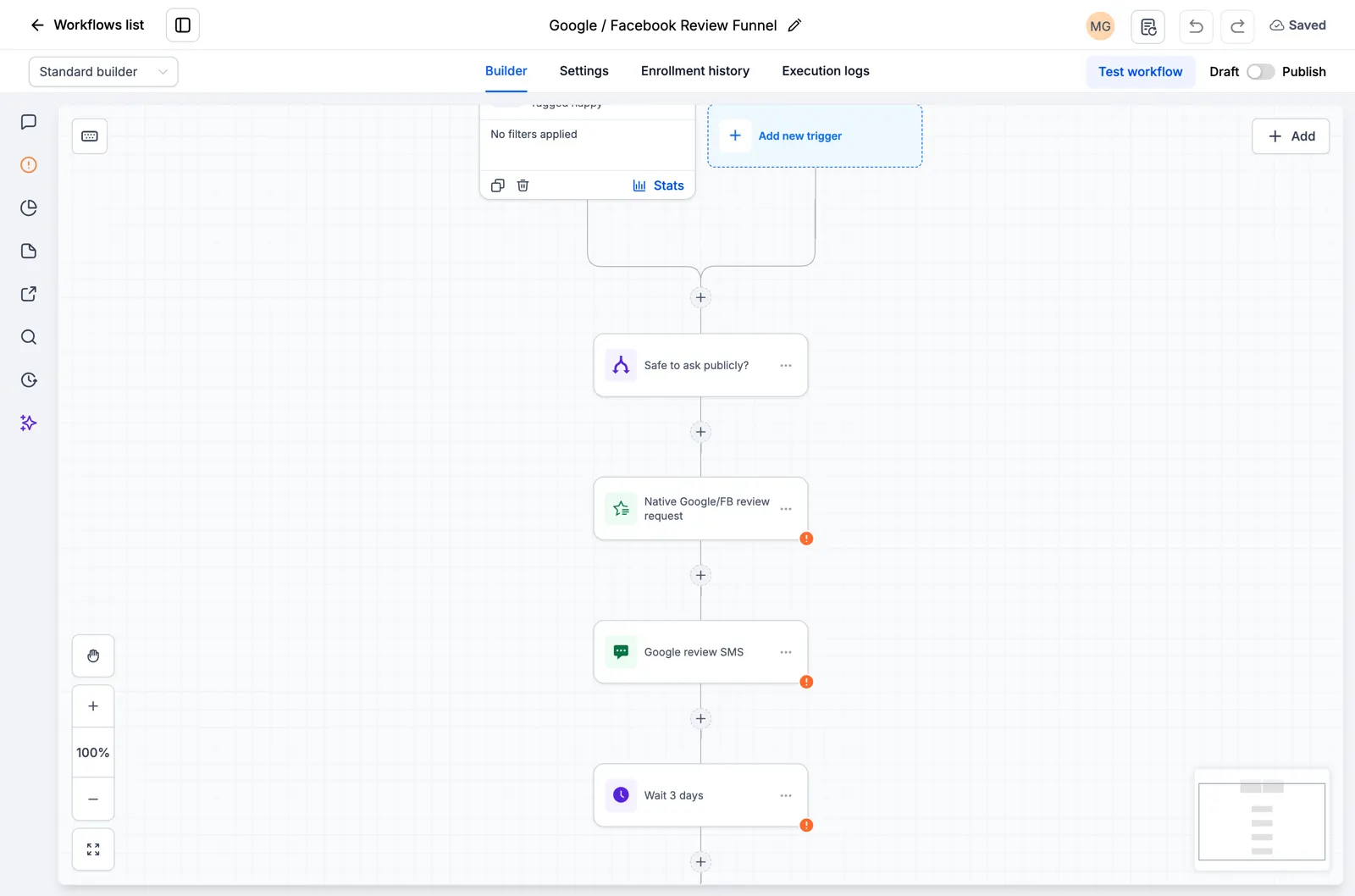
Screenshot of the Google and Facebook Review Funnel canvas

AI Feedback Alert

Every customer gets the same review request. Low scores also alert your team for a private follow-up.
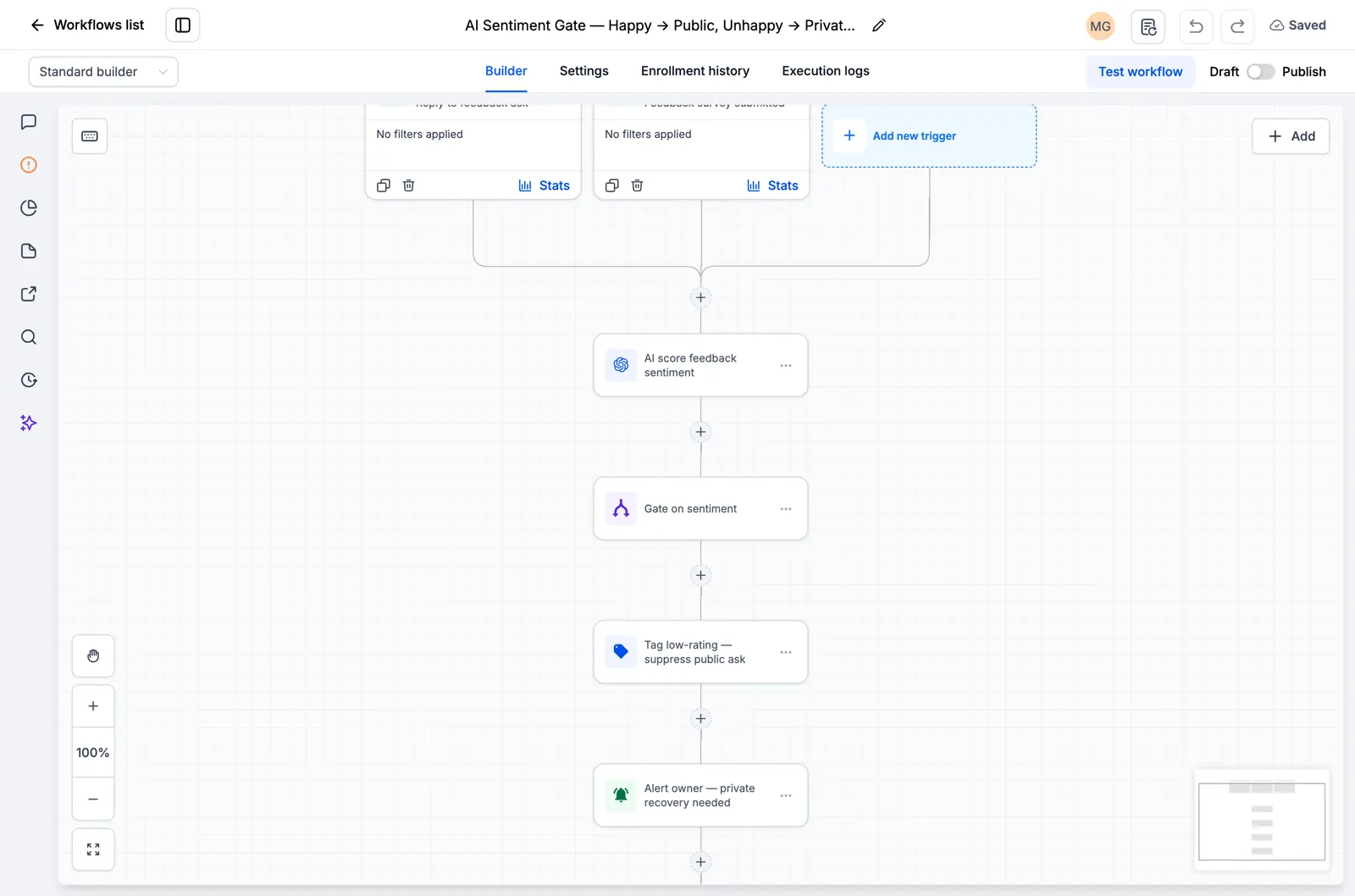
Screenshot of the AI Feedback Alert canvas

Reputation Monitoring, Owner Alert

It watches for new reviews and alerts the owner right away so nothing slips through.
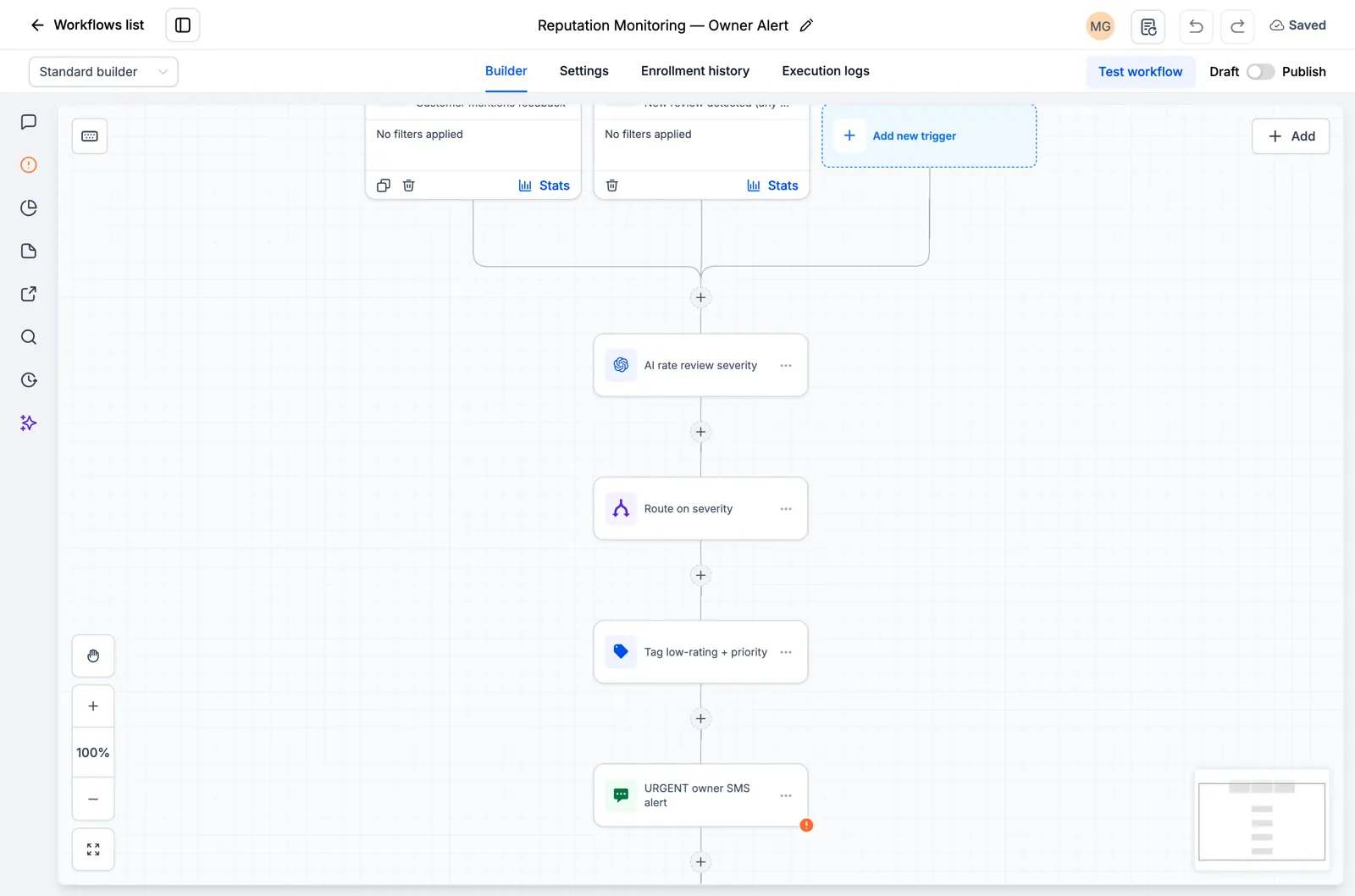
Screenshot of the Reputation Monitoring, Owner Alert canvas

Explore the current workflow library

Browse all 176 inspected drafts and the ten new niche workflow packs. Every page states what is present and what still needs setup or testing. Open the catalog.
Essai gratuit de 30 jours + outils RocketLauncher gratuits

Essayez GoHighLevel pendant 30 jours. Obtenez ces outils gratuitement.

Inscrivez-vous via notre lien pour un essai gratuit de 30 jours GoHighLevel. Votre bibliothèque d'snapshots, LeadMiner, CopyCat et les autres outils RocketLauncher présentés ici sont inclus gratuitement.

30 jours pour essayer GoHighLevel. Tous ces outils gratuits.

Commencer mon essai gratuit de 30 jours

Utilisez notre lien pour obtenir l’essai et les outils gratuits. Votre abonnement GoHighLevel est payé après l'essai ; les frais d’envoi et les services tiers payants sont distincts.

  • Flux de travail GoHighLevel montrant l'attribution de leads et une étape de suivi SMS
    Dans un flux de travail GoHighLevel enregistré

    Snapshots + flux de travail

    Configurez votre suivi plus rapidement

    Importez des configurations GoHighLevel prêtes à l’emploi pour les demandes de renseignements, les rappels de rendez-vous et le suivi. Ajoutez les détails de votre entreprise et testez avant de les activer.

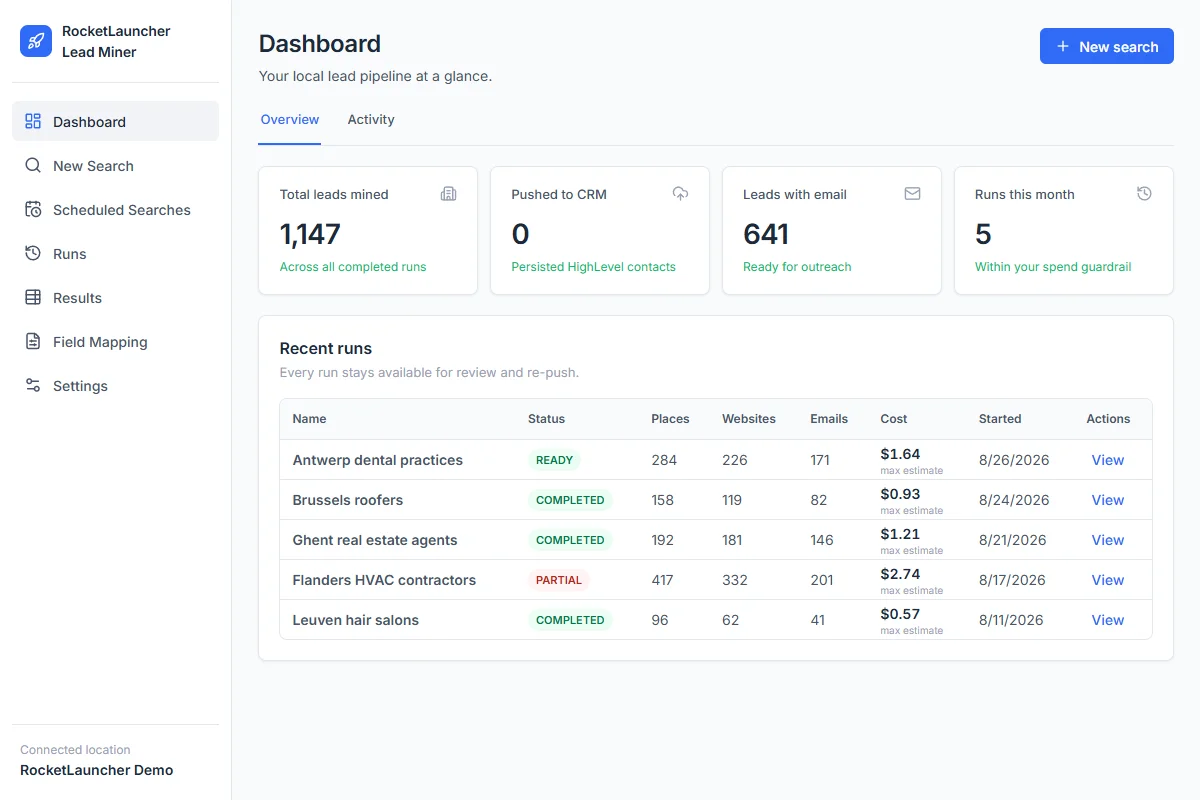
  • Tableau de bord de démonstration RocketLauncher Lead Miner affichant les recherches d'entreprises locales et le nombre de prospects
    Espace de travail LeadMiner · Données de démonstration

    LeadMiner

    Trouvez des entreprises auxquelles vous pouvez vendre

    Recherchez des entreprises locales sur Google Maps, consultez leurs sites Web et leurs coordonnées, puis envoyez les prospects sélectionnés à GoHighLevel. Par exemple : trouvez des couvreurs qui pourraient faire appel à vos services.

  • Image du produit Copy Cat GHL : copiez les sites Web et les entonnoirs GoHighLevel
    CopyCat pour GoHighLevel

    CopyCat

    Copiez une page. Adaptez-la à votre activité.

    Copiez un site Web ou un entonnoir GoHighLevel dans votre propre compte. Modifiez le logo, les images et le texte de votre entreprise ou de votre client. Utilisez les pages que vous possédez ou que vous êtes autorisé à réutiliser.

  • Plus des didacticiels, une aide communautaire et d'autres outils RocketLauncher

    Obtenez de l'aide pour configurer les outils et mettre en œuvre l'snapshot que vous avez choisi.

Obtenez le pack en 3 étapes

  1. 1.Commencez votre essai gratuit de 30 jours

    Utilisez notre lien GoHighLevel ci-dessus pour bénéficier de l'essai de 30 jours et bénéficier de tous les outils gratuits présentés ici.

  2. 2.Demandez votre accès

    Rejoignez la communauté RocketLauncher et demandez votre accès au forfait après vous être inscrit via notre lien.

  3. 3.Choisissez un snapshot et installez

    Obtenez le lien d'importation pour un snapshot disponible. Importez-le dans votre compte GoHighLevel, ajoutez les détails de votre entreprise et testez avant de l'activer.

Vous avez déjà commencé via notre lien ? Réclamer l'accès

Les packs de prévisualisation sont toujours en cours de préparation et ne sont pas prêts à être installés. Vérifiez l'état de chaque pack avant de choisir.

Lien partenaire : nous gagnons une commission si vous vous abonnez, sans frais supplémentaires pour vous.