Inside the snapshot

Inside the GoHighLevel workflow builder

See the workflow builder up close. These earlier captures document the master account; the current catalog lists 176 saved drafts, including 40 new workflows across ten niche packs.

  • 3 min de lectura
  • 4 secciones
  • Actualizado el 14 de octubre de 2026
En esta página

These earlier captures show the master workflow folders and six builder canvases. For the latest saved workflows and their setup requirements, use the current workflow catalog.

  • Historical folder captures from the master account.
  • A look inside 6 real workflow builder canvases, so you see the actual steps before you import.
  • Free to join: join the community and start GoHighLevel through the partner link.

Build it yourself or import it

A snapshot can transfer a workflow structure into another account. Review its export status, dependencies and test results before using it with real contacts.

These are real screenshots from the master account you get a copy of. Nothing here is a mockup.

Every workflow, folder by folder

The following archive covers 13 folders. Each screenshot shows the folder view at the time it was captured.

01 Speed-to-Lead

Respond to every new lead in seconds.
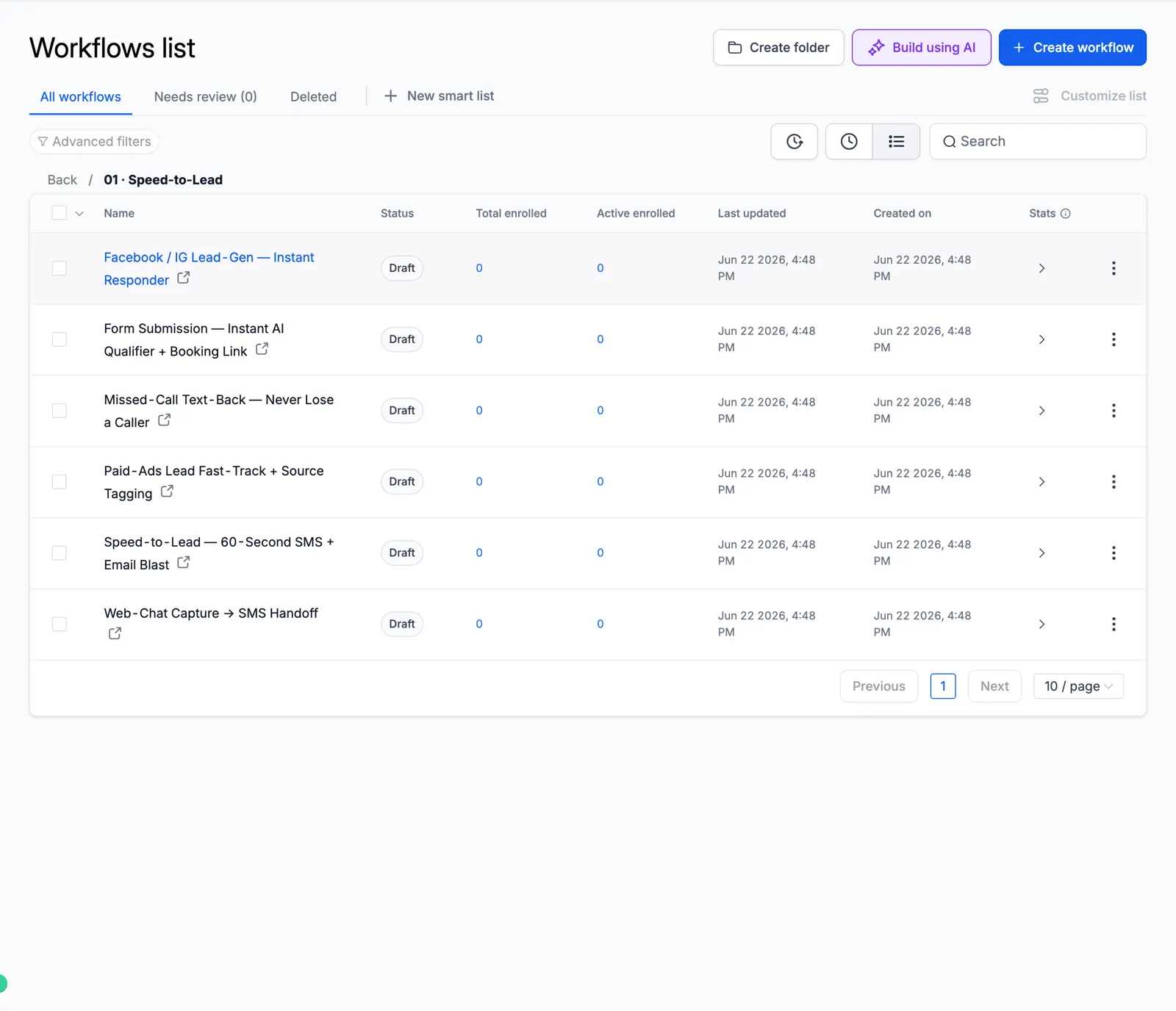
Screenshot of the Speed-to-Lead folder

02 Lead Nurture

Long follow-up that warms cold leads.
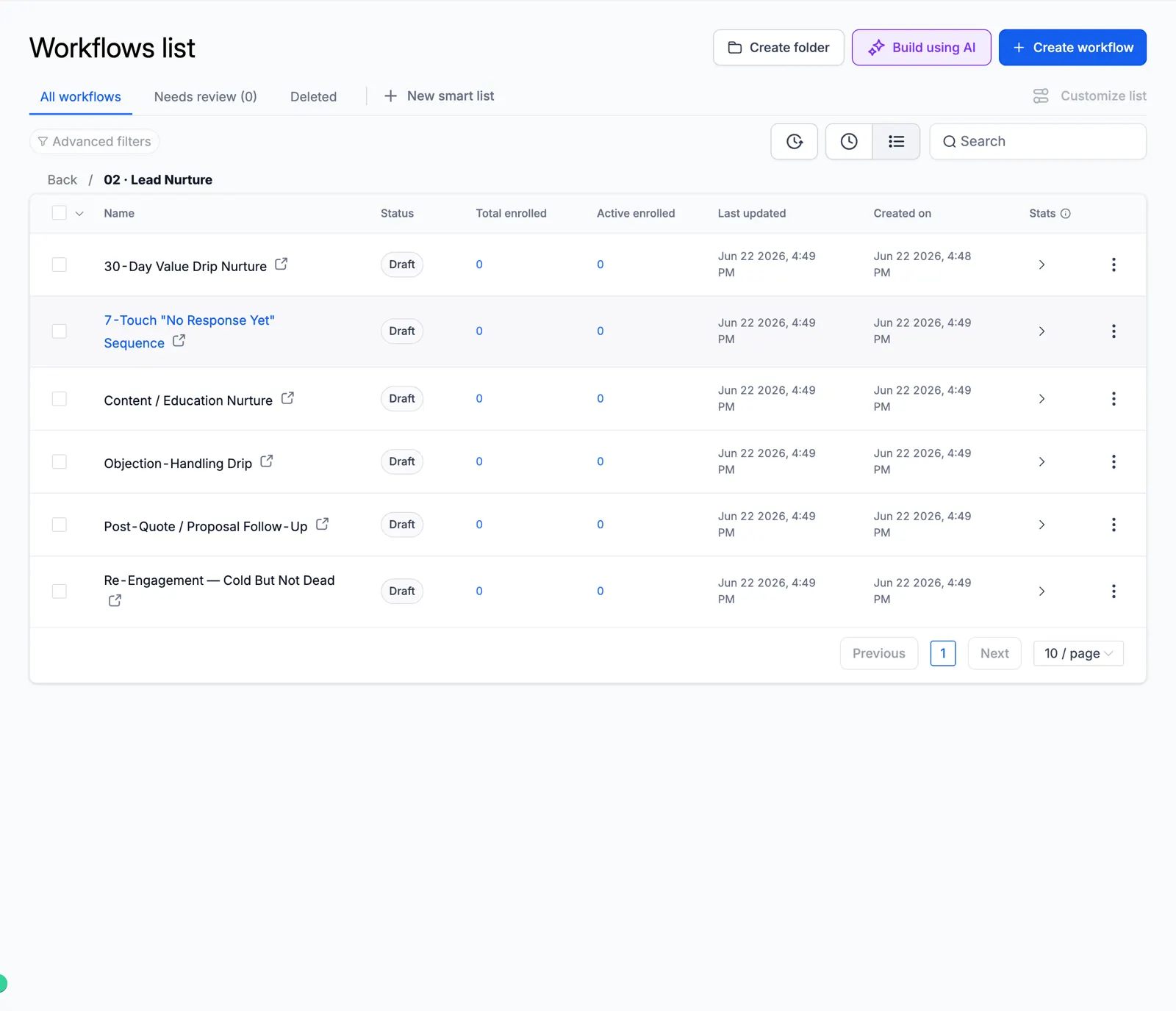
Screenshot of the Lead Nurture folder

03 AI Qualification & Routing

AI scores and routes every lead.
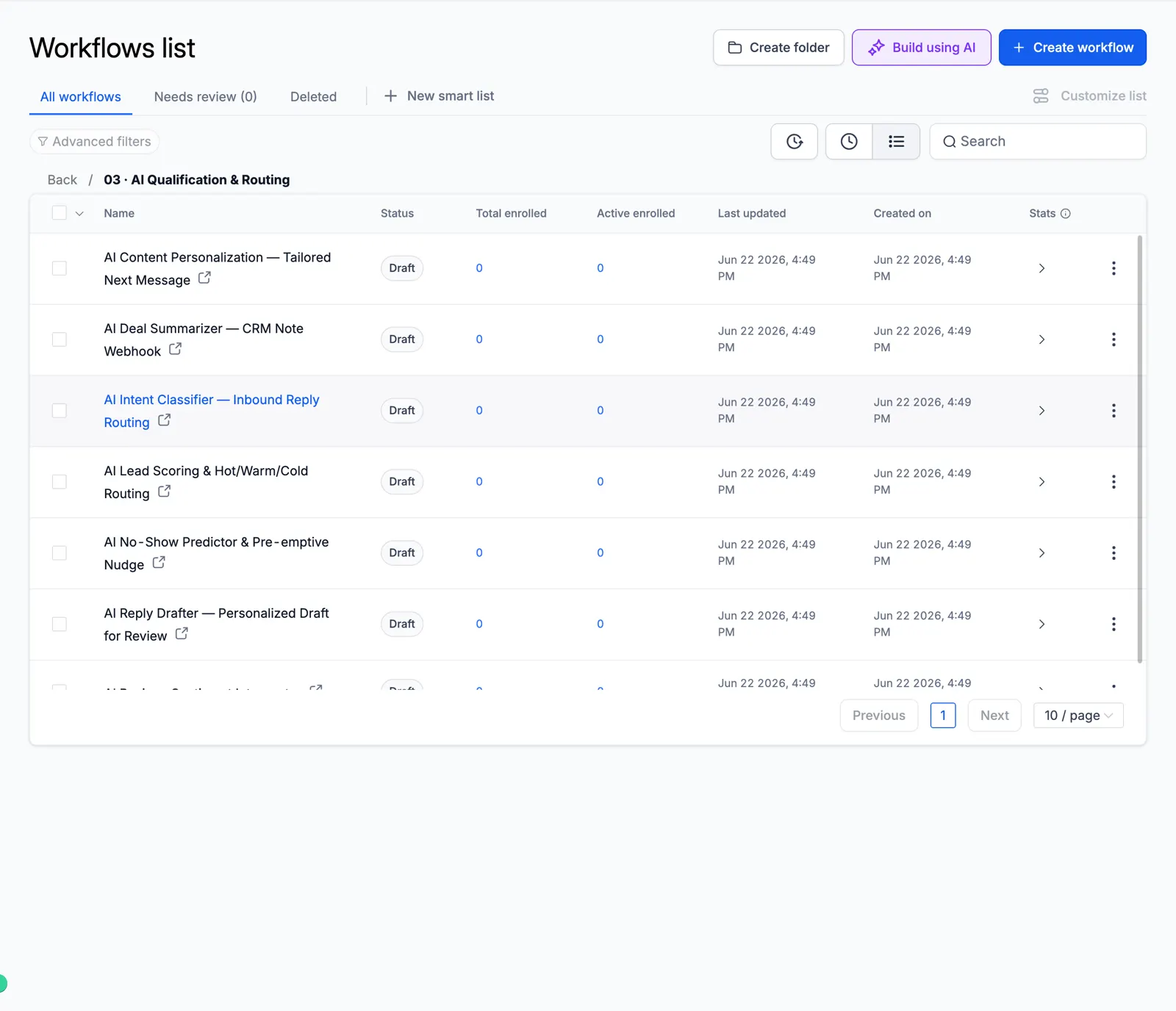
Screenshot of the AI Qualification & Routing folder

04 Appointment & Booking

Booking, reminders, no-show recovery.
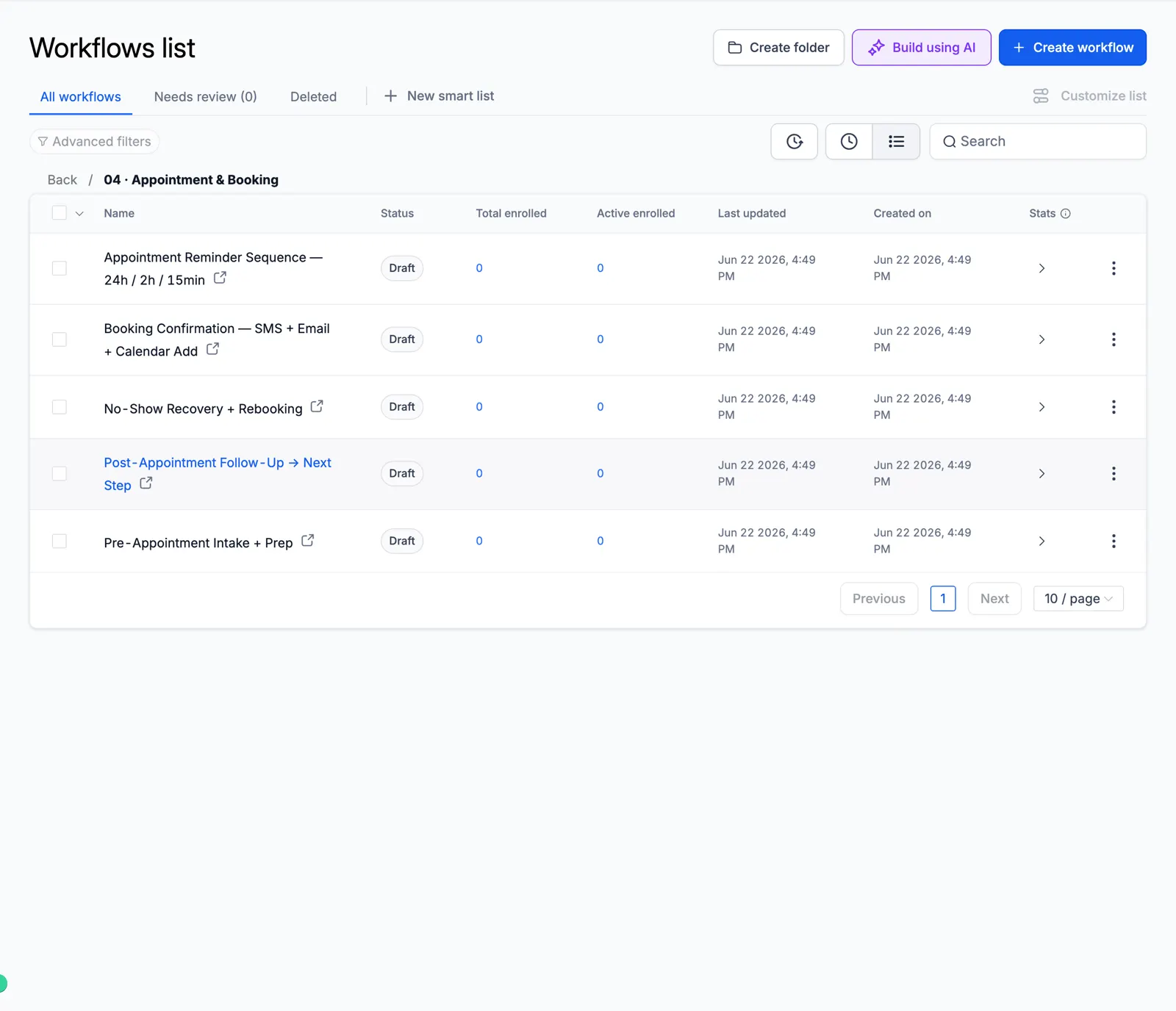
Screenshot of the Appointment & Booking folder

05 Reviews & Reputation

Ask every customer for a review and alert your team to private feedback.
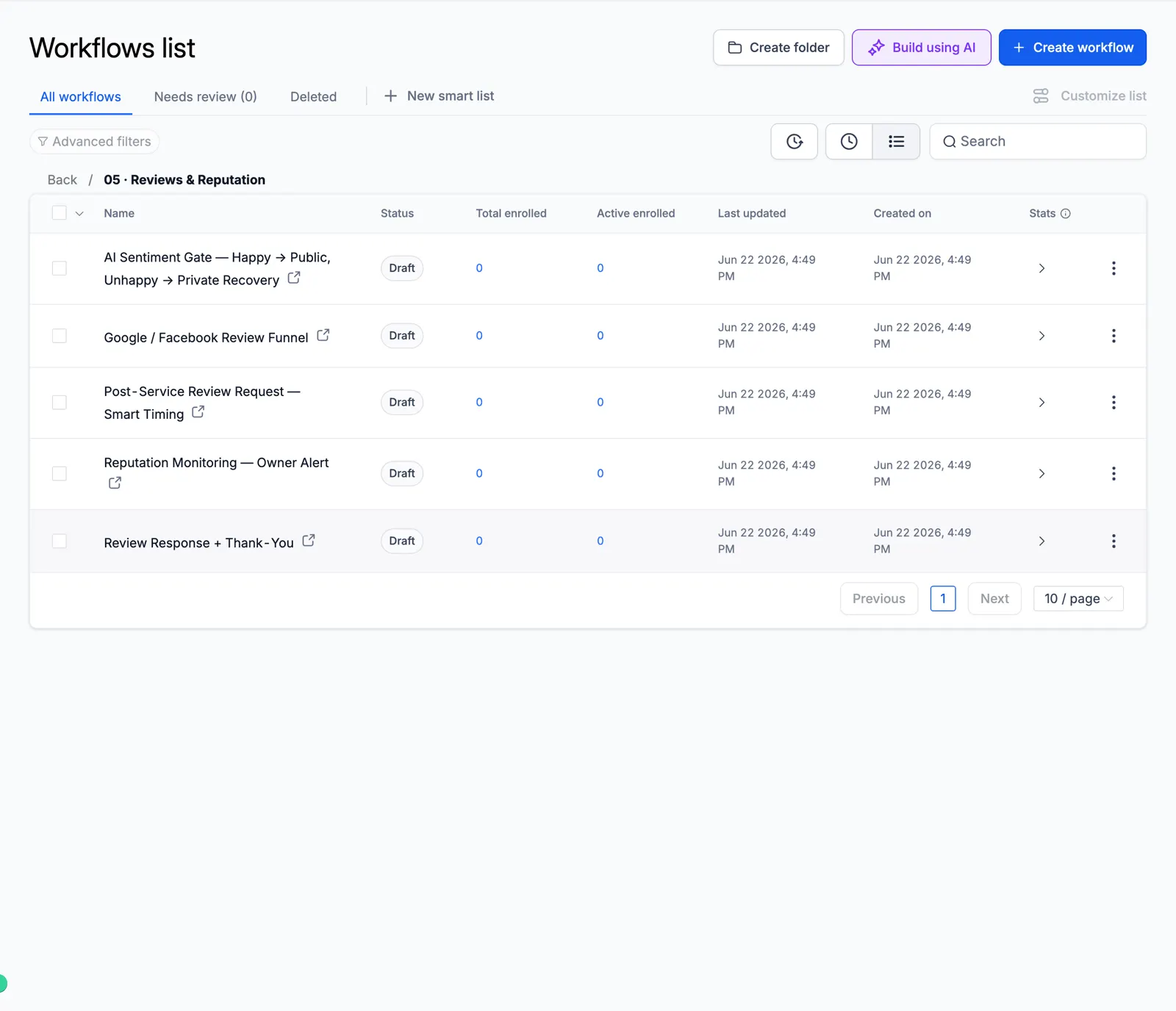
Screenshot of the Reviews & Reputation folder

06 Reactivation & Win-Back

Wake up old leads and lost customers.
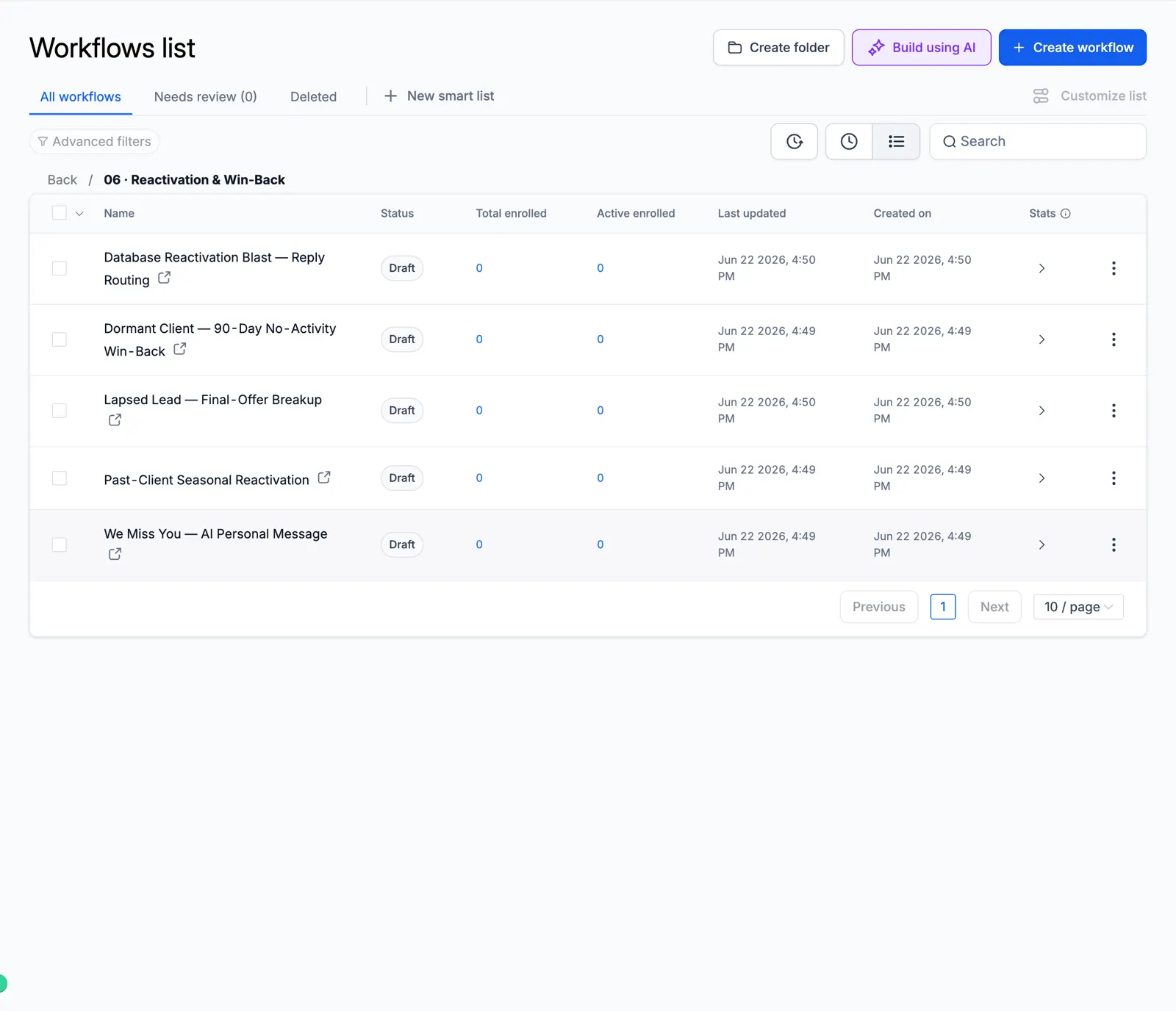
Screenshot of the Reactivation & Win-Back folder

07 Retention & Loyalty

Keep customers coming back.
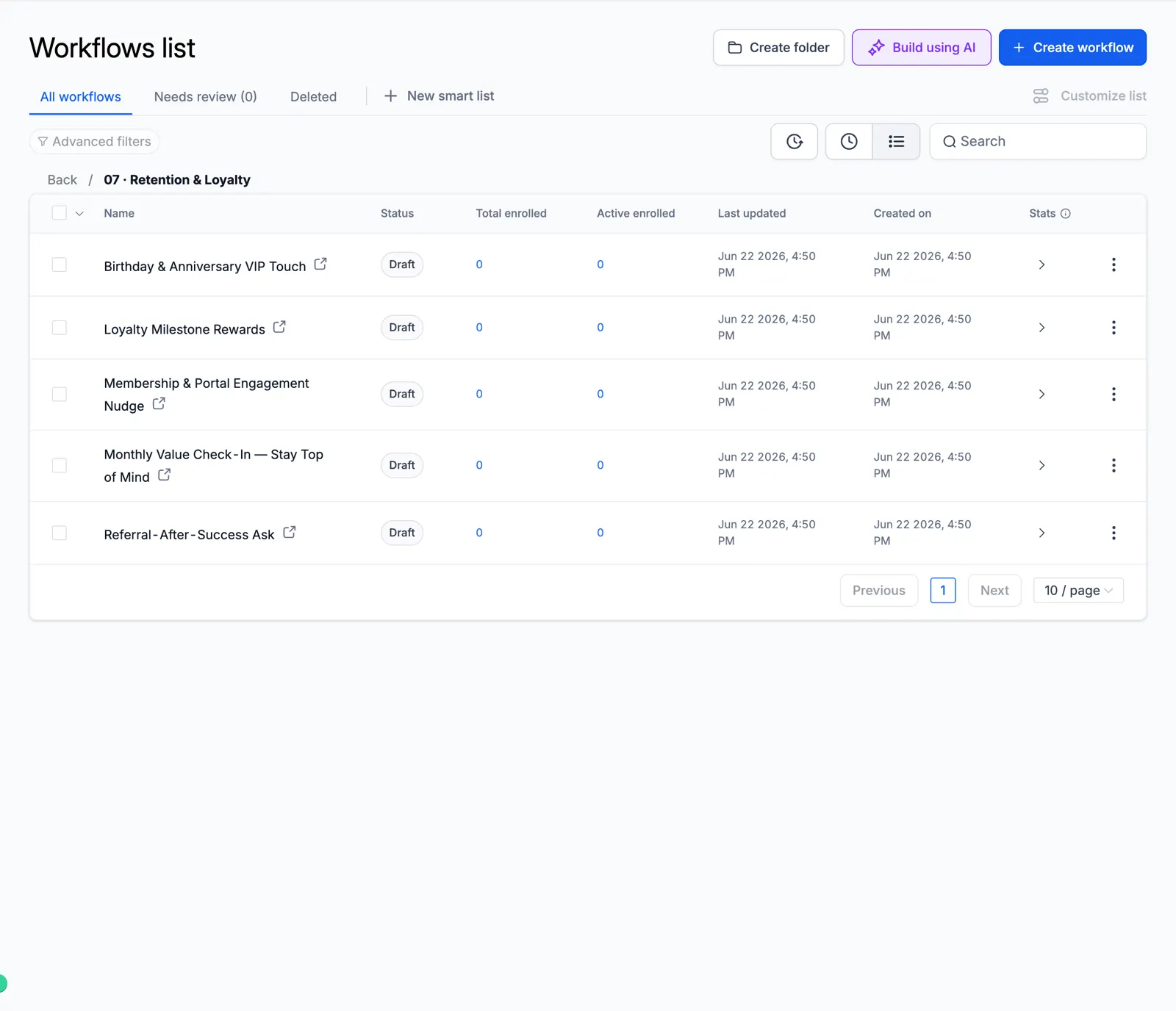
Screenshot of the Retention & Loyalty folder

08 Sales Pipeline

Move deals forward on their own.
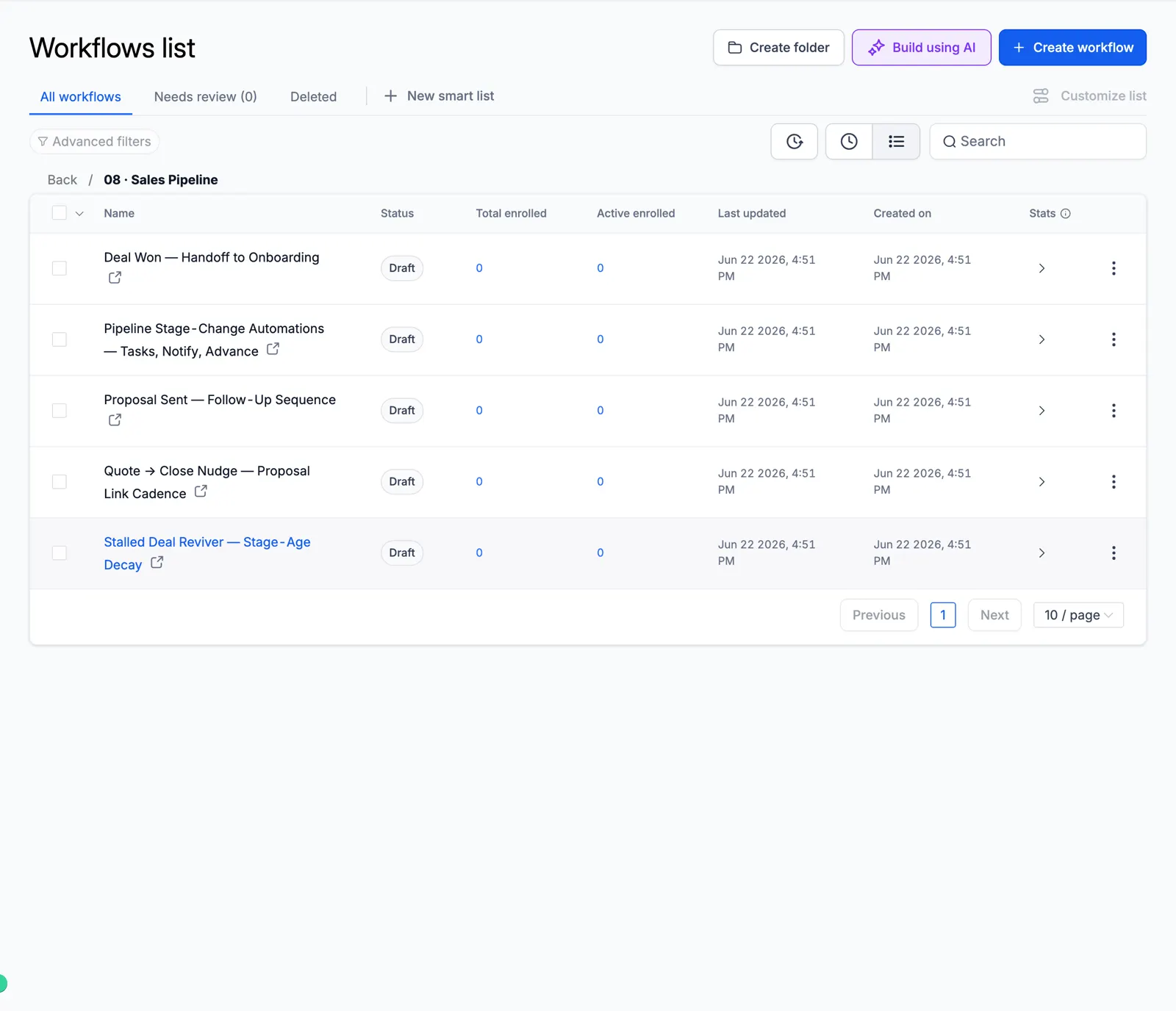
Screenshot of the Sales Pipeline folder

09 Client Onboarding

A smooth first week for new clients.
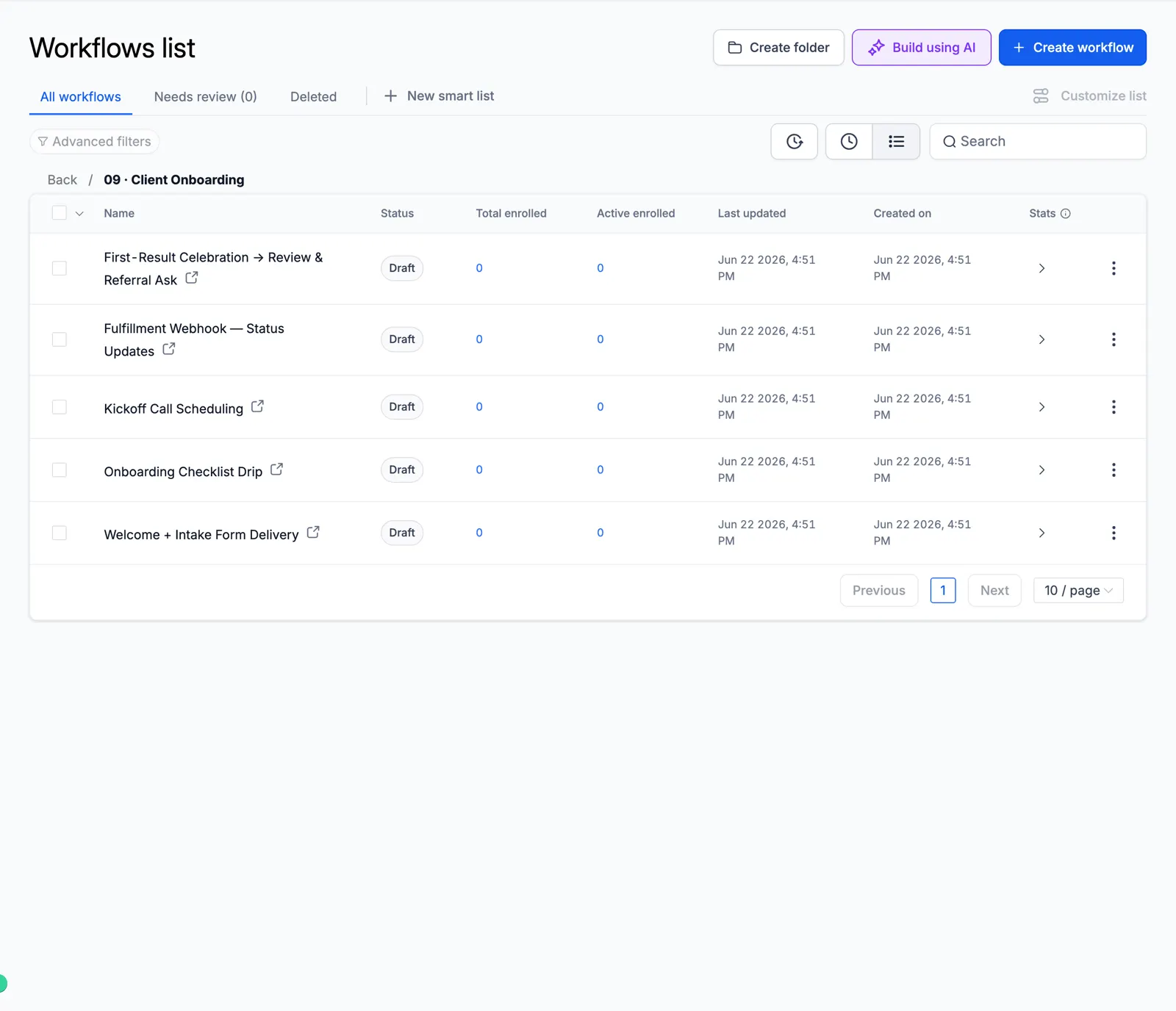
Screenshot of the Client Onboarding folder

10 Cold Outreach Engine

Multi-step cold email and SMS.
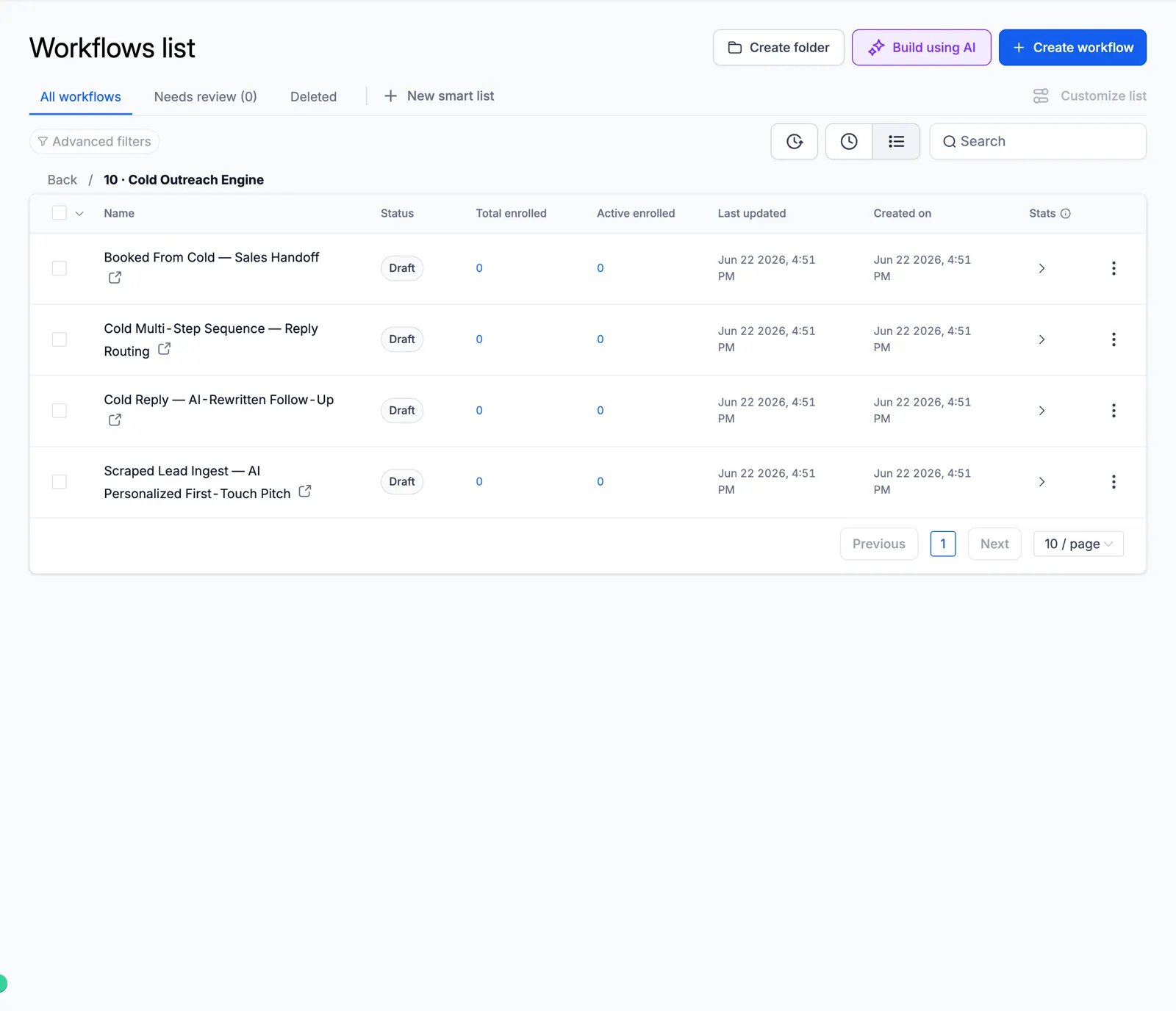
Screenshot of the Cold Outreach Engine folder

11 Referral & Growth

Ask clients for referrals.
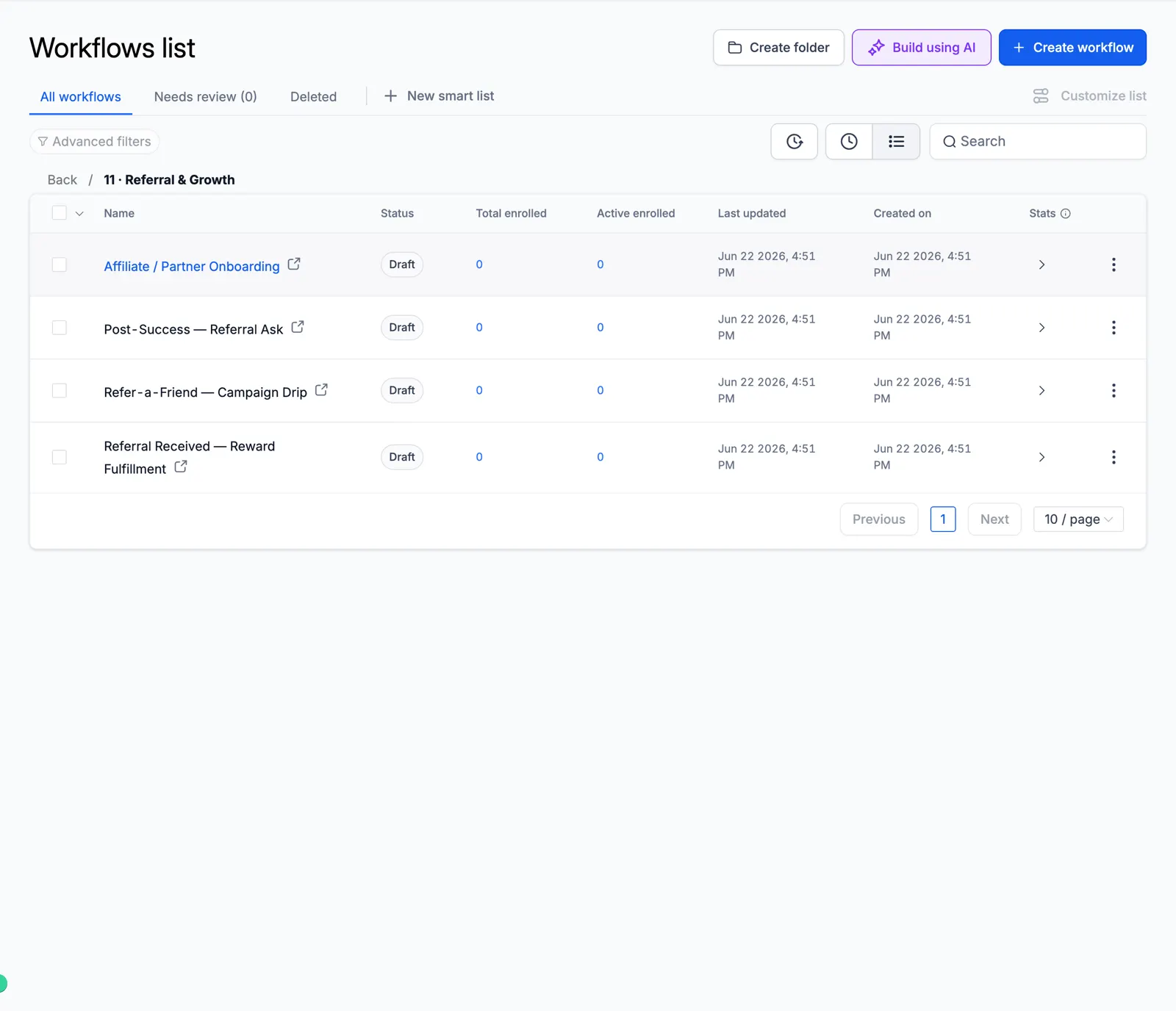
Screenshot of the Referral & Growth folder

12 Revenue Recovery

Failed payments and abandoned carts.
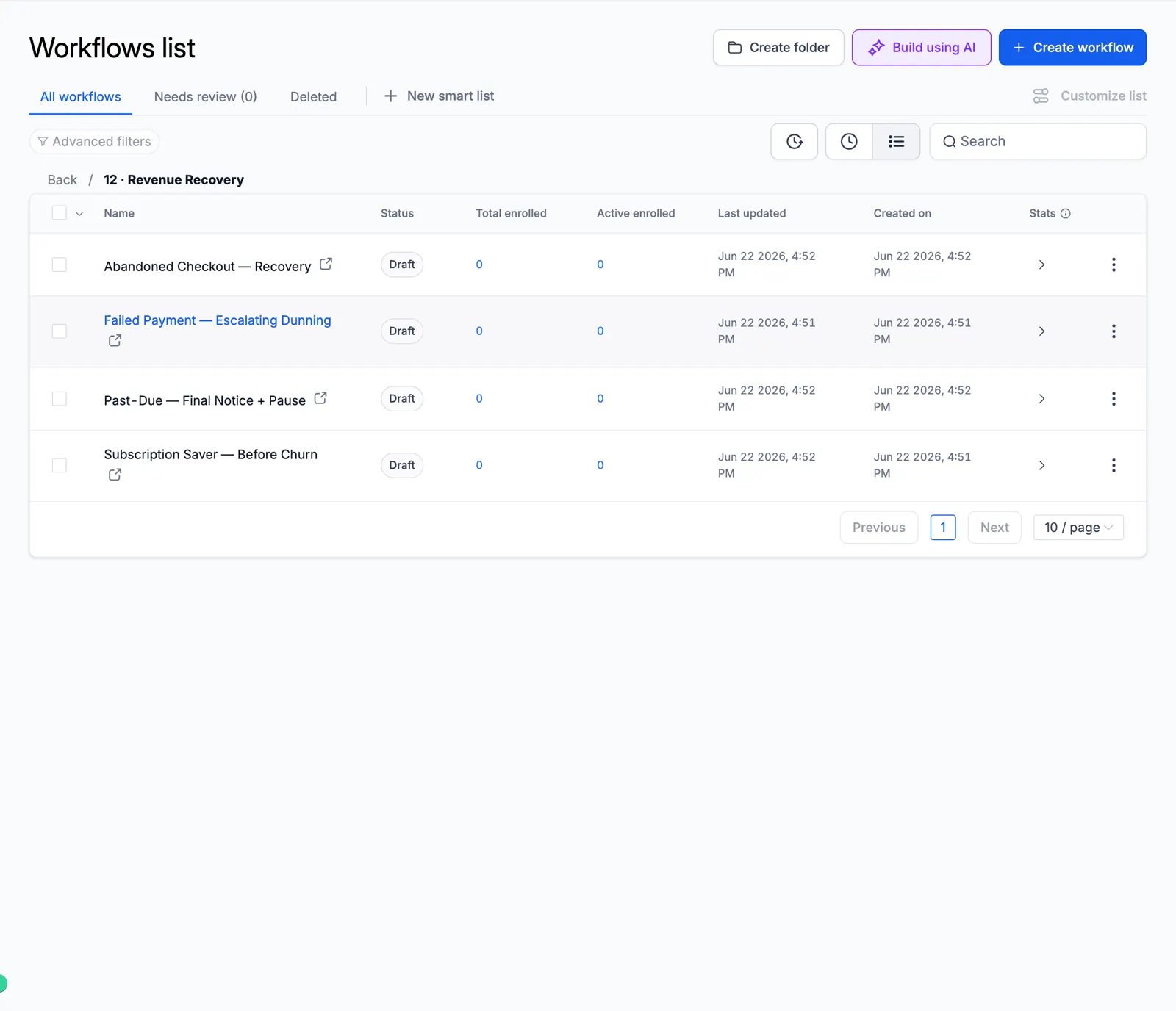
Screenshot of the Revenue Recovery folder

13 Internal Ops

Team alerts, tasks, and daily digests.
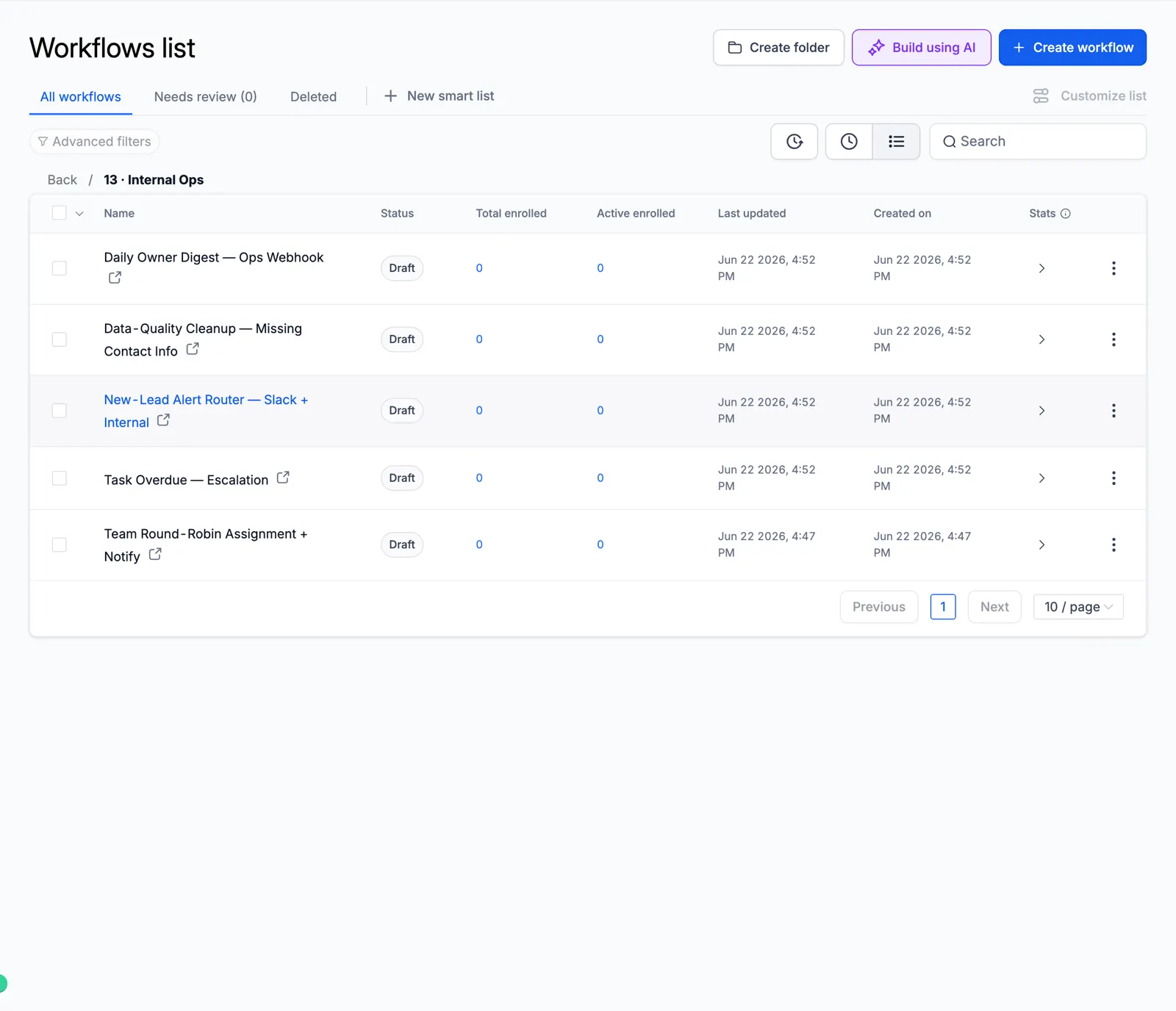
Screenshot of the Internal Ops folder

Look inside the automation

These are real workflow builder canvases from the master account. Each one shows the actual steps, so you can see how the automation runs before you import it.

Missed-Call Text-Back

The moment a call is missed, it tags the caller, sends an instant text back, alerts the rep, waits, and follows up.
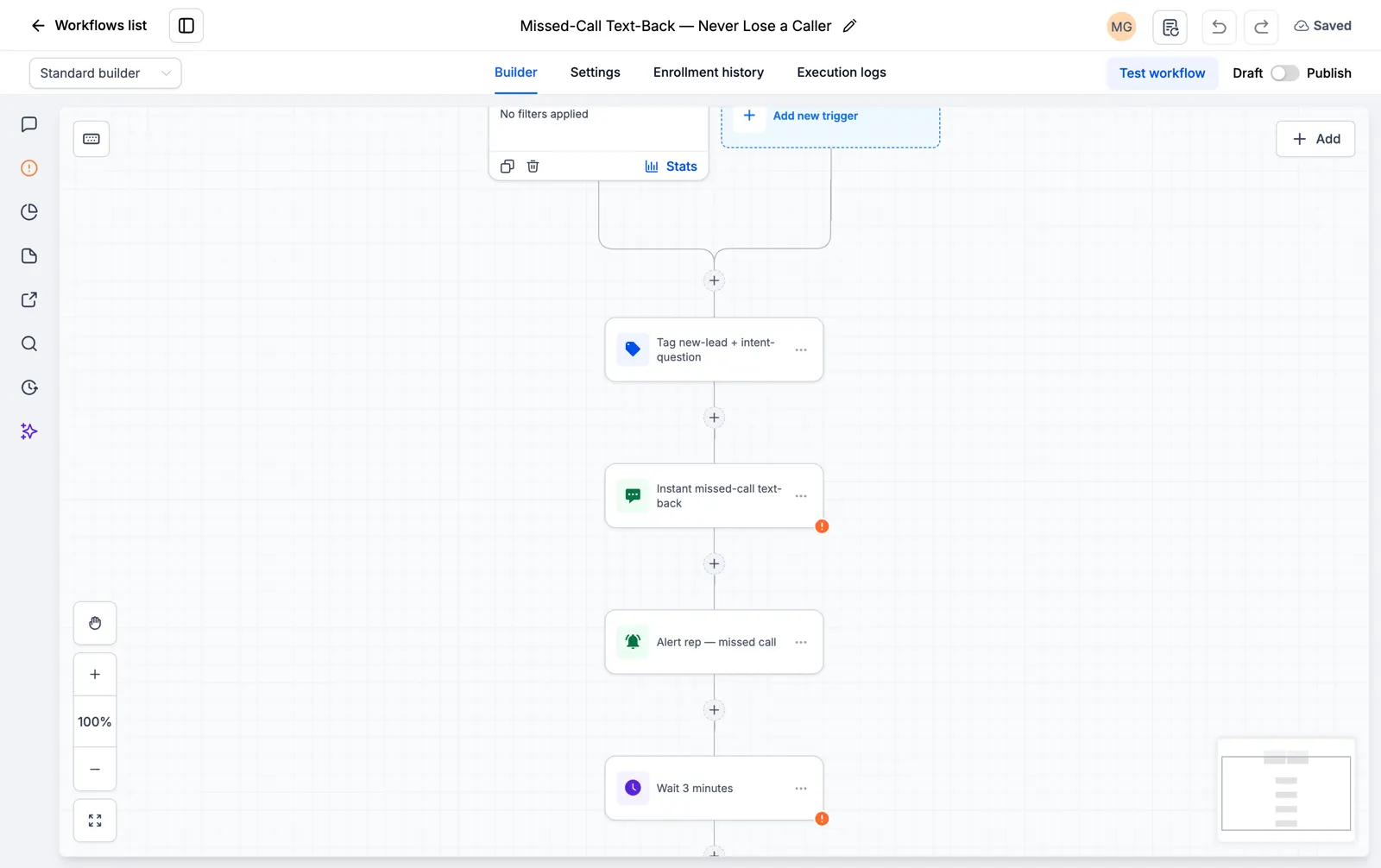
Screenshot of the Missed-Call Text-Back canvas

Facebook and Instagram Lead Instant Responder

The second a lead form comes in, it texts and emails the lead and starts the follow-up.

Screenshot of the Facebook and Instagram Lead Instant Responder canvas

Speed to Lead, 60-Second SMS and Email Blast

A new lead gets an SMS and an email inside the first minute, when they are most likely to reply.
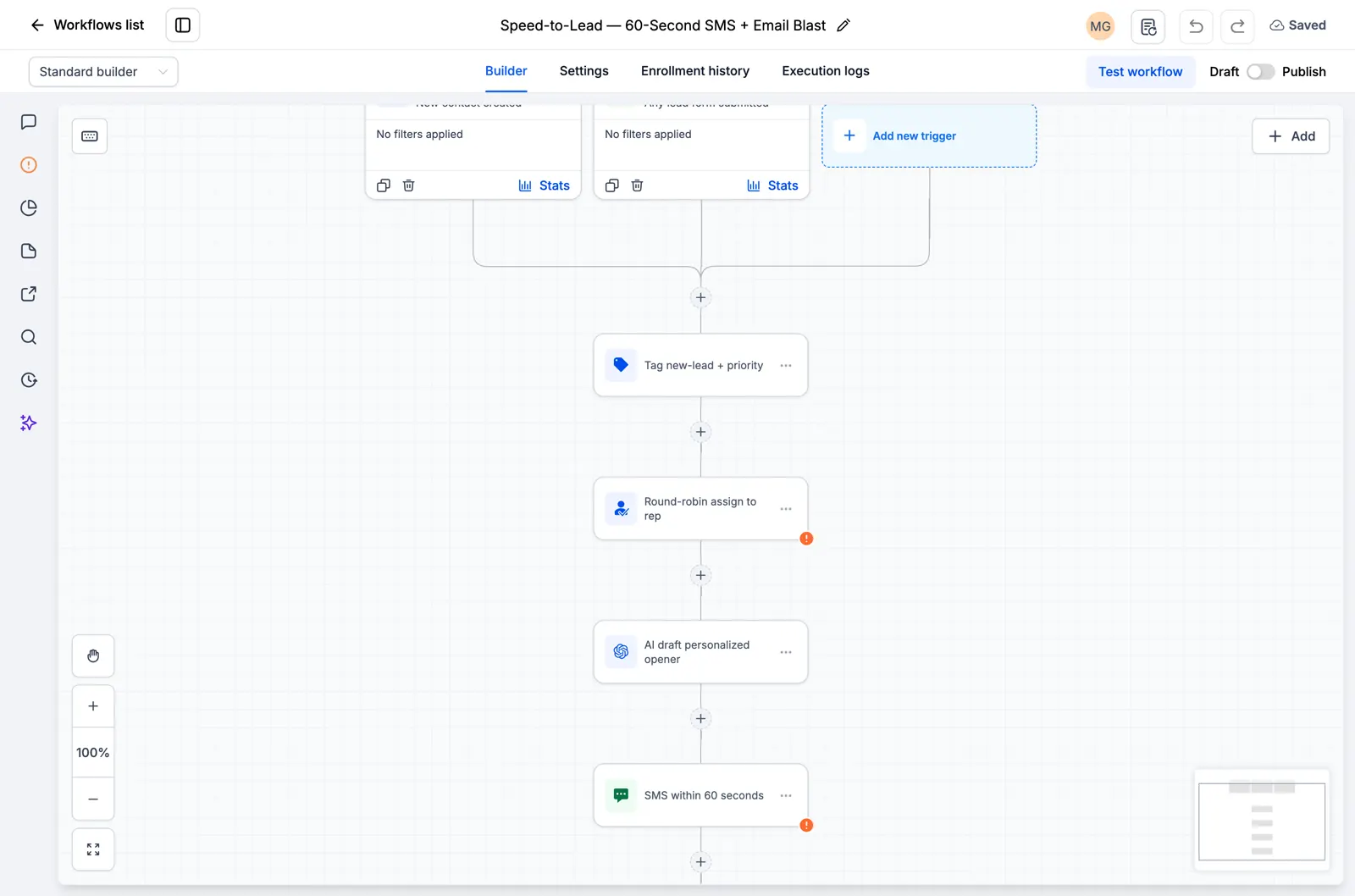
Screenshot of the Speed to Lead, 60-Second SMS and Email Blast canvas

Google and Facebook Review Funnel

It asks every customer for a public review by SMS and follows up a few days later.
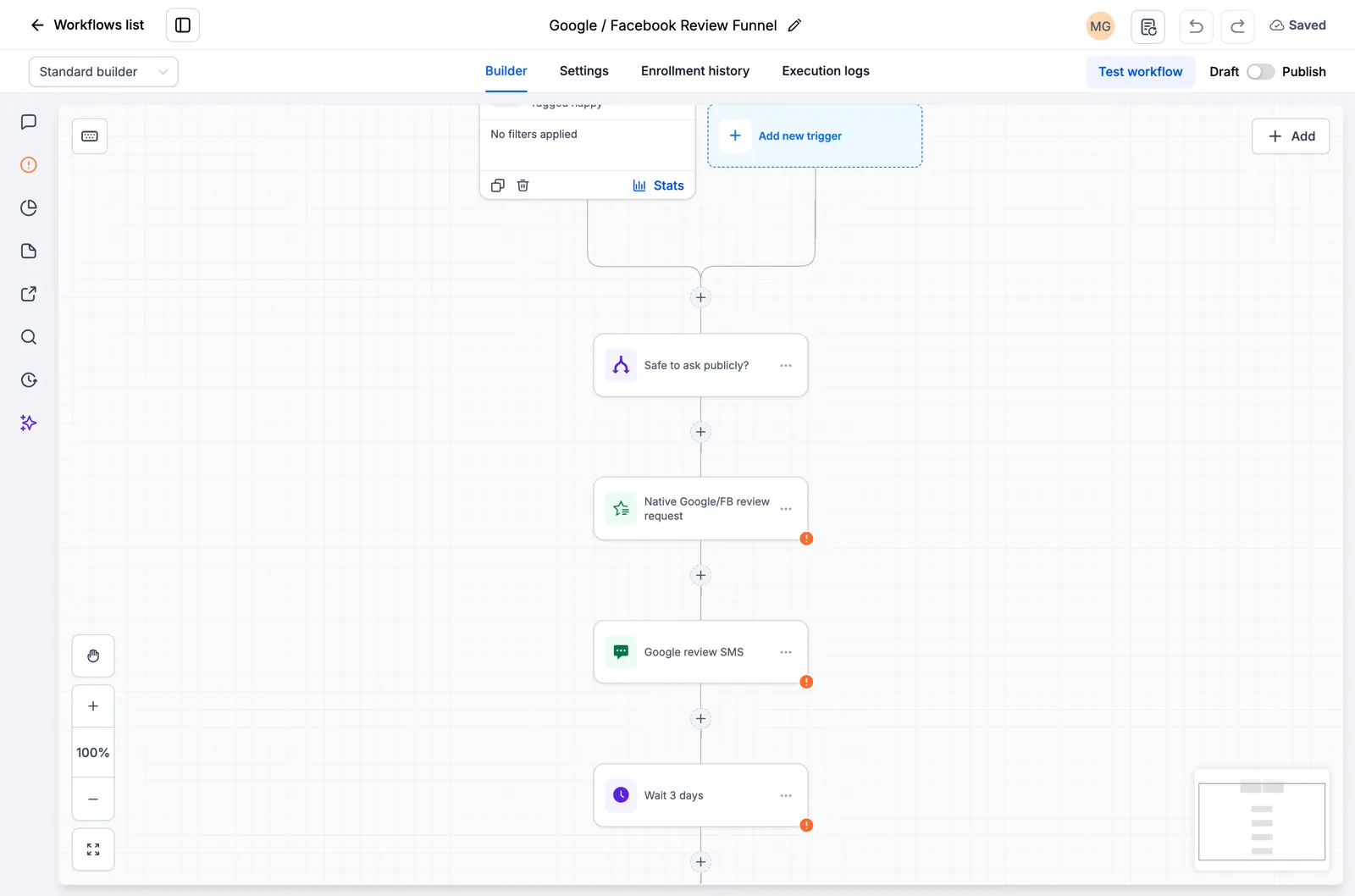
Screenshot of the Google and Facebook Review Funnel canvas

AI Feedback Alert

Every customer gets the same review request. Low scores also alert your team for a private follow-up.
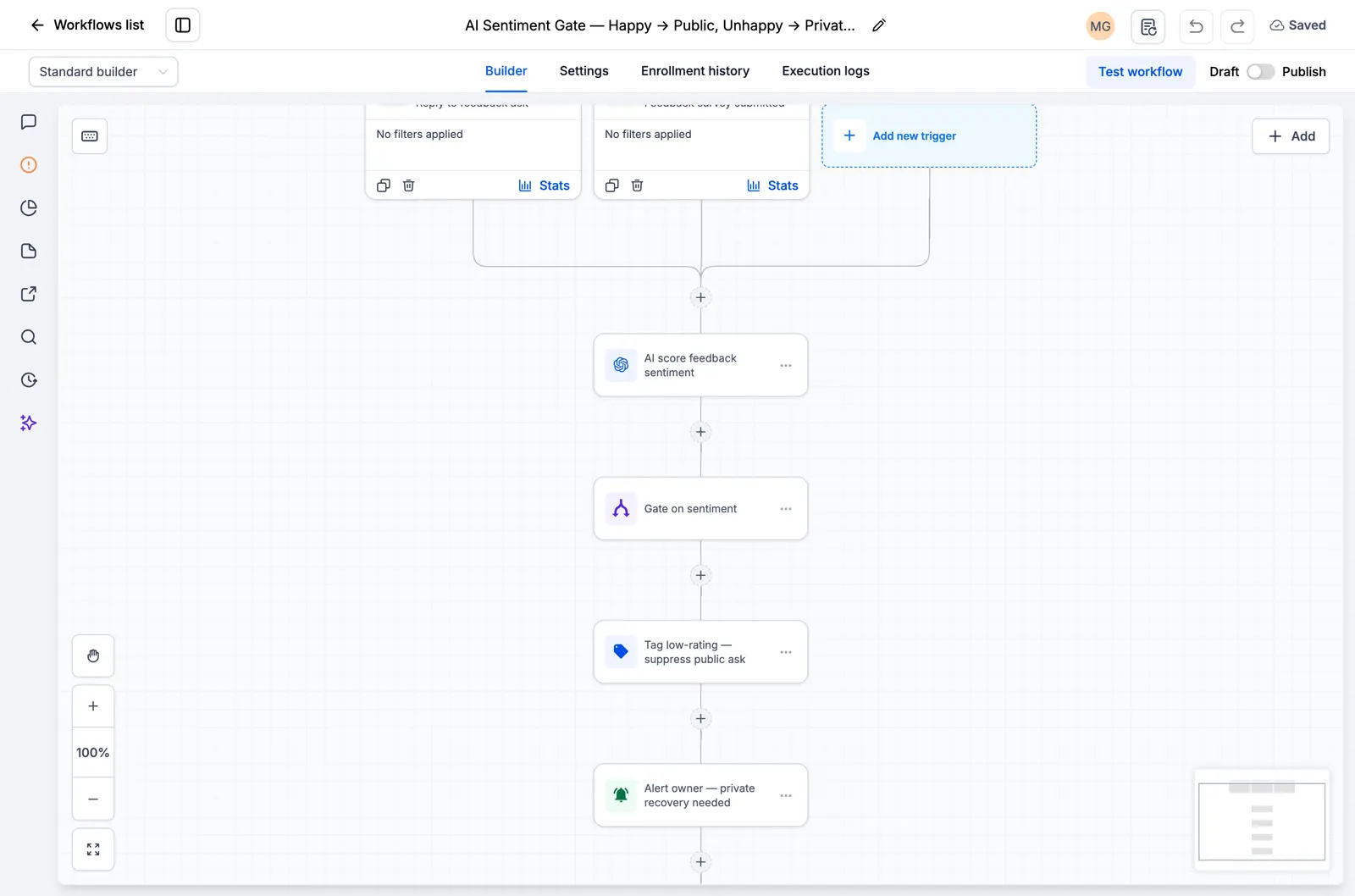
Screenshot of the AI Feedback Alert canvas

Reputation Monitoring, Owner Alert

It watches for new reviews and alerts the owner right away so nothing slips through.
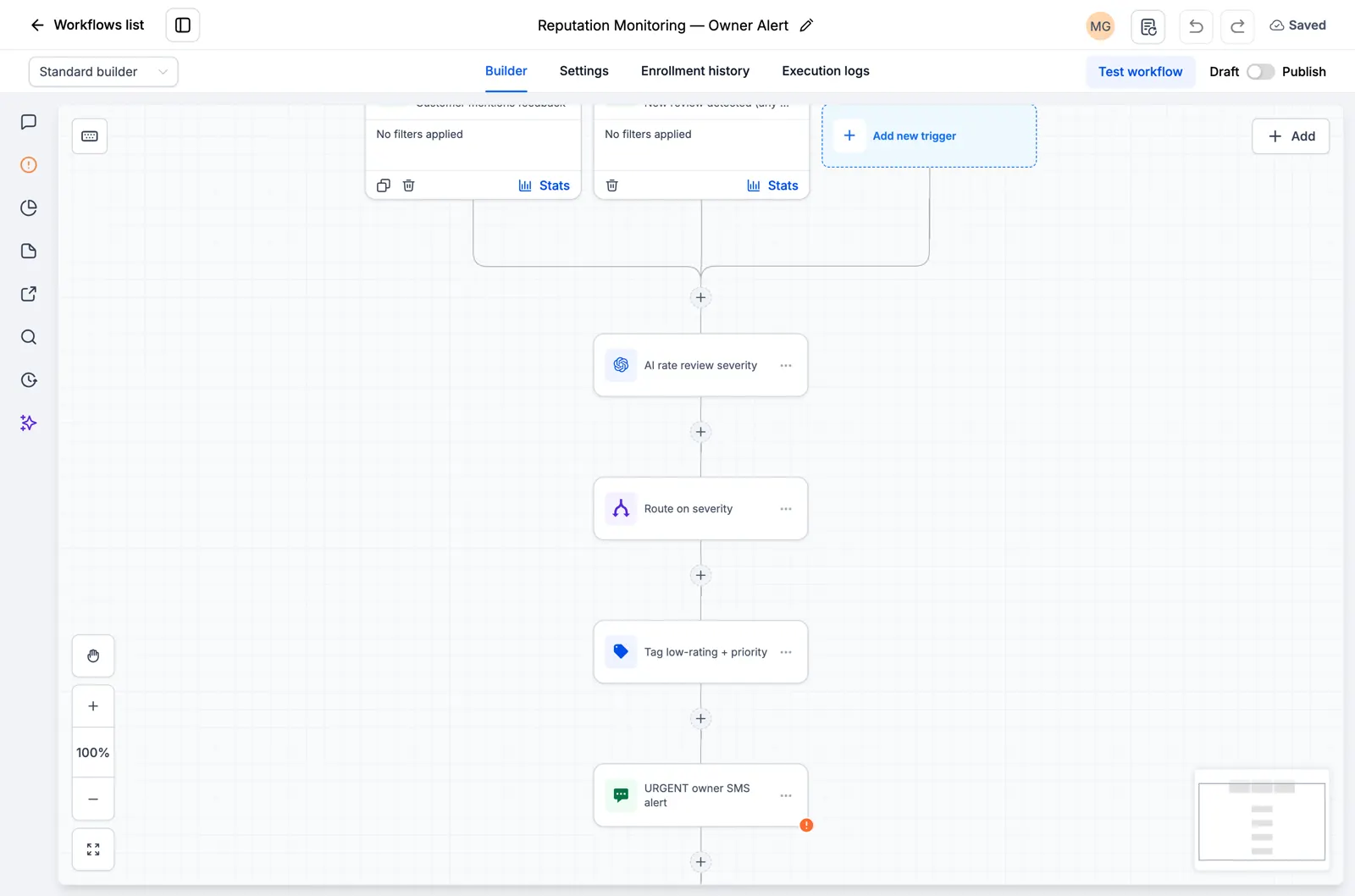
Screenshot of the Reputation Monitoring, Owner Alert canvas

Explore the current workflow library

Browse all 176 inspected drafts and the ten new niche workflow packs. Every page states what is present and what still needs setup or testing. Open the catalog.
30-day free trial + free RocketLauncher tools

Try GoHighLevel for 30 days. Get these tools free.

Sign up through our link for a 30-day GoHighLevel free trial. Your snapshot library, LeadMiner, CopyCat and the other RocketLauncher tools shown here are included free.

30 days to try GoHighLevel. All these tools free.

Start my 30-day free trial

Use our link to get the trial and free tools. Your GoHighLevel subscription is paid after the trial; sending costs and paid third-party services are separate.

  • GoHighLevel workflow showing lead assignment and an SMS follow-up step
    Inside a saved GoHighLevel workflow

    Snapshots + workflows

    Set up your follow-up faster

    Import ready-made GoHighLevel setups for enquiries, appointment reminders and follow-up. Add your business details and test before switching them on.

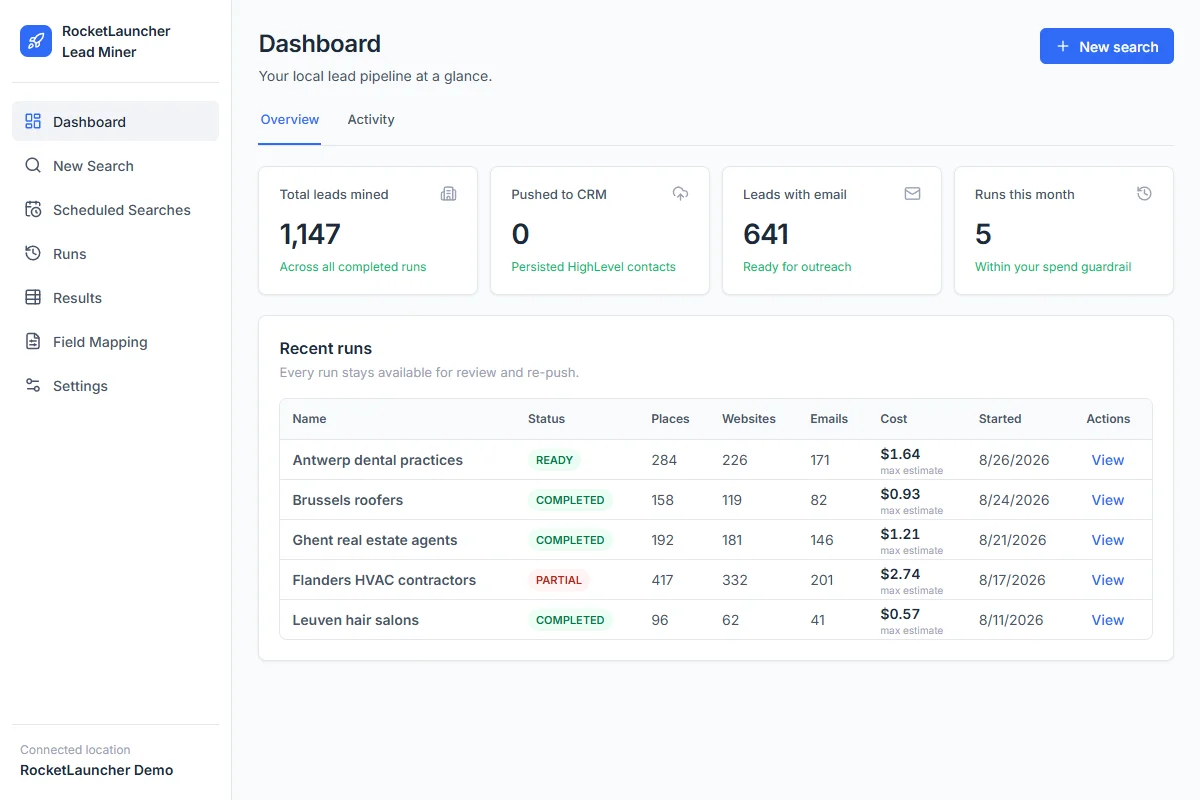
  • RocketLauncher Lead Miner demo dashboard showing local business searches and lead counts
    LeadMiner workspace · Demo data

    LeadMiner

    Find businesses you can sell to

    Search for local businesses on Google Maps, review their websites and contact details, then send selected leads to GoHighLevel. For example: find roofers who could use your services.

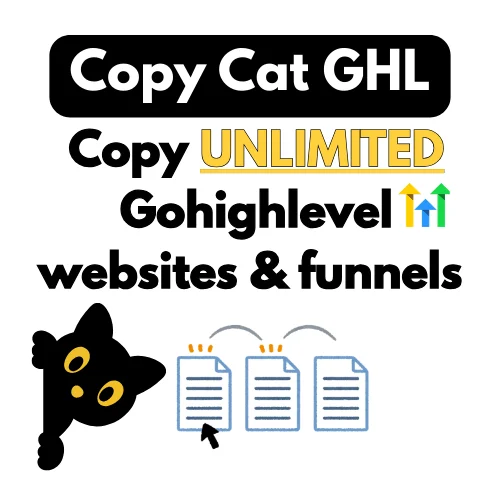
  • Copy Cat GHL product image: copy GoHighLevel websites and funnels
    CopyCat for GoHighLevel

    CopyCat

    Copy a page. Make it your own.

    Copy a GoHighLevel website or funnel into your own account. Change the logo, images and text for your business or client. Use pages you own or have permission to reuse.

  • Plus tutorials, community help and more RocketLauncher tools

    Get help setting up the tools and putting your chosen snapshot to work.

Get the bundle in 3 steps

  1. 1.Start your 30-day free trial

    Use our GoHighLevel link above to get the 30-day trial and qualify for all the free tools shown here.

  2. 2.Request your access

    Join the RocketLauncher community and ask for your bundle access after signing up through our link.

  3. 3.Choose a snapshot and install

    Get the import link for an available snapshot. Import it into your GoHighLevel account, add your business details and test before activating.

Already started through our link? Claim access

Preview packs are still being prepared and are not ready to install. Check each pack's status before choosing.

Partner link: we earn a commission if you subscribe, at no extra cost to you.